

Alternatives to Subclip
Subclip is an all-in-one AI video editor that automates editing, captioning, and dubbing in multiple languages to save you time and effort.
Explore 9 alternatives to Subclip. Compare features, pricing, and find the best fit for your needs.

HubVanta
HubVanta is a free AI creative toolkit for generating images, videos, voices, and visual edits from one browser workspace.
Oravaa
Oravaa automates inbound support, outbound lead qualification, and operational calls 24/7 with a human-like Voice AI platform.
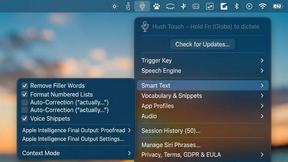
Hush Touch | Voice-to-Text for MacOS
Hush Touch is an offline voice-to-text app for macOS that learns your vocabulary and delivers smart, accurate.
Glossa
Glossa provides fast, accurate AI translation of sermons in 100+ languages, breaking language barriers for churches.
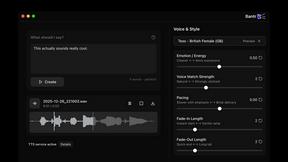
Bantr: Offline & Unlimited TTS for Mac
Bantr is an offline, unlimited text-to-speech app for Mac that ensures privacy with expressive, natural-sounding voices.

KaiCalls
KaiCalls is your 24/7 AI phone agent that captures leads and answers calls, texts, and messages instantly.
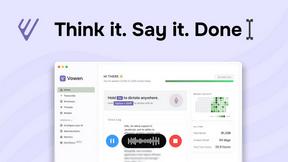
Vowen
Vowen transforms your speech into text, actions, and workflows, streamlining productivity through voice commands.

Bargou One
Bargou One is your all-in-one AI assistant for chat, content creation, and translation.
About Subclip Alternatives
Subclip is an innovative AI-powered video editing tool designed for creators, marketers, and educators. It simplifies the video editing process by allowing users to edit videos like documents, utilizing features such as voice cloning, automatic subtitle generation, silence removal, and multilingual dubbing. By integrating these capabilities into one platform, Subclip caters specifically to those who seek efficiency and ease in their video production workflows. Users often explore alternatives to Subclip for various reasons, including pricing structures, feature sets, and platform compatibility. Some may find that their specific needs require different functionalities or integrations not offered by Subclip. When searching for an alternative, it is essential to consider factors such as user-friendliness, the range of editing features, the quality of output, and the overall cost-effectiveness of the solution. Identifying a platform that aligns with individual requirements can enhance the video editing experience and improve productivity.
FAQs about Subclip Alternatives
What is Subclip?
Subclip is an AI-powered video editing platform that allows users to create and edit videos efficiently. It offers features such as voice cloning, automatic subtitle generation, silence removal, and multilingual dubbing, making it suitable for a wide range of users including content creators, marketers, and educators.
Who is Subclip for?
Subclip is designed for a variety of users including YouTubers, podcasters, course creators, and marketing teams. It caters to anyone who needs to produce video content efficiently and effectively, streamlining the video editing process and improving overall productivity.
Is Subclip free?
Subclip offers a freemium pricing model, which includes a free tier that allows users to access basic features. For more advanced functionalities, users can opt for affordable paid plans that cater to different needs and budgets.
What are the main features of Subclip?
The main features of Subclip include AI-driven voice cloning, auto-generation of accurate subtitles, silence and filler word removal, and multi-language dubbing. These features enable users to streamline their video editing process and enhance the quality of their video content.