
Square Face Generator
Square Face Generator is a free, no-login browser tool for creating cute square avatar icons by mixing parts and colors, then downloading transparent.
Visit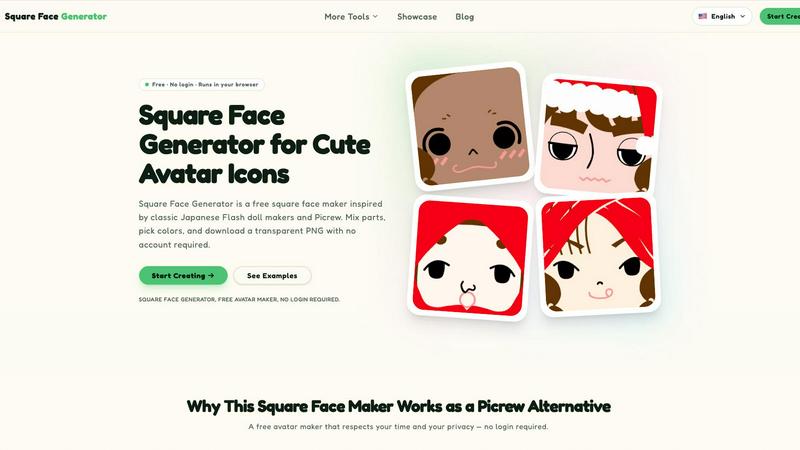
About Square Face Generator
Square Face Generator is a free, browser-based avatar creation tool that specializes in generating charming, square-shaped character faces. Inspired by classic Japanese Flash doll makers and the popular Picrew platform, this tool allows users to create unique, customizable avatars without the need for any software installation, account registration, or payment. The core value proposition is a seamless, private, and fun experience where every rendering happens locally in the user's browser, ensuring that no personal data or created images ever leave the device. With over 200 customizable parts spread across 12 distinct categories, including skin tones, bangs, side hair, eyes, noses, mouths, eyebrows, eyelashes, blush, glasses, hats, and outfits, users can assemble millions of unique combinations. The tool is designed for a wide audience, from social media users seeking a fresh profile picture to game developers needing quick NPC portraits. It is fully responsive and touch-friendly, functioning perfectly on desktop computers, tablets, and smartphones. The interface is intuitive, featuring a live preview and simple controls that require no tutorials or learning curve, making it accessible for both beginners and experienced creators. The final output is a transparent 256x256 PNG file, downloadable with a single click, ready for use on any platform. Square Face Generator stands out as a privacy-focused, cost-free alternative to traditional avatar makers, eliminating the frustrations of paywalls, watermarks, and mandatory account creation.
Features of Square Face Generator
Comprehensive Customization Library
The tool provides access to 12 distinct part categories and over 200 unique pieces, allowing for an immense variety of character designs. Users can mix and match elements such as face shapes, eye styles, hair types, mouth shapes, and accessories like glasses and hats. The inclusion of color pickers with HEX input support for skin, hair, and outfits enables fine-tuning of every detail, ensuring that each avatar can be precisely tailored to the user's vision, resulting in millions of potential combinations.
100 Percent Free and No Login Required
Square Face Generator is completely free to use with no hidden costs, paywalls, or watermarks. Every single part, color option, and download is accessible without any payment. Furthermore, the tool requires no account registration or login, respecting user privacy and time. This removes the typical barriers associated with many online creative tools, allowing users to jump straight into the creation process without any commitment or data sharing.
Instant Transparent PNG Export
Once an avatar is complete, users can export their creation as a transparent 256x256 PNG file with a single click. This format is ideal for profile pictures on social media platforms, game development assets, or any project requiring a clean, background-free image. The instant download feature eliminates the need for screen captures or additional editing software, streamlining the workflow from creation to final use.
Local Browser Rendering for Privacy
All rendering and processing for Square Face Generator happens locally within the user's browser. This means that no images, customizations, or personal data are ever uploaded to an external server or stored by the service. This privacy-focused architecture ensures complete confidentiality, making it a safe choice for users who are concerned about their digital footprint or who are creating avatars for sensitive projects. The tool also runs on Ruffle, requiring no Flash plugin.
Use Cases of Square Face Generator
Social Media Profile Pictures
Users can quickly generate unique, eye-catching square avatars for their profiles on platforms like Discord, X/Twitter, Instagram, and TikTok. The transparent PNG export ensures the avatar blends seamlessly with any interface. The ability to create a personalized, non-generic icon helps individuals stand out and express their identity without using a real photograph, providing both creativity and a layer of privacy.
Game Development Asset Creation
Indie game developers and hobbyists can use Square Face Generator to rapidly prototype NPC portraits, player avatar placeholders, or character icons for dialogue systems. The tool's speed and simplicity allow for the quick generation of numerous distinct faces, saving valuable development time. The square format and transparent background make these assets easy to integrate directly into game engines and UI mockups.
Team and Community Branding
Groups such as online guilds, clubs, classes, or corporate teams can use the tool to create a unified set of avatars for their members. While maintaining a consistent base style or color palette, each person can customize their face parts to retain individual personality. This creates a cohesive visual identity for the community across forums, communication apps, or internal directories.
Creative and Educational Projects
The avatars are perfect for various creative endeavors, including slideshow presentations, digital stickers, posters, school assignments, or zine illustrations. The simple, charming art style is versatile and appealing for both children and adults. Educators can use the tool to let students create characters for storytelling projects, while artists can use it as a base for further digital painting or character design exploration.
Frequently Asked Questions
Is it really free?
Yes, Square Face Generator is completely free to use. There are no paywalls, no hidden fees, and no watermarks on exported images. Every part, color option, and download feature is accessible without any payment, subscription, or account creation. The tool is designed to be a no-cost resource for everyone.
What size are the exports?
The exported images are transparent PNG files with a resolution of 256x256 pixels. This square format is standard for profile pictures on most social media platforms and is ideal for use as icons, thumbnails, or small game assets. The size ensures a good balance between image quality and file size for quick downloads and uploads.
Can I use my icon commercially?
Yes, you are free to use the avatars you create for commercial purposes. This includes using them in games, on merchandise, in marketing materials, or for any other commercial project. There are no restrictions on usage, as the tool is provided for open creation. However, you cannot resell the tool itself or the individual unmodified parts.
Do I need to install anything?
No installation is required. Square Face Generator runs entirely within your web browser. It uses Ruffle to emulate the original Flash-based application, meaning no plugins or software downloads are necessary. You simply visit the website and start creating immediately on any device with a modern web browser and internet connection.
Explore more in this category:
Similar to Square Face Generator

Free AI image and video studio with no sign-up: generate images from text or photos, turn prompts into short videos, plus editing and upscaling.

Turn text prompts into polished, copyright-safe visuals that plug directly into branded templates

Create and edit AI images, generate videos, and compare models in one creative workbench.

Create and edit AI images online with multiple models, text-to-image, image-to-image, background removal, and upscaling.

Face recognition API, a drop-in replacement for AWS Rekognition. Index, search, compare and detect faces, billed per photo with no subscription.

AI color previews and marker color suggestions for coloring pages.

Advanced AI image generation and editing with sharp typography, native 2K output, and localized edits with minimal drift.

ImageGPT is an all-in-one AI creative platform for generating, editing and transforming images and videos using AI.