

Alternatives to Square Face Generator
Square Face Generator is a free, no-login browser tool for creating cute square avatar icons by mixing parts and colors, then downloading transparent.
Explore 20 alternatives to Square Face Generator. Compare features, pricing, and find the best fit for your needs.
FreeCreate
Free AI image and video studio with no sign-up: generate images from text or photos, turn prompts into short videos, plus editing and upscaling.

Design.com AI Image Generator
Turn text prompts into polished, copyright-safe visuals that plug directly into branded templates
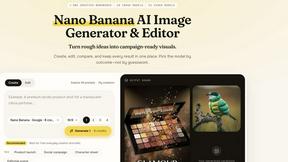
Nano AI
Create and edit AI images, generate videos, and compare models in one creative workbench.
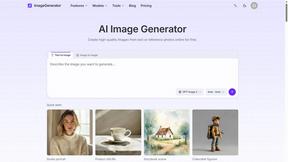
ImageGenerator
Create and edit AI images online with multiple models, text-to-image, image-to-image, background removal, and upscaling.
SightRadar
Face recognition API, a drop-in replacement for AWS Rekognition. Index, search, compare and detect faces, billed per photo with no subscription.
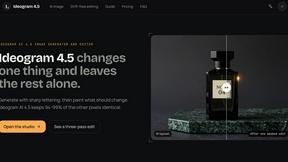
Ideogram AI 4.5
Advanced AI image generation and editing with sharp typography, native 2K output, and localized edits with minimal drift.

ImageGPT
ImageGPT is an all-in-one AI creative platform for generating, editing and transforming images and videos using AI.
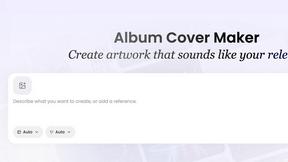
AI Album Cover Maker
Create release-ready album covers from a prompt or photo. Generate, refine, and export art for singles, EPs, mixtapes, and playlists.
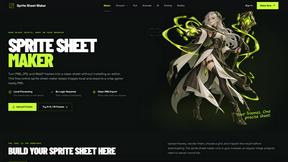
Sprite Sheet Maker
A free browser-based toolkit for creating, cutting, converting, and previewing sprite sheet animations.
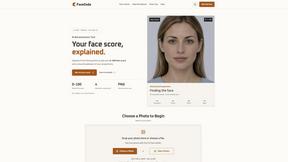
FaceCoda
Free AI attractiveness test and face analysis with private, on-device photo processing.

GPT Image 2 API
Generate and edit production-ready images with GPT Image 2 API using detailed prompts, reference images, clear text rendering, and developer-friendly

Z Image Turbo
Fast AI image generation for photorealistic visuals, bilingual posters, ecommerce content, and social graphics.

RunwayAI
Create videos from prompts and images with RunwayAI, an independent runway ai video generator with practical output controls.
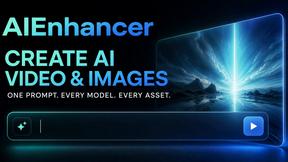
AIEnhancer
AI enhancer for photos, images, videos, creative effects, and shared asset workflows.

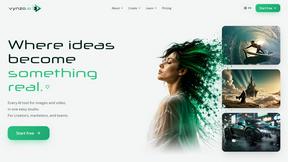
Vynzo
AI image and video studio. Generate from a prompt, animate stills, swap faces, restyle clips and edit — one credit pool, no subscription.

ProfileLoom
ProfileLoom turns one photo into platform-ready AI portraits for professional, social, and creator profiles, with presets and built-in editing.
Free AI Image
Free AI Image is a free text-to-image AI generator for creating clean visual drafts from prompts with no sign-up required.
About Square Face Generator Alternatives
Square Face Generator is a free, browser-based avatar creation tool that falls under the Image Generation category, specifically designed for crafting charming square-shaped characters reminiscent of classic Japanese Flash doll makers and Picrew. Users often seek alternatives when they require additional features such as higher resolution exports, offline functionality, more extensive asset libraries, or compatibility with specific platforms like mobile apps or desktop software. Others may look for options that offer different art styles, commercial licensing for their creations, or the ability to integrate with other design workflows, such as game development or social media branding. When evaluating an alternative to Square Face Generator, key considerations include the breadth and customization depth of the available parts, the privacy and security of the tool, and whether it supports your preferred device or operating system. You should also assess the ease of use, the availability of export formats like PNG or SVG, and whether the tool operates locally or requires an internet connection. For creators focused on character design, look for robust layering systems, color palette controls, and a style that matches your project’s aesthetic, all while ensuring the tool remains responsive and intuitive for your skill level.
FAQs about Square Face Generator Alternatives
What is Square Face Generator?
Square Face Generator is a free, browser-based avatar maker inspired by classic Japanese Flash doll makers and Picrew. It focuses on creating charming square-shaped characters using over 200 customizable parts across 12 categories, including skin tones, eyes, hair, outfits, and accessories. All rendering happens locally in your browser, ensuring no data leaves your device.
Who is Square Face Generator for?
Square Face Generator is designed for anyone who enjoys creating unique, stylized avatars, from casual users looking for fun profile pictures to artists and designers prototyping character concepts. Its intuitive, touch-friendly interface makes it accessible to beginners, while the depth of customization appeals to enthusiasts of doll-maker-style tools. It works equally well on desktop, tablet, and phone, catering to a wide range of users.
Is Square Face Generator free?
Yes, Square Face Generator is completely free to use, with no hidden costs or subscription fees. Users can access all 12 categories and over 200 customizable parts without any payment. This makes it an accessible option for anyone wanting to experiment with avatar creation without financial commitment.
What are the main features of Square Face Generator?
Key features include 12 categories of customizable parts such as bangs, side hair, eyes, nose, mouth, brows, lashes, blush, glasses, hats, and outfits, totaling over 200 options. The tool is responsive and touch-friendly, functioning seamlessly on desktop, tablet, and phone. Most importantly, everything renders locally in your browser, meaning no images or data are uploaded to any server, ensuring complete privacy and security.