
Gemini Omni AI Video Generator
Gemini Omni AI Video Generator unifies text, images, and video into polished 4K clips with built-in audio and editing.
Visit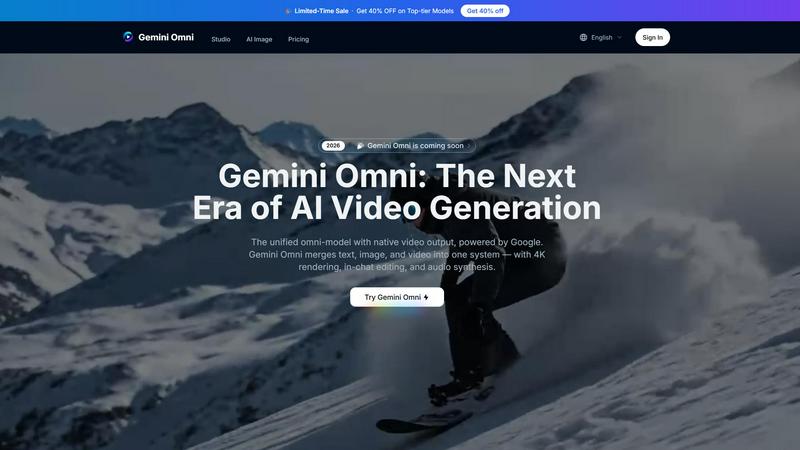
About Gemini Omni AI Video Generator
Gemini Omni AI Video Generator is Google's first unified omni-model that fundamentally redefines video creation by merging text, image, and video generation into a single conversational system. Unlike traditional standalone AI video generators that handle only one modality at a time, Gemini Omni allows creators to generate, remix, edit, and rewrite video scenes directly within a chat interface without the need for tool-switching or external software. The platform delivers native 4K resolution at up to 120fps, persistent world-state memory for maintaining character consistency across clips, and integrated Foley and dialogue synthesis produced in a single diffusion pass. This product is designed for content creators, filmmakers, advertisers, social media managers, and production studios who need a streamlined workflow for producing high-quality video content. The main value proposition lies in its ability to handle every input type natively, from text prompts and images to video clips and audio references, all through one unified model. Gemini Omni eliminates the complexity of chaining multiple tools together, saving time and preserving creative momentum. The platform also includes a dedicated studio workspace with early access tools, prompt guides, and hands-on resources that enable creators to harness its full capabilities alongside current models like Veo 3.1 and Seedance 2.0. Whether you are producing cinematic sequences, animated advertisements, or consistent AI avatars, Gemini Omni provides an all-in-one solution for the new era of video creation.
Features of Gemini Omni AI Video Generator
Unified Omni-Model Architecture
Gemini Omni is built as a natively multimodal system from the ground up, meaning it accepts text, images, video clips, and audio as inputs and returns polished video output without requiring separate pipelines or tool-chaining. This unified architecture ensures that every creative element is processed within a single model, eliminating the friction of moving assets between different applications. The result is a seamless creative experience where a single conversation can evolve from a text description to a fully rendered video with consistent style and quality.
In-Chat Video Editing via Natural Language
One of the most transformative features of Gemini Omni is the ability to edit video directly within the chat interface using natural language instructions. Creators can remix clips, swap objects, remove watermarks, change backgrounds, or rewrite entire scenes simply by typing commands. This eliminates the need for traditional video editing software and complex timeline manipulation, making professional-grade editing accessible to anyone. The AI understands context and maintains visual coherence across all edits applied during a session.
AI Avatars with Persistent Character Consistency
Gemini Omni can create a digital avatar that mirrors a real person's face and voice from a single photograph. This avatar can then be used across multiple video clips, presentations, or social content while maintaining consistent facial geometry and vocal characteristics. The persistent world-state memory ensures that the avatar's appearance remains stable even through dramatic camera movements or scene changes. This feature is particularly valuable for creators who need a recurring digital presence without reshooting or re-recording.
Integrated Foley and Dialogue Synthesis
The platform synthesizes sound effects, ambient noise, and spoken dialogue simultaneously with the visual output in a single diffusion pass. This means audio is generated natively alongside the video, eliminating the need for a separate sound-design step or post-production audio editing. The integrated approach ensures perfect synchronization between what is seen and what is heard, whether it is footsteps on gravel, rain in a forest, or a character speaking dialogue. This feature dramatically reduces production time for audio-visual content.
Use Cases of Gemini Omni AI Video Generator
Ad and Text Animation for Marketing Campaigns
Marketers can drop a script into Gemini Omni and receive each word delivered with a unique animated style that is perfectly paced to a rhythmic beat. This enables the creation of scroll-stopping advertisement sizzle reels where bold typography and dynamic motion do the selling. No After Effects or complex animation software is required, making it possible for small teams to produce high-impact promotional content quickly and cost-effectively. The ability to iterate on animations through natural language further accelerates the campaign development cycle.
Film and Visual Effects Production
Filmmakers can use Gemini Omni to achieve complex visual effects that would traditionally require hours of manual compositing. For example, a simple prompt can turn a mirror into rippling liquid or shift a character's arm to reflective chrome within the same continuous shot. The model handles complex material transformations and physics-based animations with cinematic-grade output quality. This use case empowers independent filmmakers and small studios to produce VFX-heavy content without large budgets or specialized VFX teams.
Consistent AI Avatar Creation for Personal Branding
Content creators and professionals can generate a digital avatar that looks and sounds like them from a single photo, then use that avatar consistently across all video content. Whether it is for YouTube videos, LinkedIn presentations, or social media stories, the avatar maintains facial fidelity and voice characteristics across every generation. This is ideal for creators who want to produce more content without being on camera constantly, or for maintaining a consistent personal brand presence across multiple platforms.
Sketch-to-Video Storyboarding and Concept Visualization
Artists and designers can feed Gemini Omni a rough napkin sketch or a wireframe and receive back a fully animated scene with motion and context. Hand-drawn strokes are transformed into camera-ready animation, eliminating the need for polished artwork to begin the creative process. This use case is invaluable for pre-visualization in film production, concept development in advertising, and rapid prototyping in game design. The ability to iterate on sketches through natural language commands accelerates the creative feedback loop significantly.
Frequently Asked Questions
What is the maximum video resolution and frame rate supported by Gemini Omni?
Gemini Omni supports native 4K resolution at up to 120 frames per second, providing cinematic-grade output quality suitable for professional production. The platform also offers lower resolution options like 720P and 1080P for faster generation times. Users can select their preferred resolution based on the balance between quality and speed that best fits their project requirements.
Can I edit a video after it has been generated?
Yes, Gemini Omni allows in-chat video editing through natural language instructions. You can remix clips, swap objects, remove watermarks, change backgrounds, and rewrite entire scenes directly in the chat interface without needing external software. This feature is built into the unified omni-model and maintains visual coherence across all edits applied during a session.
How does the AI avatar feature work and what do I need to provide?
The AI avatar feature requires a single photograph of the person you want to replicate. Gemini Omni locks onto the facial geometry and voice characteristics from that photo to create a digital avatar. This avatar can then be used consistently across multiple video clips, presentations, or social content. The persistent world-state memory ensures the avatar maintains its appearance even through dramatic camera movements or scene changes.
What input types does Gemini Omni accept for video generation?
Gemini Omni accepts text prompts, images, video clips, and audio as inputs for video generation. The unified omni-model processes all these input types natively without requiring separate pipelines or tool-chaining. This means you can start with a text description, add a reference image, include a video clip for style guidance, or provide audio for dialogue and sound effects, all within a single conversation.
Explore more in this category:
Similar to Gemini Omni AI Video Generator

All-in-one AI workspace to generate images, videos, and audio with multiple leading AI models.

Free AI image and video studio with no sign-up: generate images from text or photos, turn prompts into short videos, plus editing and upscaling.

Create and edit AI images, generate videos, and compare models in one creative workbench.

A Mac app that turns your App Store link into a week of Instagram Reels and carousels, written from your real reviews.


Free YouTube transcripts on the web, a Chrome extension, and an API + MCP server so AI assistants can read YouTube.

AI video workspace for creators building faceless Instagram Reels channels.
