

Alternatives to Gemini Omni AI Video Generator
Gemini Omni AI Video Generator unifies text, images, and video into polished 4K clips with built-in audio and editing.
Explore 20 alternatives to Gemini Omni AI Video Generator. Compare features, pricing, and find the best fit for your needs.

Pixo
Pixo is an AI video director that turns a prompt or script into a storyboard, consistent scenes, voiceover, and an edited final cut.
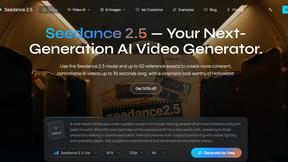
Seedance 2.5
Seedance 2.5 is a multimodal AI video generator by ByteDance for 30-second, high-fidelity cinematic video creation and AI video editing.

Tikdek
Create AI videos and images in the browser, compare models, and scale production with stable APIs.


VideoAny BE
Create AI videos from text or images, generate images and audio in one online studio.


StopScroll
StopScroll is an AI thumbnail maker that generates YouTube thumbnail concepts from a URL, title, or prompt.
HubVanta
HubVanta is a free AI creative toolkit for generating images, videos, voices, and visual edits from one browser workspace.
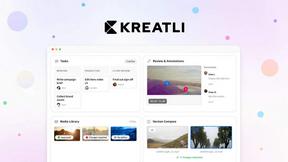

VideoAny
VideoAny is an all-in-one AI studio for generating uncensored videos, images, and audio from text or photos.

VideoAny PL
VideoAny is an all-in-one AI creation studio for generating videos, images, and audio from text or photos.

DeepFake AI
DeepFake AI is an all-in-one studio for creating realistic face-swap videos, image-to-video clips, AI images, and music in your browser.

Video2URL
Turn any video or file into a secure, trackable shareable link in seconds with private uploads and built-in analytics.

Seedream AI Studio
Seedream AI Studio generates images with Seedream 5.0 and animates selected results into short videos in one streamlined browser workflow.

Vivideo
Vivideo is a free AI video generator that turns text or images into high-quality videos using over 30 top models.
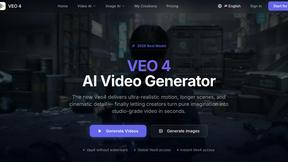
Veo 4 video generator
Veo 4 transforms text, images, or video into ultra-realistic, studio-grade clips with cinematic detail and seamless motion.

Seeddance
Seeddance is an AI platform that transforms text and images into stunning videos with smooth motion, cinematic effects, and custom audio.

VideoAny
VideoAny is a free, uncensored AI video generator with integrated image and audio tools for creative video-first production.
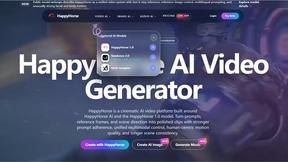
HappyHorse
HappyHorse is a top-ranked AI that generates cinematic videos and images from text or reference frames.

About Gemini Omni AI Video Generator Alternatives
Gemini Omni AI Video Generator is Google's first unified omni-model designed specifically for video creation, placing it in the advanced AI video generation and editing category. Unlike traditional tools that handle only one media type at a time, this platform merges text, image, and video generation into a single conversational system, allowing users to produce, edit, and remix clips in native 4K resolution without switching between different software applications. Users often seek alternatives to Gemini Omni for a variety of practical reasons, including pricing structures that may not fit their budget, a need for more specialized features like advanced motion tracking or longer output durations, or platform compatibility requirements such as integration with non-Google ecosystems. When evaluating an alternative, it is essential to look for a tool that offers strong multimodal capabilities, consistent character rendering, high-resolution output, and intuitive natural language editing controls. Additionally, consider the availability of built-in audio synthesis, the flexibility of export formats, and the overall workflow efficiency to ensure the new platform aligns with your specific creative or production demands.
FAQs about Gemini Omni AI Video Generator Alternatives
What is Gemini Omni AI Video Generator?
Gemini Omni AI Video Generator is Google's first unified omni-model that natively outputs video, combining text, image, and video generation into a single conversational system. It allows users to generate, remix, edit, and rewrite video scenes directly within a chat interface without needing to switch between different tools. The platform delivers native 4K resolution at up to 120fps and includes features like persistent world-state memory for character consistency and integrated audio synthesis.
Who is Gemini Omni AI Video Generator for?
Gemini Omni AI Video Generator is designed for content creators, filmmakers, video editors, and digital artists who need a streamlined, multimodal tool for producing high-quality cinematic videos. It is also suitable for professionals working in advertising, marketing, and media production who require efficient in-chat editing and consistent character rendering. The platform caters to users who want to harness advanced AI capabilities without the complexity of switching between separate generation and editing applications.
What are the main features of Gemini Omni AI Video Generator?
Key features include native 4K resolution output at up to 120fps, persistent world-state memory for maintaining character and scene consistency across clips, and in-chat video editing via natural language commands. The platform also offers integrated Foley and dialogue synthesis in a single diffusion pass, eliminating the need for external audio tools. Additionally, users have access to a studio with early access tools, prompt guides, and a hands-on workspace for exploring capabilities alongside models like Veo 3.1 and Seedance 2.0.
Is Gemini Omni AI Video Generator free?
Based on the provided information, Gemini Omni AI Video Generator is described as a platform offering early access tools and a hands-on workspace, which suggests it may have a tiered access model or be available through Google's studio environment. However, specific details regarding free usage or pricing tiers are not explicitly stated in the product content. Users should consult the official Google workspace or studio page for the most current information on availability and cost.