
LuxSign vs Print Chat
Side-by-side comparison to help you choose the right product.

LuxSign offers secure, eIDAS-compliant electronic signatures for fast and legal document signing across the EU.
Last updated: February 26, 2026

Print Chat
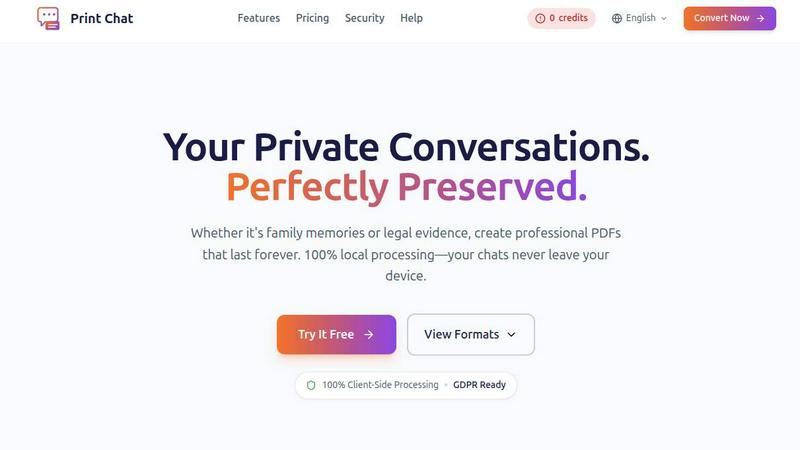
Convert your WhatsApp chats to professional PDFs offline, preserving privacy and ensuring legal readiness with no.
Last updated: February 26, 2026
Visual Comparison
LuxSign

Print Chat
Feature Comparison
LuxSign
Multiple Signature Methods
LuxSign allows users to sign documents using various methods, including drawing with a mouse, typing their name, or uploading a signature image. This flexibility ensures that signing is quick and personalized, catering to different user preferences.
Advanced Security
With industry-standard encryption, LuxSign prioritizes the security of your documents. All files are securely stored in EU data centers, and the platform offers detailed audit trails, ensuring that every action taken on a document is recorded and traceable.
Collaboration Workspaces
LuxSign provides collaboration workspaces where teams can share documents and manage access. This feature allows for organized workflows, enabling members to collaborate seamlessly on signing processes and enhancing overall productivity.
Email Notifications
Automatic email notifications keep users informed about the status of their documents. Notifications are sent when documents are sent, viewed, and signed, allowing users to track progress in real-time and stay updated throughout the signing process.
Print Chat
100% Client-Side Processing
Print Chat runs entirely in your browser, ensuring that all data processing happens locally without ever leaving your device. This guarantees maximum privacy and security, allowing users to convert their chat conversations without concern over data exposure or third-party access.
Legal & Evidence Ready
This feature preserves critical elements such as exact timestamps and sender information during the conversion process. The final output is formatted specifically for court admissibility and legal discovery, making it an invaluable tool for legal professionals who need to present evidence in a legally acceptable format.
Voice & Video Embeds
Print Chat enhances the user experience by embedding clickable links to voice notes and videos directly within the generated PDF. This preserves context and allows recipients to access multimedia content effortlessly, ensuring that important nuances of conversations are maintained.
Dual Layout Modes
Users can choose between 'Transcript Mode' for a formal legal document presentation or 'Bubble Mode' for a more casual chat-like appearance. This flexibility allows users to select the format that best suits their needs, whether for court submissions or personal archives.
Use Cases
LuxSign
Real Estate Transactions
In the real estate industry, LuxSign can streamline the signing of contracts and agreements between buyers, sellers, and agents. The platform's compliance with eIDAS ensures that all signatures are legally valid, facilitating smooth transactions.
HR Onboarding
Human Resources departments can utilize LuxSign for onboarding new employees by sending offer letters and contracts for signature. The platform's multiple signature methods and automated notifications make the process efficient and user-friendly.
Legal Document Signing
Law firms and legal departments can benefit from LuxSign by signing and managing legal documents securely. The detailed audit trails provide necessary compliance records, while the end-to-end encryption safeguards sensitive information.
Financial Services
Financial institutions can leverage LuxSign for client agreements, loan documents, and other contracts. The platform's security features ensure that all transactions are protected, while its collaboration workspaces allow teams to work together efficiently.
Print Chat
Legal Documentation
Lawyers can utilize Print Chat to convert crucial client conversations, such as WhatsApp exchanges, into professional PDFs that are formatted for court admissibility. This ensures that they can present evidence in a clear and organized manner.
Preserving Personal Memories
Individuals can use Print Chat to turn cherished chat conversations into beautiful PDFs. Whether preserving family discussions or memorable exchanges with friends, this tool helps create lasting records that can be printed or shared.
Workplace Investigations
HR professionals can leverage Print Chat to document group chat conversations for workplace investigations. The clear layout and formatting make it easy to reference specific messages, aiding in comprehensive investigations.
Academic Research
Researchers can convert chat dialogues relevant to their studies into properly formatted PDFs. This assists in maintaining accurate records of discussions that can be cited or included in research submissions.
Overview
About LuxSign
LuxSign is a secure, cloud-based electronic signature platform developed specifically for businesses that require a high level of compliance with regulations. Designed and hosted in Luxembourg, LuxSign ensures that all documents are encrypted end-to-end and stored solely within the country, thus guaranteeing full compliance with GDPR. The platform adheres to eIDAS SES standards, providing legal validity for contracts across the European Union. LuxSign is ideal for businesses of all sizes looking to streamline their document signing processes while maintaining rigorous security standards. With features such as parallel or sequential signing workflows, drag-and-drop signature field placement, and automated email notifications, LuxSign simplifies the signing process. Advanced tiers provide additional functionalities including document templates, comprehensive audit trails, bulk signing capabilities, and collaboration workspaces, making it a versatile choice for organizations aiming to enhance their operational efficiency.
About Print Chat
Print Chat is an innovative tool designed specifically to convert chat conversations into high-quality PDFs while ensuring data privacy and security. It is particularly beneficial for lawyers and professionals who need to preserve client conversations or important communications without risking exposure to third-party servers. The application processes everything locally in the browser using WebAssembly technology, meaning files never leave the user's device. This adherence to privacy regulations safeguards attorney-client privilege and confidentiality. With features such as Bates stamping, redaction tools, and the ability to embed voice messages, Print Chat caters to legal professionals while also being useful for personal users looking to preserve cherished memories. The main value proposition lies in its local processing, ensuring that users can trust that their sensitive data remains private and secure, making it ideal for both legal documentation and personal archiving.
Frequently Asked Questions
LuxSign FAQ
How does LuxSign ensure document security?
LuxSign employs end-to-end encryption during the upload, storage, and transmission of documents. All files are stored on secure servers in Luxembourg, ensuring compliance with EU data protection regulations.
Is LuxSign compliant with GDPR?
Yes, LuxSign is fully compliant with GDPR and Luxembourg data protection laws, which means that your privacy and the security of your data are prioritized throughout the document signing process.
Can I use LuxSign for multiple signers?
Absolutely! LuxSign allows you to add up to four signers per document, and you can choose between parallel or sequential signing workflows, making it adaptable to your signing needs.
What types of documents can I sign with LuxSign?
LuxSign supports a variety of file formats, including PDF, DOC, and DOCX. Users can easily upload documents up to 10MB and utilize the platform's features to facilitate the signing process.
Print Chat FAQ
Is my data safe with Print Chat?
Yes, your data is completely safe with Print Chat as all processing happens locally in your browser. Your files never leave your device, ensuring your privacy and security.
Can I convert large chat histories?
Absolutely! Print Chat supports files of any size, from 100MB to 50GB, allowing users to process extensive chat histories without freezing or crashing.
What formats can I export to?
Print Chat allows you to export your chats in PDF format, specifically designed for either formal legal documentation or casual personal archives, depending on your chosen layout mode.
Does Print Chat support multiple languages?
Yes, Print Chat supports global character sets, including emojis and various scripts such as Arabic and Asian languages, ensuring that all text is rendered accurately regardless of the language used.
Alternatives
LuxSign Alternatives
LuxSign is an electronic signature platform designed for businesses that require a high level of compliance and security. It is particularly notable for its eIDAS SES compliance, which ensures that electronic signatures are legally valid in all EU member states. As a cloud-based solution based in Luxembourg, it emphasizes data protection and GDPR compliance, making it an attractive option for organizations across various sectors. Users often seek alternatives to LuxSign for a variety of reasons, including pricing considerations, specific feature requirements, or compatibility with other software platforms. When looking for an alternative, it is essential to evaluate factors such as compliance standards, ease of use, integration capabilities, and the range of features offered. Selecting a solution that aligns well with your business needs can significantly enhance productivity and streamline document management processes.
Print Chat Alternatives
Print Chat is a specialized tool designed to convert WhatsApp chats into PDF documents instantly and securely. It falls under the legal technology category, focusing on providing a solution for legal professionals who need to manage sensitive client communications while ensuring compliance with data protection regulations. Users often seek alternatives to Print Chat for various reasons, including cost considerations, feature availability, or specific platform requirements that may not align with their current setup. When choosing an alternative, it is essential to look for solutions that prioritize data privacy, particularly for legal applications. Features such as offline processing, ease of use, and the ability to handle sensitive information securely should be top of mind. Additionally, ensure that the alternative maintains the integrity of chat data, including timestamps and attachments, to meet legal documentation standards.