

Alternatives to Vector
Vector is the all-in-one platform to launch and scale your AI business from idea to revenue.
Explore 20 alternatives to Vector. Compare features, pricing, and find the best fit for your needs.

Greatooly
Greatooly is a curated directory of small, useful apps — discover focused tools for art, learning, money, health, travel and everyday life.

CodexFuse Solution
All-in-One Managed IT Platform on Credits — Hosting, VPS, AI Agents, Business Email & Software Development

FlipHTML5 Downloader
Convert any FlipHTML5 flipbook into a high-quality PDF online - free, open source, no signup.
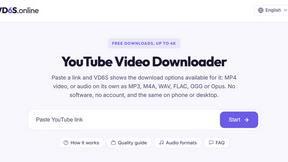
VD6S
VD6S is a free online YouTube video downloader that supports HD, 4K and up to 8K downloads. Save videos in MP4 or audio in multiple formats.

PavoAI
PavoAI unifies text-to-video, image-to-video, editing, avatars, music, subtitles, and upscaling in one commercial-ready workspace.

ButterShare
Send files straight between two browsers with a 6-digit key. No signup, no install, nothing stored on a server.

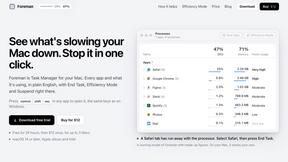
Foreman
See every app and what it's using in plain English, and end or slow down the one that's hogging your Mac.
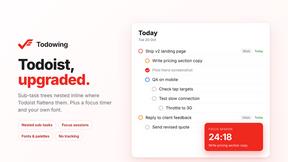
Todowing
Chrome extension that shows nested sub-tasks inline in Todoist's Today, Upcoming, Filter, and Label views. Free to use, with a lifetime unlock.

Notchpals
Little characters peek out of your Mac's notch to remind you to drink water, eat, sit up and get to bed. Quiet during calls. $4.99 once.
Screen Issues
Free Online Screen Test Tool - Instantly diagnose dead pixels, lines, color issues, and flickering. Multiple test modes, no download needed.

Everywhere
Fast file search for the Mac. Results as you type, files inside Mail and Photos, works with Wi-Fi off. $19 once.

Basalt
Eighteen PDF tools in one native Mac window: merge, split, compress, OCR, Bates numbering, forms, signing and redaction. Offline. $29 once.

Voice Keyboard Pro
Hold a key, say what you mean, let go. Clean, punctuated text lands at the cursor in any app on your Mac or iPhone.
Mainspring
Mainspring turns the settings macOS hides into 90+ one-click, fully reversible power-ups for Finder, Dock, screenshots and more. $29 once.
Crumb
A Mac menu bar app for a full disk. See what is using your space, read whether it comes back on its own, and remove only what you tick.
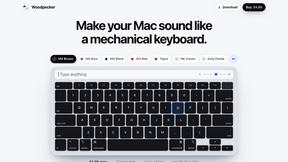
Woodpecker
Make your Mac sound like a real mechanical keyboard. Every key plays its own recording, 22 switches, quiet on calls. $4.99 once.

About Vector Alternatives
Vector is an all-in-one AI business platform designed to help entrepreneurs and startups launch and scale revenue-generating companies. It falls into the category of integrated business software, specifically tailored for AI-driven ventures. The platform consolidates essential tools for marketing, operations, and payment processing into a single intuitive interface, aiming to reduce technical complexity and accelerate the path from concept to paying customers. Users often explore alternatives to such platforms for various reasons. These can include budget constraints, as pricing models may not align with every stage of a business's growth. Others might seek different feature sets, more specialized tools for a particular function, or a platform that integrates better with an existing tech stack. Some may prioritize open-source flexibility, deeper customization, or a different user experience philosophy. When evaluating alternatives, key considerations should include the total cost of ownership, the depth and scalability of core features, the quality of customer support, and the ease of integration with other necessary services. The goal is to find a solution that not only matches your current operational needs but also supports your long-term vision without creating unnecessary friction or technical debt.
FAQs about Vector Alternatives
What is Vector?
Vector is an innovative AI platform that empowers entrepreneurs to launch and scale their AI businesses from a single, intuitive interface. It provides all the necessary tools to turn an idea into a real, revenue-generating company, streamlining processes from marketing to payment processing. The platform is designed to minimize technical barriers, allowing founders to focus on growth rather than engineering complexities.
Who is Vector for?
Vector is built for entrepreneurs and aspiring business owners, including solo founders and startup teams, who want to build AI-powered companies. It is particularly appealing to those seeking to minimize technical hurdles, as it offers user-friendly solutions that eliminate the need for extensive engineering resources. The platform is ideal for anyone looking to shorten the distance between their concept and their first paying customers while retaining full equity.
What are the main features of Vector?
Vector consolidates key business tools into one platform to streamline the entire journey from concept to launch. Its main features include capabilities for marketing, payment processing, and overall business operations management. These integrated tools are designed to be user-friendly, allowing founders to efficiently manage their AI venture without switching between multiple disparate systems.
Why choose Vector?
Choosing Vector allows you to launch and scale your AI business efficiently from a unified platform, saving significant time and resources. It empowers you to keep 100% of your equity while leveraging proven tools that over 2,182 companies already use. The platform's primary advantage is its ability to reduce technical barriers, letting you concentrate on core business growth and customer acquisition rather than backend development.