

Alternatives to Shrinkpad
Shrinkpad batch compresses images and videos on Mac, saving space and time with optimal quality and zero manual effort.
Explore 20 alternatives to Shrinkpad. Compare features, pricing, and find the best fit for your needs.
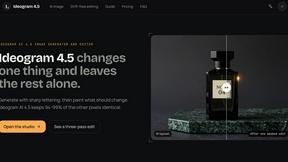
Ideogram AI 4.5
Advanced AI image generation and editing with sharp typography, native 2K output, and localized edits with minimal drift.

Slide-Easy
A Mac app that turns your App Store link into a week of Instagram Reels and carousels, written from your real reviews.
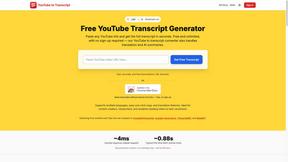
GetYouTubeTranscript
Free YouTube transcripts on the web, a Chrome extension, and an API + MCP server so AI assistants can read YouTube.
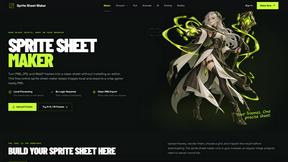
Sprite Sheet Maker
A free browser-based toolkit for creating, cutting, converting, and previewing sprite sheet animations.


FaceCoda
Free AI attractiveness test and face analysis with private, on-device photo processing.

Product Launch Checklist
A free launch checklist for SaaS, apps, AI tools and more. Every step says why it matters and when you can skip it.

Z Image Turbo
Fast AI image generation for photorealistic visuals, bilingual posters, ecommerce content, and social graphics.

RunwayAI
Create videos from prompts and images with RunwayAI, an independent runway ai video generator with practical output controls.
AIEnhancer
AI enhancer for photos, images, videos, creative effects, and shared asset workflows.

TryKlingAI
Create high-quality Kling AI videos from text, images, audio, and motion references with Kling 3.0, Motion Control, Lip Sync, task tracking, and API a
Pixo
Pixo is an AI video director that turns a prompt or script into a storyboard, consistent scenes, voiceover, and an edited final cut.

ProfileLoom
ProfileLoom turns one photo into platform-ready AI portraits for professional, social, and creator profiles, with presets and built-in editing.
Seedance 2.5
Seedance 2.5 is a multimodal AI video generator by ByteDance for 30-second, high-fidelity cinematic video creation and AI video editing.

Signature Resizer
Free tool to instantly resize, compress, and format signatures for SSC, UPSC & other govt exams. Meets strict KB and pixel limits easily!

Magic Eraser
AI photo editor for removing objects and backgrounds, enhancing images, expanding scenes, and creating visuals.

AI Image Editor
Free AI image editor that edits, retouches, and transforms photos with natural-language text prompts.

Tikdek
Create AI videos and images in the browser, compare models, and scale production with stable APIs.
About Shrinkpad Alternatives
Shrinkpad is a native macOS application designed specifically for batch compressing images and videos. It falls into the category of media optimization tools, aimed at users who need to manage large files efficiently while maintaining privacy and processing speed. Many users seek alternatives to Shrinkpad due to various reasons, including pricing, specific feature sets, or compatibility with different platforms. When looking for an alternative, it’s essential to consider factors such as processing speed, the ability to handle mixed media files, ease of use, and whether the tool prioritizes local processing for enhanced privacy. Additionally, users should evaluate the flexibility in compression settings and the overall effectiveness in maintaining file quality after compression.
FAQs about Shrinkpad Alternatives
What is Shrinkpad?
Shrinkpad is a native Mac app that allows users to batch compress images and videos locally to save space and improve workflow.
Who is Shrinkpad for?
Shrinkpad is designed for professionals including photographers, designers, content creators, and developers who regularly handle high-resolution media.
Is Shrinkpad free?
Shrinkpad is a paid application, but it offers powerful features and capabilities that justify its cost for professional users.
What are the main features of Shrinkpad?
Shrinkpad features lightning-fast local processing, intelligent batch compression for mixed media, and a user-friendly drag-and-drop interface.