

Explore 20 alternatives to Opal. Compare features, pricing, and find the best fit for your needs.

Panzoe
Panzoe is an all-in-one AI platform for personal productivity, business automation, AI assistants, content creation, and custom AI solutions.
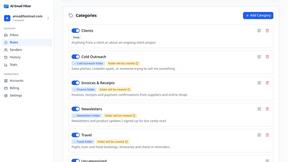
AI Email Filter
AI Email Filter sorts incoming mail into folders using plain-language prompts you write. Works with any IMAP mailbox; bring your own LLM if you want.
Egmatic
No-code 2D game editor: visual node logic, drag-and-drop scenes, live preview. Exports to Windows, macOS, Linux, Android, iOS, Web.
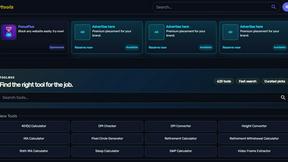
Kody Tools
Free collection of online developer utilities, code formatters, and digital converters designed to streamline your daily workflow.
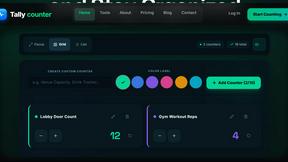
Tally Counter
Online tally counter for tracking attendance, workouts, inventory, visitors, sports scores, habits, and everyday counting tasks.
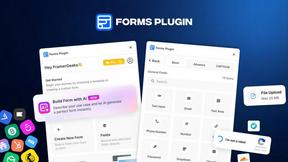
Forms Plugin
The #1 Native Form Builder Plugin for Framer - No Code, No Embeds, No External Platforms.
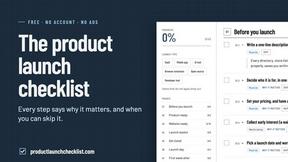
Product Launch Checklist
A free launch checklist for SaaS, apps, AI tools and more. Every step says why it matters and when you can skip it.

HomeAnswerBook
Practical, independent guides to home repairs, maintenance, costs, troubleshooting, and everyday fixes.
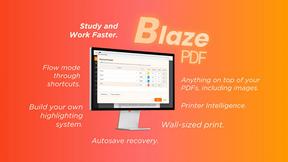
BlazePDF
Highlight faster. Study in flow with custom shortcuts and a workflow built around you. Print smarter, or turn any page into a tiled poster.

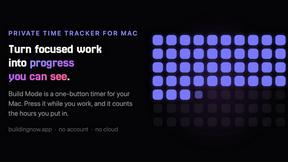
Build Mode for Mac
Build Mode is a Mac app that turns focused sessions into visible progress, so you can see the work adding up before the results arrive.
LiteralKit
Free, no-signup Unicode text tools: superscript, fancy fonts, case converter, symbols. Fast and private.



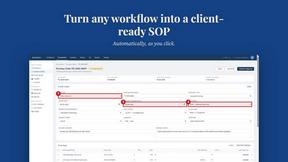
MySOP.guru
Capture any workflow in your browser and export a branded, step-by-step SOP with screenshots. €5 per document, no subscription.

PerPageFax
PerPageFax lets you send a fax online from any browser for a flat $0.50 per page — no account, no subscription, no fax machine.

Construction Calculator
Free construction calculators with transparent formulas, steps, assumptions, and metric or imperial units.

About Opal Alternatives
Opal is a visual knowledge and project management workspace, falling into the broader categories of productivity and project management software. It distinguishes itself by offering an infinite digital canvas, allowing users to organize notes, documents, and projects spatially. This approach leverages spatial memory, helping users remember where information is located visually, which is ideal for those who find traditional nested folder systems limiting or frustrating. Users may seek alternatives to Opal for various practical reasons. Common considerations include budget constraints, as pricing models and subscription tiers vary widely across software. Specific feature needs, such as advanced task dependencies, robust team collaboration tools, or integration with an existing tech stack, can also drive the search. Platform availability is another key factor, with some users requiring dedicated mobile apps, offline functionality, or compatibility with specific operating systems. When evaluating alternatives, it’s crucial to prioritize the core need: whether you require a superior visual canvas, more structured project management, deeper integrations, or a different balance between simplicity and powerful features.
FAQs about Opal Alternatives
What is Opal?
Opal is a visual workspace designed for knowledge and project management. It provides an infinite digital canvas where you can spatially organize notes, documents, files, and links by dragging and dropping them. This system uses spatial memory, meaning you recall where items are placed visually, making information retrieval intuitive and fast. It is built as an alternative to traditional apps that rely on nested folders and lists.
Who is Opal best suited for?
Opal is built for solopreneurs, consultants, agency owners, writers, and professionals whose work revolves around conversations, details, and active projects. It is ideal for people who think spatially and are frustrated by losing ideas or notes in conventional, hierarchical systems. Anyone who prefers organizing information visually on a canvas, similar to a physical desk or whiteboard, will find Opal's approach refreshing and effective for keeping their entire world of work visible.
What are the main features of Opal?
The core feature of Opal is its infinite visual canvas, which serves as a spatial workspace for all your content. You can drag and drop various elements like notes, documents, and web links to create a personalized, visual map of your projects and ideas. This design promotes a spatial memory approach, where you remember the location of information. The workspace is designed to keep all active projects, client details, and creative ideas top-of-mind, minimizing time spent searching and helping you maintain focus.
Why choose a visual workspace like Opal?
You would choose Opal if traditional text-based or folder-heavy productivity tools break your creative flow and cause you to forget where you saved information. Its visual, spatial format mirrors how many people naturally think and organize physical items, making it easier to manage complex projects and disparate notes. By leveraging spatial memory, it reduces the cognitive load of searching and allows you to instantly find items based on their location, helping you stay in a state of focused work.