

Alternatives to EditTextImage
EditTextImage lets you replace text in images online while perfectly preserving font, color, lighting, and perspective in seconds.
Explore 20 alternatives to EditTextImage. Compare features, pricing, and find the best fit for your needs.
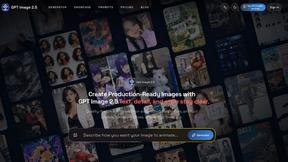
GPT Image 2 API
Generate and edit production-ready images with GPT Image 2 API using detailed prompts, reference images, clear text rendering, and developer-friendly

Z Image Turbo
Fast AI image generation for photorealistic visuals, bilingual posters, ecommerce content, and social graphics.
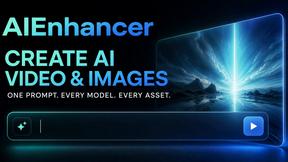
AIEnhancer
AI enhancer for photos, images, videos, creative effects, and shared asset workflows.

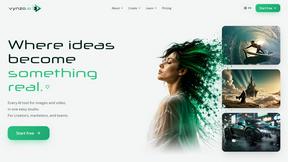
Vynzo
AI image and video studio. Generate from a prompt, animate stills, swap faces, restyle clips and edit — one credit pool, no subscription.

ProfileLoom
ProfileLoom turns one photo into platform-ready AI portraits for professional, social, and creator profiles, with presets and built-in editing.
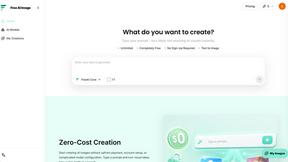
Free AI Image
Free AI Image is a free text-to-image AI generator for creating clean visual drafts from prompts with no sign-up required.
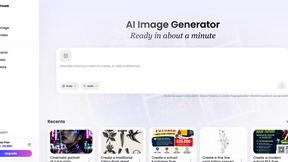
Vismuse
Create polished AI images and videos from prompts or references for social posts, ads, flyers, album covers, and campaigns.

Tikdek
Create AI videos and images in the browser, compare models, and scale production with stable APIs.
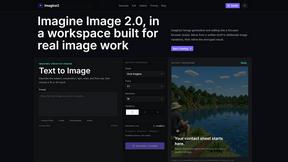
Imagine2
Private browser-based AI image generation and editing with text-to-image, targeted edits, and multi-image references.
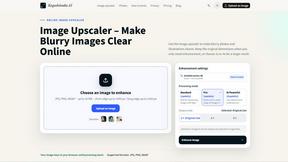
Kogashitsuka AI
An online AI image tool that enhances photos and illustrations at their original size or upscales them by 2x or 4x.
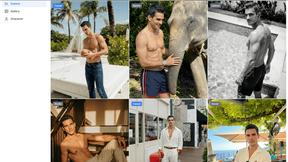
Trushot AI
TruShot creates ultra-realistic AI dating photos from just 4 selfies. Generate natural-looking, verification-friendly profile pictures for Tinder, Hin
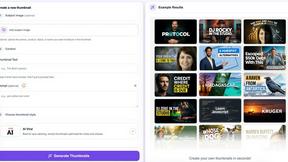
StopScroll
StopScroll is an AI thumbnail maker that generates YouTube thumbnail concepts from a URL, title, or prompt.
HubVanta
HubVanta is a free AI creative toolkit for generating images, videos, voices, and visual edits from one browser workspace.
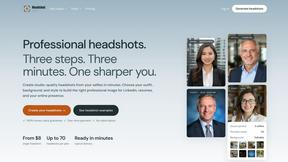
Headshot.ltd AI Headshot Generator
Turn a few phone selfies into professional headshots in ~5 minutes. 200+ backgrounds, one-time payment starting from $8.
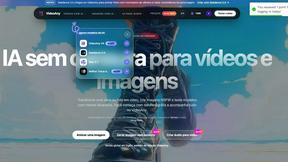
VideoAny
VideoAny is an all-in-one AI studio for generating uncensored videos, images, and audio from text or photos.
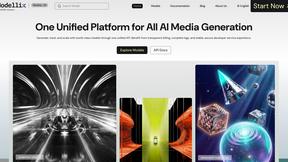
Modellix
Modellix provides one API key for transparent pay-as-you-go access to leading AI image, video, and audio models.
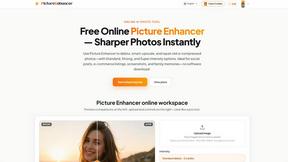
Picture Enhancer
Picture Enhancer deblurs, upscales, and restores photos in your browser with three AI intensity levels, offering three free guest tries.
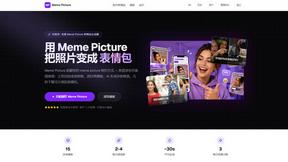
Meme Picture
Turn any selfie or pet photo into classic memes instantly with AI, no login required and three free generations daily.
About EditTextImage Alternatives
EditTextImage is a specialized online tool that falls under the category of image generation and editing, specifically focused on text manipulation within existing visuals. It allows users to replace or edit text in images by using AI to sample the original typography, colors, and layout directly from the pixels, eliminating the need for design software like Photoshop or manual font installations. Users commonly look for alternatives to EditTextImage for several reasons, including the desire for a different pricing model such as a subscription instead of a one-time payment, the need for additional features like batch processing or higher resolution outputs, or compatibility with specific platforms like mobile devices or desktop operating systems. When choosing an alternative, it is important to evaluate the accuracy of font matching, the speed of processing, the quality of the final output, and whether the tool supports your required image formats and text styles, such as curved or perspective-aligned text. The search for alternatives often stems from specific workflow requirements, such as the need for unlimited edits without per-use costs, integration with other design tools, or the ability to handle complex image elements like drop shadows and gradients. Users should also consider the learning curve and whether the alternative provides a similar level of automation to EditTextImage, which promises a 10-second turnaround. Ultimately, the best alternative will depend on balancing ease of use, cost structure, and the fidelity of the text replacement to the original image, ensuring that the final result remains pixel-perfect without requiring the original design file.
FAQs about EditTextImage Alternatives
What is EditTextImage?
EditTextImage is an online tool that edits text in images by using AI to sample the typeface, color, and layout directly from the pixels. It allows users to replace text in finished images like posters, screenshots, or product photos without needing the original design file or any installed fonts. The process takes approximately 10 seconds and outputs at 2K resolution, making it a fast and convenient solution for text replacement.
Who is EditTextImage for?
EditTextImage is designed for anyone who needs to change text in an image but lacks access to the original design file or professional software like Photoshop. This includes marketers fixing typos in ads, designers swapping dates on graphics, content creators A/B testing headlines, and business owners updating product photos. It is particularly useful for users who do not have design expertise or the time to manually recreate text effects.
Is EditTextImage free?
EditTextImage offers a free first edit with no credit card required, allowing users to test the tool before committing. After the free edit, it operates on a one-time payment model of $9.90 for 30 edits. This pay-per-use approach avoids recurring subscriptions, making it a cost-effective option for occasional use.
What are the main features of EditTextImage?
The main features of EditTextImage include AI-powered text replacement that preserves the original font, color, drop shadow, and perspective from the image pixels. It works with paid fonts and hand-lettering without requiring font installation, and it processes edits in about 10 seconds with a 2K resolution output. The tool does not require a subscription, and the first edit is free.