

Alternatives to Easymotion - AI Motion Graphic Generator
Easymotion uses AI to transform static images, data, and ideas into professional motion graphics, map animations, and social media videos in minutes.
Explore 20 alternatives to Easymotion - AI Motion Graphic Generator. Compare features, pricing, and find the best fit for your needs.
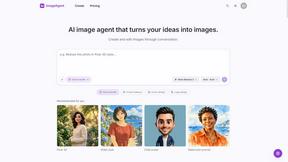
ImageAgent
Create and edit AI images through conversation, using text or reference images and refining results in chat.

GenX
All-in-one AI workspace to generate images, videos, and audio with multiple leading AI models.

Bloom
An adaptive AI tutor that turns topics or your materials into courses, lessons, and answers tailored to how you learn.

AppIconGenerator
Generate iOS and Android app icons from any image and export all platform sizes for free.
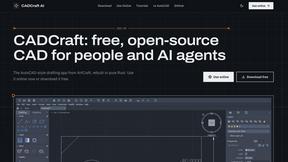
CADCraft
Free, open-source 2D CAD app in Rust: command-line drafting, layers, dimensions, DWG/DXF support, and AI-agent automation via MCP/CLI.
FreeCreate
Free AI image and video studio with no sign-up: generate images from text or photos, turn prompts into short videos, plus editing and upscaling.
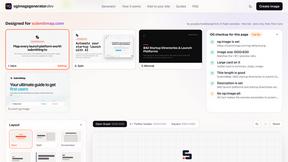
ogimagegenerator.dev
Paste a URL and AI designs on-brand Open Graph images from your page's colours, fonts and logo. Free, no sign-up.
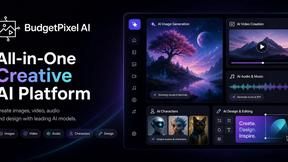
Budgetpixel AI
Create and edit AI images, videos, music, and designs in one workspace, with multiple models, reusable characters, and API access.

FreeVideoGenerator
Free AI video generator for text prompts and photos, powered by Sora 2, Veo 3.1 and Wan. Free credits; no-watermark downloads.
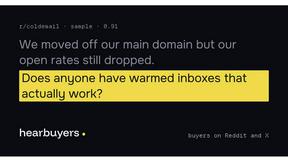
HearBuyers
AI social listening agent: finds people on Reddit and X describing the problem you solve, scores buying intent and drafts a reply your team approves.
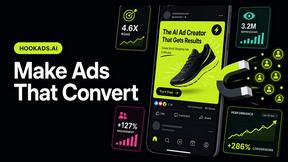
HookAds
Free ad creative hub: 1,750+ prompts behind viral AI ads, 118 hook frameworks, teardowns, swipe files and 27 free AI ad tools. Copy, remix, ship.
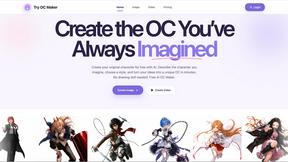
Try OC Maker
Create OCs from text or images, customize their look, and turn them into animated videos with AI.


Leadeon
AI growth tool for X and LinkedIn: write posts in your voice, schedule at your best times, find leads on X and see what works.
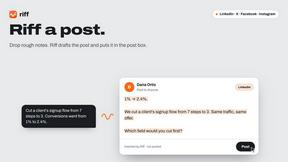
Riff
Free Chrome extension. Paste your rough point and Chrome's built-in AI writes a fresh reply for that post on X, LinkedIn, Facebook or Instagram.
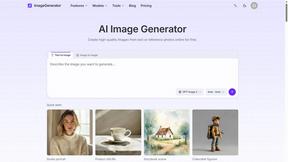
ImageGenerator
Create and edit AI images online with multiple models, text-to-image, image-to-image, background removal, and upscaling.

AIPetGen
Turn a photo of your pet into new pictures or short animations with AI. Sign in for a free 1K image daily.
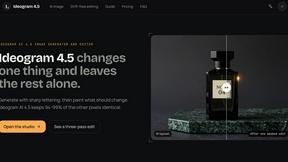
Ideogram AI 4.5
Advanced AI image generation and editing with sharp typography, native 2K output, and localized edits with minimal drift.
About Easymotion - AI Motion Graphic Generator Alternatives
Easymotion - AI Motion Graphic Generator is a browser-based platform that uses artificial intelligence to transform static visuals, prompts, and data into polished animated videos. It belongs to the Content Creation and AI Assistants categories, serving as a specialized design tool for creators who need motion graphics and map animations without the steep learning curve of traditional editing software. Users commonly seek alternatives due to factors like pricing tiers that may not fit a tight budget, a desire for more granular control over animation sequences, or the need for specific integrations with other video editing or project management tools. Others may look for options that offer a different library of templates, support for additional file formats, or a unique approach to collaborative workflows. When evaluating alternatives to Easymotion - AI Motion Graphic Generator, focus on the core capabilities that match your primary use case, such as the quality of AI-driven animation from prompts or the ease of converting spreadsheets and PDFs into motion graphics. Consider the breadth of export formats, including support for transparent backgrounds and various aspect ratios like 16:9 and 9:16, as well as the flexibility of the editing interface, whether it relies on chat-based commands or a more traditional timeline. Also assess the template library, the ability to customize colors and pacing, and the platform’s performance with map animations for geographic storytelling. Finally, review pricing structures, particularly any limitations on exports, resolution, or project volume, to ensure the alternative scales with your content creation needs.
FAQs about Easymotion - AI Motion Graphic Generator Alternatives
What is Easymotion - AI Motion Graphic Generator?
Easymotion is an AI-powered platform designed to generate motion graphics and map animations directly in a web browser. It allows users to turn ideas, files, and static visuals into polished animated videos without needing complex timeline editing skills. The tool supports various content types including SaaS product promos, flowcharts, animated charts, UI explainers, and geographic storytelling visuals like flight routes and location pins.
Who is Easymotion - AI Motion Graphic Generator for?
Easymotion is built for content creators, editors, founders, and marketers who need to produce animated videos quickly and efficiently. It is ideal for professionals creating social media content, product marketing materials, presentations, and client deliverables. The platform is especially useful for those who want to avoid the complexity of traditional animation software while still achieving professional-looking motion graphics and map animations.
Is Easymotion - AI Motion Graphic Generator free?
The provided information does not specify a free tier, but it describes Easymotion as a platform with a premium template library and export capabilities for MP4 and MOV files. Users should check the official Easymotion website for the most current pricing details, including any free trial or freemium options. Typically, AI animation tools offer limited free usage or a trial period to test features before committing to a paid plan.
What are the main features of Easymotion - AI Motion Graphic Generator?
Key features include generating motion graphics from text prompts or by converting images, spreadsheets, and PDFs into animation-ready scenes. Users can edit animations by chatting with AI to adjust colors, pacing, labels, layout, and visual style. The platform also provides a premium template library, supports exports as MP4 or MOV with transparent backgrounds, and offers multiple aspect ratios such as 16:9, 9:16, 1:1, and 4:5 for different social media and presentation formats.