

Alternatives to Browser Notes
Browser Notes keeps your notes, sticky boards, and mind maps saved locally in your browser with no account or cloud needed.
Explore 20 alternatives to Browser Notes. Compare features, pricing, and find the best fit for your needs.

Panzoe
Panzoe is an all-in-one AI platform for personal productivity, business automation, AI assistants, content creation, and custom AI solutions.
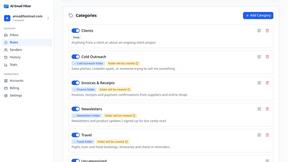
AI Email Filter
AI Email Filter sorts incoming mail into folders using plain-language prompts you write. Works with any IMAP mailbox; bring your own LLM if you want.

Egmatic
No-code 2D game editor: visual node logic, drag-and-drop scenes, live preview. Exports to Windows, macOS, Linux, Android, iOS, Web.

Kody Tools
Free collection of online developer utilities, code formatters, and digital converters designed to streamline your daily workflow.

Tally Counter
Online tally counter for tracking attendance, workouts, inventory, visitors, sports scores, habits, and everyday counting tasks.
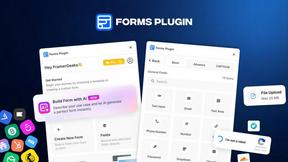
Forms Plugin
The #1 Native Form Builder Plugin for Framer - No Code, No Embeds, No External Platforms.

Product Launch Checklist
A free launch checklist for SaaS, apps, AI tools and more. Every step says why it matters and when you can skip it.

HomeAnswerBook
Practical, independent guides to home repairs, maintenance, costs, troubleshooting, and everyday fixes.
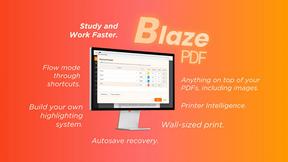
BlazePDF
Highlight faster. Study in flow with custom shortcuts and a workflow built around you. Print smarter, or turn any page into a tiled poster.


Build Mode for Mac
Build Mode is a Mac app that turns focused sessions into visible progress, so you can see the work adding up before the results arrive.
LiteralKit
Free, no-signup Unicode text tools: superscript, fancy fonts, case converter, symbols. Fast and private.



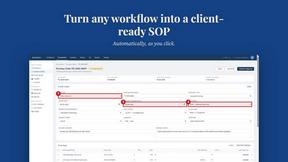
MySOP.guru
Capture any workflow in your browser and export a branded, step-by-step SOP with screenshots. €5 per document, no subscription.

PerPageFax
PerPageFax lets you send a fax online from any browser for a flat $0.50 per page — no account, no subscription, no fax machine.

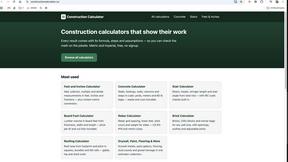
Construction Calculator
Free construction calculators with transparent formulas, steps, assumptions, and metric or imperial units.

About Browser Notes Alternatives
Browser Notes is a local-first productivity tool that consolidates notes, sticky notes, and mind maps into a single, offline-capable workspace. It falls under the Productivity & Management category, offering a unique value proposition by eliminating the need for cloud storage, user accounts, or tracking. While its focus on privacy and local storage is compelling, users often seek alternatives for several reasons. Some may require robust cross-device synchronization or collaborative features that Browser Notes intentionally omits. Others might need more advanced formatting options, a mobile app for on-the-go access, or integration with other tools like project management software. Pricing can also be a factor, as users may prefer a subscription model with ongoing support over a one-time local solution. When evaluating alternatives to Browser Notes, it is essential to prioritize features that align with your specific workflow. First, consider the storage model: do you need local-only data for security, or is cloud sync essential for accessing notes across multiple devices? Second, assess the feature set—some tools excel at rich text editing, while others focus on visual organization like mind mapping or kanban boards. Third, examine platform compatibility, including desktop and mobile operating systems. Finally, review privacy policies and data ownership terms to ensure the tool respects your privacy as much as Browser Notes does. By clearly defining your needs in these areas, you can identify a tool that balances functionality, accessibility, and security without compromising your productivity habits.
FAQs about Browser Notes Alternatives
What is Browser Notes?
Browser Notes is a local-first productivity tool that combines notes, sticky notes, and mind maps into a single workspace. It operates entirely within your web browser without requiring any sign-up, cloud storage, or user tracking. All data is stored locally on your device, and the tool works offline, allowing you to back up your information at any time.
Who is Browser Notes for?
Browser Notes is designed for individuals who prioritize privacy and want to keep their ideas, tasks, and brainstorming content entirely offline. It is ideal for students, writers, project managers, and anyone who dislikes forced cloud sync or account creation. The tool is also well-suited for users who need a simple, unified workspace for scattered notes, sticky boards, and mind maps without relying on external servers.
Is Browser Notes free?
Based on the product description, Browser Notes does not require any payment or subscription to use its core features. There is no mention of a paid tier, as the tool emphasizes being local-first and account-free. Users can access notes, sticky notes, and mind maps without any financial commitment, making it a cost-effective solution for private productivity.
What are the main features of Browser Notes?
Browser Notes offers three primary features: note-taking, sticky notes, and mind mapping, all integrated into a single workspace. It operates entirely offline, stores all data locally in your browser, and provides manual backup options for user control. The tool requires no account creation, no cloud sync, and no tracking, ensuring complete privacy and data ownership.