
Veo 4 video generator
Veo 4 transforms text, images, or video into ultra-realistic, studio-grade clips with cinematic detail and seamless motion.
Visit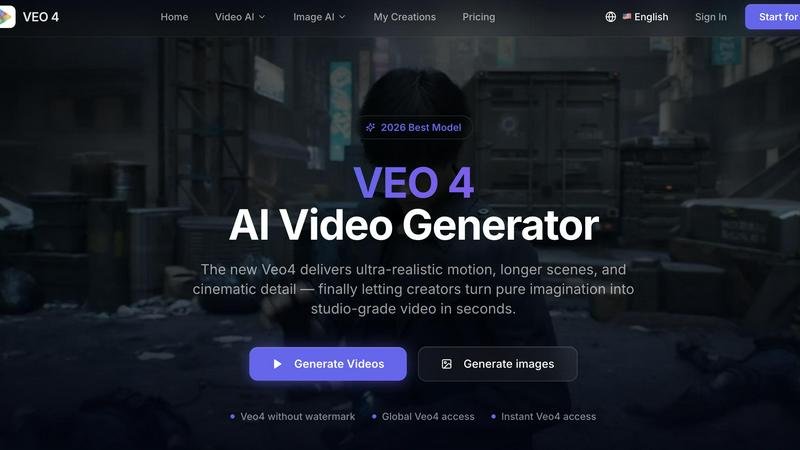
About Veo 4 video generator
Veo 4 is a next-generation AI video generator designed for creators, brands, and marketing teams who need to produce studio-grade video content in seconds. Unlike early AI video tools that produced choppy, unrealistic results, Veo 4 delivers ultra-realistic motion, longer scenes, and cinematic detail that can actually be used in professional workflows. The platform supports three core creation paths: text to video, image to video, and video to video. This means users can start with a simple text prompt to explore a concept, upload an image when they need specific visual direction, or use existing footage when they want to restyle, extend, or improve an already captured clip. Veo 4 is built for speed, clarity, and iteration, making it ideal for marketers, agencies, product teams, and content creators who need to produce first drafts faster, compare variations, and shorten the gap between concept and publishable media. The tool provides smoother motion, cleaner framing, and scenes that feel more intentional, resulting in stronger ad creative and more believable visual storytelling. With clean exports that move directly into editing workflows, landing pages, or ad campaigns, Veo 4 treats AI video as a practical production tool rather than just a research demo.
Features of Veo 4 video generator
Multi-Input Video Creation
Veo 4 allows users to create videos from text prompts, still images, or existing video footage. This flexibility gives teams a clearer path from concept, asset, or rough clip to a polished first draft. Starting from text is ideal for exploring new ideas, starting from an image provides strong visual direction, and starting from video enables restyling, extending, or improving existing clips without rebuilding them from scratch.
Superior Motion and Scene Control
The Veo 4 model delivers smoother motion, cleaner framing, and scenes that feel more intentional compared to previous AI video generators. This is achieved through advanced motion direction settings and visual style adjustments that give users precise control over how objects move within the frame. The result is stronger ad creative, more believable visual storytelling, and videos that avoid the unnatural jitter common in other AI tools.
Long-Form Clip Generation
Veo 4 supports the creation of longer video clips suitable for narrative sequences, campaign concepts, and product explainers. Unlike many AI video generators that limit output to short bursts, Veo 4 can produce extended scenes with cleaner exports that make it easy to move straight into editing, landing pages, or ad workflows without additional processing or cleanup.
Practical Workflow Integration
Veo 4 is designed for real marketing and creative workflows rather than research demonstrations. The platform includes adjustable aspect ratios for different platforms including 9:16 for mobile and 16:9 for widescreen, seed controls for reproducible results, and direct export options. This makes it useful for teams that need usable clips fast for product launches, paid social videos, branded storytelling, and short-form content testing.
Use Cases of Veo 4 video generator
Advertising Concept Development
Marketing teams can use Veo 4 to rapidly generate ad concepts and variations without expensive production shoots. By inputting text prompts or reference images, teams can explore different visual directions, test motion styles, and compare multiple versions of an advertisement before committing to a full production. This dramatically reduces the time and cost associated with traditional ad development while enabling more creative exploration.
Social Media Content Creation
Content creators and social media managers can produce short-form videos for platforms like TikTok, Instagram Reels, and YouTube Shorts in seconds using Veo 4. The tool supports common aspect ratios for mobile viewing and can generate videos from text descriptions of trending topics or brand messages. This allows creators to maintain a consistent posting schedule with high-quality, engaging video content that drives audience growth.
Product Launch Campaigns
Brands launching new products can use Veo 4 to create compelling product demonstration videos, feature highlights, and promotional content quickly. By uploading product images as starting points, teams can generate videos that showcase products in realistic settings with smooth motion. This enables faster time-to-market for product launches and allows brands to test multiple creative approaches before selecting the most effective campaign.
Video Enhancement and Restyling
Teams with existing footage can use Veo 4 video to video capabilities to restyle, extend, or improve source material. This is particularly valuable when a team already has rough cuts or archived footage that needs a new look, stronger pacing, or cleaner motion. Rather than reshooting or rebuilding from scratch, editors can use Veo 4 to give old content a fresh, professional appearance that matches current brand guidelines or campaign themes.
Frequently Asked Questions
What types of input does Veo 4 support for video generation?
Veo 4 supports three main input types: text prompts, images, and existing video footage. Text to video allows you to describe a scene or concept in words and generate a matching video. Image to video lets you upload a still image that Veo 4 will animate into a video sequence. Video to video enables you to upload existing footage for restyling, extending, or improving the clip without rebuilding it from scratch.
How does Veo 4 compare to other AI video generators?
Veo 4 is designed to produce ultra-realistic motion, longer scenes, and cinematic detail that surpasses earlier AI video generation tools. The platform focuses on practical outputs that can be directly used in ads, landing pages, and social campaigns rather than producing research-quality demos. Users report smoother motion, cleaner framing, and more intentional scene composition compared to alternatives, making Veo 4 suitable for professional marketing and creative workflows.
Can I control the aspect ratio and style of my videos?
Yes, Veo 4 provides adjustable aspect ratio settings including Auto, 9:16 for mobile-optimized vertical video, and 16:9 for widescreen horizontal video. You can also adjust motion direction and visual style settings to match your brand guidelines, ad platform requirements, or creative vision. A seed control option is available for reproducible results when you need to generate consistent outputs across multiple iterations.
Is Veo 4 suitable for commercial and brand use?
Yes, Veo 4 is specifically designed for marketing teams, agencies, creators, and brands that need usable video content for commercial purposes. The platform supports common commercial jobs such as product launches, paid social videos, branded storytelling, and short-form content testing. Clean exports make it easy to move videos directly into editing software, landing pages, or ad delivery systems without additional processing.
Similar to Veo 4 video generator

A Mac app that turns your App Store link into a week of Instagram Reels and carousels, written from your real reviews.

Free YouTube transcripts on the web, a Chrome extension, and an API + MCP server so AI assistants can read YouTube.

AI video workspace for creators building faceless Instagram Reels channels.

Create videos from prompts and images with RunwayAI, an independent runway ai video generator with practical output controls.

AI enhancer for photos, images, videos, creative effects, and shared asset workflows.

Create high-quality Kling AI videos from text, images, audio, and motion references with Kling 3.0, Motion Control, Lip Sync, task tracking, and API a

Pixo is an AI video director that turns a prompt or script into a storyboard, consistent scenes, voiceover, and an edited final cut.

Seedance 2.5 is a multimodal AI video generator by ByteDance for 30-second, high-fidelity cinematic video creation and AI video editing.