
QuickImg
QuickImg is your all-in-one AI platform for generating, enhancing, and editing stunning images effortlessly.
Visit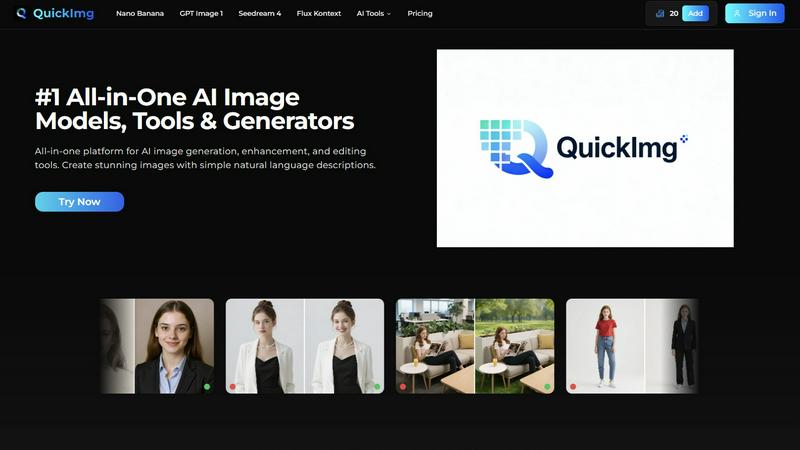
About QuickImg
QuickImg is an innovative all-in-one platform that revolutionizes the way users create and edit images through advanced AI technology. Designed to democratize access to professional-grade image creation, QuickImg consolidates multiple state-of-the-art AI image generation models and a robust suite of enhancement tools into a single, intuitive interface. This platform caters to a diverse audience, including marketers, content creators, small business owners, designers, and artists. Its core value proposition lies in simplicity and power, enabling users to generate, edit, and enhance stunning visuals using straightforward natural language descriptions. Whether you need to create a brand-new scene from text, upscale images to 4K resolution, or transform ordinary photos into captivating anime art, QuickImg provides the necessary tools. By partnering with leading AI developers, QuickImg ensures users have access to top-tier models like Nano Banana Pro, GPT Image 1, and Seedream 4, all without the hassle of managing multiple subscriptions or platforms. Additionally, limited-time offers, such as 50% off on first purchases, enhance the appeal of this powerful tool.
Features of QuickImg
Comprehensive AI Models
QuickImg features multiple cutting-edge AI models, including Nano Banana Pro, GPT Image 1, and Seedream 4, allowing users to choose the best model for their specific image generation or editing needs. This variety enables flexibility and optimal results for diverse projects without the need for technical expertise.
Intuitive Natural Language Descriptions
The platform allows users to create and modify images simply by describing their requirements in natural language. This feature eliminates the need for complex prompts, making it accessible to everyone, regardless of their technical background or experience in design.
High-Quality Image Enhancement
QuickImg provides powerful enhancement tools, such as 4K upscaling, background changing, and object removal, that preserve image quality while delivering professional-grade results. Users can quickly enhance their visuals, ensuring they meet high standards for any application.
Ready-to-Use Templates and One-Click Tools
The platform offers a collection of professionally designed templates suitable for various scenarios, including social media posts and product images. One-click tools simplify complex processes, such as background removal and image conversion, making it quick and easy for users to create stunning visuals.
Use Cases of QuickImg
Marketing and Social Media Content
QuickImg is ideal for marketers who need to create eye-catching visuals for campaigns and social media posts quickly. By using natural language to describe their needs, marketers can generate high-quality images tailored to their branding and messaging without requiring graphic design skills.
E-commerce Product Photography
Small business owners can leverage QuickImg to enhance product images for their online stores. With features like background removal and 4K upscaling, users can create professional-looking product photos that attract customers and boost sales.
Creative Projects for Designers and Artists
Designers and artists can use QuickImg to augment their creative workflows. By transforming basic images into unique artistic styles, such as anime art or custom characters, users can explore new creative avenues and produce original artwork efficiently.
Educational and Training Materials
Educators and trainers can utilize QuickImg to create engaging visuals for presentations, lesson plans, and training materials. The platform's ease of use allows users to generate informative graphics and illustrations that enhance learning experiences without needing advanced design skills.
Frequently Asked Questions
What types of images can I create with QuickImg?
QuickImg allows users to create a wide variety of images, including landscapes, portraits, product photos, and artistic styles like anime. Its advanced AI models cater to numerous creative needs.
Do I need any design experience to use QuickImg?
No, QuickImg is designed for users of all skill levels. Its intuitive interface and natural language input enable anyone to create and edit images without prior design experience or technical knowledge.
Can I use QuickImg for commercial purposes?
Yes, QuickImg offers tools that are suitable for commercial use, allowing users to create visuals for marketing, e-commerce, and other business applications. Be sure to review the licensing terms for specific usage rights.
Is there a trial period for QuickImg?
QuickImg currently offers a limited-time discount for first purchases, allowing new users to experience the platform at 50% off. You can use code QI50 to take advantage of this offer, but always check the website for the latest promotions and trial options.
Explore more in this category:
Similar to QuickImg

AI image and video studio. Generate from a prompt, animate stills, swap faces, restyle clips and edit — one credit pool, no subscription.

AI transcription for voice notes, meetings, and audio files in 1,700 languages, with AI summaries and subtitle export and unlimited chat ai usage.

AI sales agent that finds qualified leads, runs outreach, follows up automatically, creates content, and helps book more meetings.

An AI tools directory that turns down money. 146 listings, 20 categories, no sponsored placement and no affiliate ordering.

Get your SaaS tool discovered. Free listing, honest screening, a dofollow link — and no way for anyone to outbid you.

Tools Network is a curated directory of the best AI tools across 25+ categories — from writing and image generation to coding and marketing.

ProfileLoom turns one photo into platform-ready AI portraits for professional, social, and creator profiles, with presets and built-in editing.

Free AI Image is a free text-to-image AI generator for creating clean visual drafts from prompts with no sign-up required.