
ProspectBuddy
ProspectBuddy simplifies manual lead capture from LinkedIn to your CRM in one click, ensuring compliance and efficiency for your prospecting needs.
Visit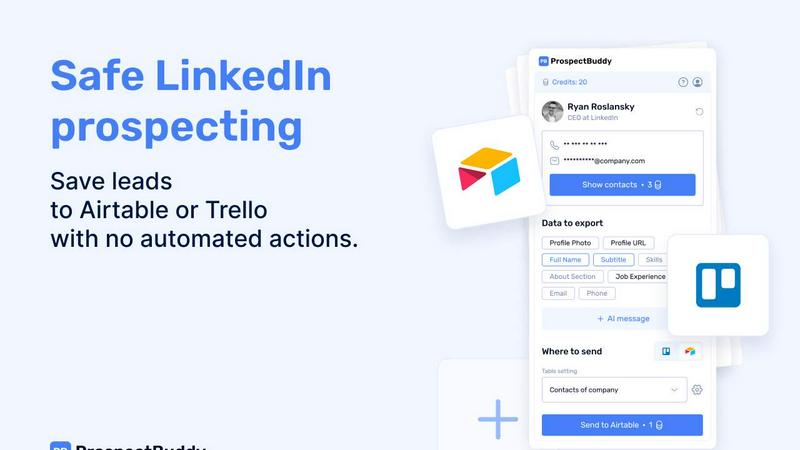
About ProspectBuddy
ProspectBuddy is an advanced LinkedIn prospecting tool designed to enhance the efficiency of sales teams, recruiters, founders, and operators. It provides seamless integration with popular project management tools like Airtable and Trello, enabling users to manage leads effortlessly. With just a single click, users can save LinkedIn profiles directly to their chosen platform, eliminating the tedious and error-prone task of manual data entry. This tool prioritizes manual prospecting, ensuring users retain full control over their outreach efforts, making it a safer and more compliant choice compared to automation tools. Key features include verified email and phone number discovery, AI-generated personalized outreach messages, and selective data capture, allowing users to streamline their prospecting workflows while maintaining organization and consistency.
Features of ProspectBuddy
One-Click Profile Saving
With ProspectBuddy, users can save LinkedIn profiles to Airtable or Trello in a single click. This feature simplifies the prospecting process, allowing for quick and efficient lead management without the hassle of copy-pasting data manually.
Manual Prospecting Focus
Unlike many automation tools that act on your behalf, ProspectBuddy is designed for safe, manual prospecting. This means users can control their outreach efforts directly from LinkedIn, ensuring compliance with LinkedIn's policies and maintaining the integrity of their prospecting strategies.
Verified Contact Discovery
ProspectBuddy provides users with the ability to find verified business emails and direct phone numbers. This feature enhances the quality of leads by ensuring that the contact information is accurate and reliable, which is crucial for effective outreach.
AI-Generated Outreach Messages
Utilizing LinkedIn profile data, ProspectBuddy can generate personalized outreach messages in seconds. This feature allows users to craft tailored communications that resonate with potential leads, increasing the likelihood of positive engagement and response.
Use Cases of ProspectBuddy
Sales Team Efficiency
Sales teams can leverage ProspectBuddy to streamline their lead generation process. By saving profiles directly to their CRM, they can focus more on personalized outreach rather than data entry, resulting in more meaningful conversations with prospects.
Recruitment Simplification
Recruiters can integrate ProspectBuddy into their hiring workflows. By saving candidate profiles to Trello, they can manage their hiring pipeline more effectively, ensuring that every candidate is added as a structured card, which enhances organization and tracking.
Founder Networking
Founders looking to expand their network can use ProspectBuddy to efficiently manage their outreach efforts. By capturing essential LinkedIn data and generating personalized messages, they can connect with potential partners, investors, or collaborators seamlessly.
CRM Integration for Operators
Operators can utilize ProspectBuddy to enhance their CRM capabilities. By syncing data from LinkedIn into Airtable or Trello, they can maintain clean and organized records of leads, ensuring that their outreach efforts are data-driven and effective.
Frequently Asked Questions
How do I connect Airtable?
To connect Airtable, click on “Airtable” in the Connect screen or your Profile. Select the bases or workspaces you wish to access, then click “Grant access.” You can disconnect anytime from your Profile page.
How do I send LinkedIn data to Airtable?
First, create a new setting in the Settings menu. Choose your Airtable base and table, then map the LinkedIn fields to the corresponding Airtable fields. After saving the setting, open a LinkedIn profile, select the fields and your setting, and click “Send to Airtable.”
Is ProspectBuddy safe to use with LinkedIn?
Yes, ProspectBuddy is designed for safe manual LinkedIn prospecting and does not perform automated actions. Users maintain control while directly working from LinkedIn profiles, making it a compliant and secure alternative to bulk scraping tools.
Why don’t I see some Airtable fields?
Only compatible field types are supported by ProspectBuddy. If a field type isn't compatible, it won't appear in the dropdown menu. Supported types include text, email, phone, and attachments, ensuring that users can only select relevant data fields.
Similar to ProspectBuddy

CleanSmart removes duplicates, fixes formatting, fills gaps, and flags anomalies in one automated pass. No code. No data engineers.

Search 20,000+ open-source and SaaS tools by the job you need done or the app you want to replace.

A Mac app that turns your App Store link into a week of Instagram Reels and carousels, written from your real reviews.

Social media content engine that drives revenue. Publish everywhere, track clicks in real time, and let AI agents run it.

The #1 Native Form Builder Plugin for Framer - No Code, No Embeds, No External Platforms.

Fast AI image generation for photorealistic visuals, bilingual posters, ecommerce content, and social graphics.

Create videos from prompts and images with RunwayAI, an independent runway ai video generator with practical output controls.

AI SEO platform for keyword research, content briefs, writing, grading, optimization and publishing.