
GIF Face Swap
GIF Face Swap instantly replaces faces in any animated GIF using a single photo, with no editing skills needed.
Visit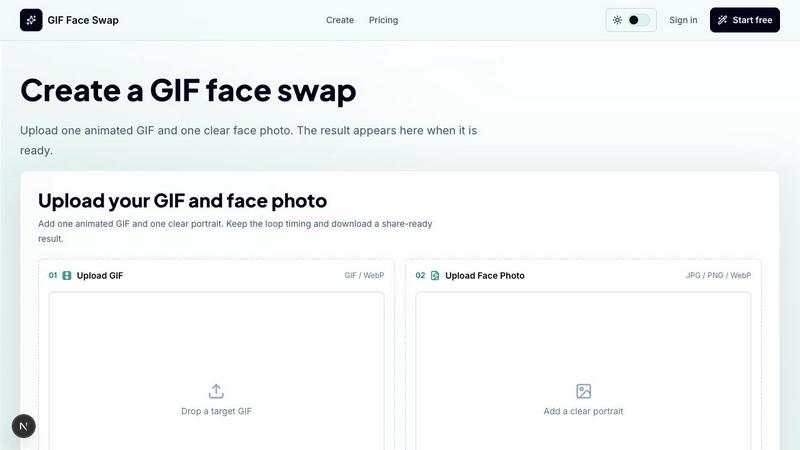
About GIF Face Swap
GIF Face Swap is an online tool designed to create personalized animated GIFs by swapping a face from your own photo into a short animation. The tool allows users to upload a short GIF or WebP animation, add one clear face photo, and generate a face-swapped result without needing to learn complex video-editing software. The primary value proposition is speed and simplicity, enabling anyone to turn reaction GIFs into something personal and shareable in just a few clicks. The workflow is straightforward: choose an animation, upload a face, generate the result, and download it when ready. This tool is built for meme creators, social media users, friends, community managers, and marketing teams who want a quick way to create engaging animated content. GIF Face Swap supports short animated files and focuses on a straightforward creation experience. Users can try the tool before committing, then use credits when they need more generations. The platform also emphasizes responsible use, encouraging users to upload only images and animations they have permission to use and to get consent before sharing face-swapped content. With features like private uploads, guest download links, and batch editing capabilities, GIF Face Swap provides a focused and efficient way to make animated face swaps for reactions, creators, teams, and quick social moments.
Features of GIF Face Swap
Built for Animated GIFs
The tool is specifically optimized for animated GIFs and WebP files, ensuring that the loop timing, expression, and share-ready feel that make reaction GIFs work are preserved. Users can upload short animations up to 20MB, and the system keeps the original motion intact while swapping the face seamlessly. This focus on animation means results are smooth and natural, maintaining the comedic or emotional impact of the original clip.
Cleaner Face Results
Clear source faces and portraits produce more natural swaps with less blur and fewer missed frames. The tool is designed to work best with front-facing, well-lit photos, which allows the AI to accurately map the facial features onto the animation. This results in higher quality outputs that look more realistic and less distorted, making the face swap convincing even in close-up loops.
Private by Default
Uploads and finished GIFs stay private, with guest download links that expire. This privacy-first approach means users do not have to worry about their personal photos or created content being publicly accessible. The expiration of download links adds an extra layer of security, ensuring that only intended recipients can view or download the generated GIFs.
Fast First Try
Users can upload one GIF and one face photo, then create their first watermarked result before signing up. This allows potential customers to test the quality and ease of use without any upfront commitment. The free trial demonstrates the tool's capabilities, building confidence before users decide to upgrade for watermark-free downloads or additional credits.
Use Cases of GIF Face Swap
Meme Makers and Social Creators
Turn familiar reaction loops into fast posts, comments, group-chat replies, and short-form jokes while the trend is still moving. Meme creators can quickly swap their own face or a friend's face into popular reaction GIFs, creating personalized and timely content that resonates with audiences. This speed is crucial for social media where trends fade rapidly.
Fandom Editors
Put a friend, character, or creator face into anime, movie, sports, and game-adjacent loops without opening a full editing suite. Fandom editors can create inside jokes, tribute edits, or humorous mashups by swapping faces into iconic scenes. This use case benefits from the tool's ability to maintain the original animation's timing and expression, making the result feel like a natural part of the source material.
Indie Filmmakers and Previs Artists
Test quick expressions, scene beats, and character reactions before spending time on heavier video work. Indie filmmakers can use GIF Face Swap as a rapid prototyping tool to visualize how a character might look in a specific animated moment. This saves time and resources during the pre-production phase, allowing for faster iteration on creative ideas.
Marketing Teams and Brands
Create lightweight campaign replies, launch reactions, mascot moments, and internal celebration loops from approved source files. Marketing teams can quickly generate engaging social media content that features team members or brand mascots in popular GIF formats. The batch editing feature also allows for the creation of multiple variations for A/B testing or multi-platform distribution.
Frequently Asked Questions
What file formats and sizes does GIF Face Swap support?
The tool supports GIF and WebP animations for the target animation, with a maximum file size of 20MB. Short loops work best for optimal results. For the face photo, supported formats include JPG, PNG, and WebP, with a maximum size of 8MB per image. It is recommended to use a clear, front-facing, and well-lit portrait for the best face swap quality.
Do I need to sign up to use the tool?
No, you can try the tool before signing up. The free trial allows you to upload one GIF and one face photo to create your first watermarked result. This gives you a chance to evaluate the quality and ease of use. If you want watermark-free downloads or need more generations, you can then create an account and purchase credits.
Are my uploads and generated GIFs private?
Yes, uploads and finished GIFs stay private by default. Guest download links are provided for sharing, and these links expire after a certain period. This ensures that your personal photos and created content are not publicly accessible. The platform encourages responsible use and asks users to only upload content they have permission to use.
Can I use GIF Face Swap for commercial or team projects?
Yes, the tool is suitable for marketing teams and brands who need to create lightweight campaign replies, launch reactions, or internal celebration loops. The batch editing feature allows creators to prepare multiple GIF ideas faster when they need a set of reactions or campaign loops. Simple credit plans make it easy to scale usage based on project needs.
Similar to GIF Face Swap

ImageGPT is an all-in-one AI creative platform for generating, editing and transforming images and videos using AI.

Create release-ready album covers from a prompt or photo. Generate, refine, and export art for singles, EPs, mixtapes, and playlists.

A free browser-based toolkit for creating, cutting, converting, and previewing sprite sheet animations.

Generate and edit production-ready images with GPT Image 2 API using detailed prompts, reference images, clear text rendering, and developer-friendly

Fast AI image generation for photorealistic visuals, bilingual posters, ecommerce content, and social graphics.

Turn flat images into editable transparent layers with AI.

AI enhancer for photos, images, videos, creative effects, and shared asset workflows.
