
Easy Watermark Remover
Easily remove Google Gemini watermarks from images online with Quick Crop or AI Smart Removal, no signup or extensions required.
Visit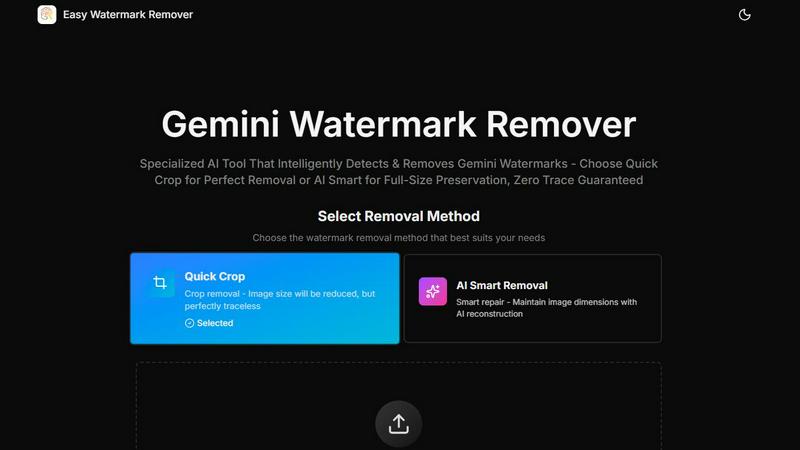
About Easy Watermark Remover
Easy Watermark Remover is a powerful, browser-based online tool developed by easywatermarkremover.com, specifically tailored to eliminate Gemini AI logos and invisible SynthID watermarks from images created using Imagen 3. This tool is particularly valuable for content creators, marketers, and e-commerce professionals who require quick and efficient watermark removal without compromising the quality of their images. With Easy Watermark Remover, users can choose between two distinct methods: Quick Crop, which allows for a swift cleanup by removing the watermark from an image, and AI Smart Removal, which utilizes advanced deep learning techniques to reconstruct pixels, thus preserving the original dimensions of the image. The entire process is conducted locally on the user's device, ensuring privacy and security with no need for server uploads. Supporting popular formats like PNG, JPG, and WebP up to 16MB, Easy Watermark Remover also enables batch processing and exports images in their original quality, all without requiring any signup or installation.
Features of Easy Watermark Remover
Quick Crop
The Quick Crop feature allows users to instantly remove the watermark by cropping the image. This method is particularly efficient when the watermark appears in areas of the image that do not contain important details, such as plain backgrounds or corners. The result is a clean image that is devoid of the watermark, making it ideal for situations where speed is essential.
AI Smart Removal
AI Smart Removal employs advanced deep learning technologies to meticulously reconstruct pixels around the watermark. This feature is beneficial when the watermark overlaps critical elements of the image, such as product edges or shadow details. By maintaining the original dimensions, this method ensures that images remain suitable for professional use, such as product mockups or presentation graphics.
Local Processing
All image processing occurs directly on the user's device, which means that no images are uploaded to a server. This feature guarantees enhanced privacy and security, allowing users to confidently remove watermarks without worrying about data breaches or unauthorized access to their files.
Batch Processing
Easy Watermark Remover supports batch processing, enabling users to upload and process multiple images simultaneously. This feature is particularly useful for professionals who need to handle a large volume of images quickly, saving time and effort while ensuring consistent quality across all files.
Use Cases of Easy Watermark Remover
E-commerce Product Images
E-commerce businesses often use product images that may contain watermarks. Easy Watermark Remover enables them to efficiently clean these images, ensuring they present a polished and professional appearance to potential customers, ultimately boosting sales.
Marketing Materials
Marketers frequently create presentations and promotional materials that require high-quality images. By utilizing the AI Smart Removal feature, they can maintain the integrity of their visuals while removing distracting watermarks, enhancing the overall impact of their marketing efforts.
Social Media Content
Content creators working on social media platforms can benefit from Quick Crop when preparing images for posts. The ability to swiftly remove watermarks allows for timely content creation, ensuring that their feeds remain engaging and visually appealing.
Blog Thumbnails and Graphics
Bloggers and website owners often rely on eye-catching graphics to attract readers. Easy Watermark Remover helps them maintain a professional look by removing watermarks from images used as thumbnails or within the content, thus enhancing the user experience and encouraging clicks.
Frequently Asked Questions
How do I choose the best watermark removal method?
For quick removal where the watermark is on empty space, use Quick Crop. If the watermark overlaps important image elements, opt for AI Smart Removal to preserve the original canvas size.
Can I use Easy Watermark Remover on any device?
Yes, Easy Watermark Remover is a browser-based tool that works on all devices, including desktops, laptops, tablets, and smartphones, making it accessible for users anywhere.
Is there a limit to the file size I can upload?
Yes, Easy Watermark Remover supports image uploads of PNG, JPG, and WebP formats up to 16MB in size, allowing users to work with high-quality images.
Do I need to create an account to use the tool?
No, Easy Watermark Remover does not require any signup or installation. Users can access the tool directly through their browser and start removing watermarks instantly.
Similar to Easy Watermark Remover

Wery is an AI-powered virtual creative studio for entertainment content.

Snapkin is a calorie tracker you use by photographing your plate.

Face recognition API, a drop-in replacement for AWS Rekognition. Index, search, compare and detect faces, billed per photo with no subscription.

Advanced AI image generation and editing with sharp typography, native 2K output, and localized edits with minimal drift.

A free, no-signup spinner for names, numbers, colors, and yes/no decisions. Add entries, spin, and let chance decide instantly.

A free browser-based toolkit for creating, cutting, converting, and previewing sprite sheet animations.

Free AI attractiveness test and face analysis with private, on-device photo processing.

Fast AI image generation for photorealistic visuals, bilingual posters, ecommerce content, and social graphics.