
Kling 5 vs SubtitlesFast
Side-by-side comparison to help you choose the right product.

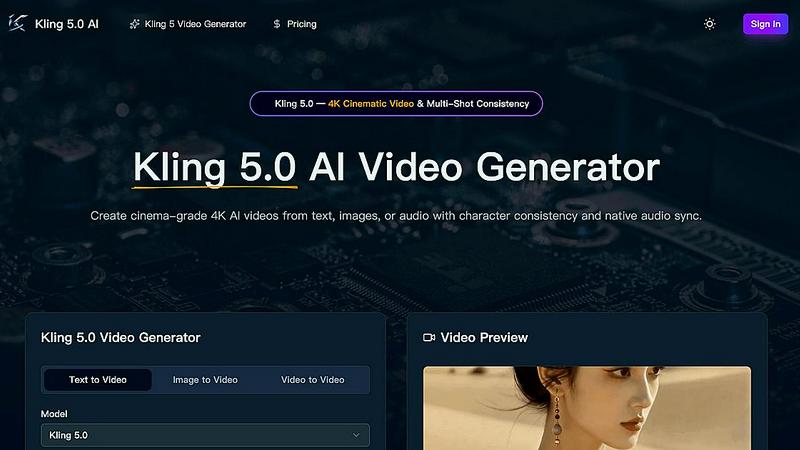
Kling 5.0 is an AI video generator that creates professional 4K cinematic clips from text, images, or audio.
Last updated: April 13, 2026

SubtitlesFast
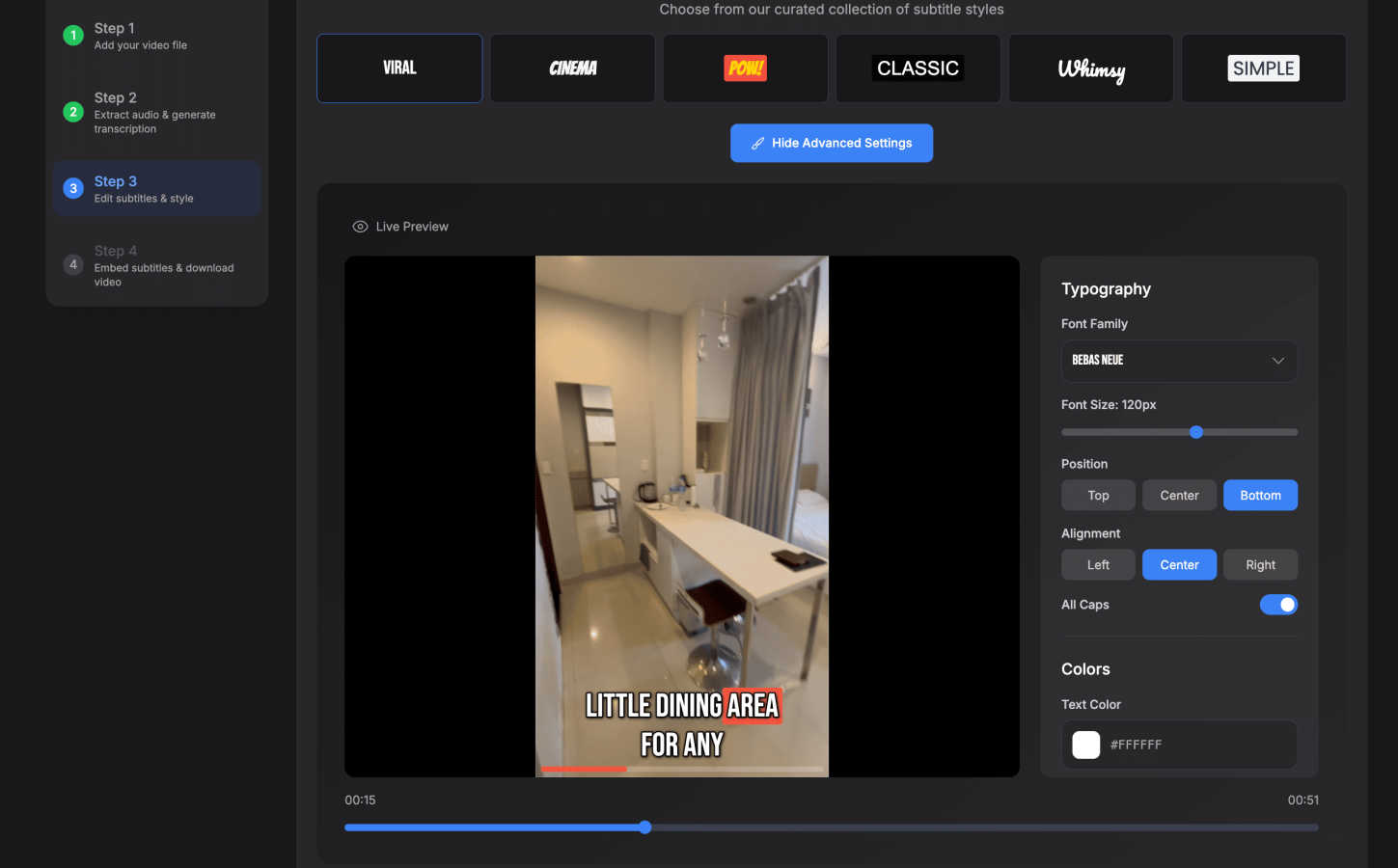
SubtitlesFast enables creators to quickly add stylish, auto-generated subtitles to videos, enhancing audience.
Last updated: March 1, 2026
Visual Comparison
Kling 5
SubtitlesFast
Feature Comparison
Kling 5
4K Cinematic Video Generation
Kling 5.0's core engine generates videos up to 15 seconds long in stunning 4K resolution. It interprets text prompts to produce clips with a professional, cinematic look and feel, complete with realistic lighting, textures, and atmospheric effects. This ensures the output is broadcast-ready and suitable for high-impact commercial use, marketing campaigns, and social media content where visual quality is paramount.
Multi-Shot Character Consistency
A groundbreaking feature for narrative work, the Omni Subject Library allows users to lock a character's appearance across multiple shots and scenes. This ensures that facial features, proportions, and style remain perfectly consistent, enabling the creation of episodic content, product series, or brand campaigns without the visual discrepancies common in other AI video tools.
Native Audio Generation & Lip-Sync
Kling 5.0 generates synchronized audio—including dialogue, ambient sound, and Foley effects—alongside the video in a single pass. Its advanced AI provides phoneme-level lip-sync accuracy for generated speech in English, Chinese, Japanese, Korean, and Spanish, complete with emotion-matched facial expressions, creating a cohesive and realistic audio-visual experience.
Advanced Physics Simulation
The integrated physics engine simulates natural movement for complex elements like water, fabric, fire, and human anatomy. This results in fluid dynamics, realistic cloth behavior, and natural character motion that are indistinguishable from real-world physics, greatly enhancing the realism and professionalism of any generated scene.
SubtitlesFast
Auto-Transcription
SubtitlesFast offers automatic transcription capabilities in over 50 languages, allowing users to generate subtitles effortlessly. This feature saves time and enhances productivity, eliminating the need for manual transcription and ensuring accuracy in the subtitles.
Customizable Styling Options
Users can customize their subtitles with a variety of styles, including over 30 animated options. This feature allows creators to match their subtitles with the aesthetic of their videos, ensuring a cohesive and professional look that enhances viewer engagement.
One-Click Export
With the one-click export feature, users can easily download their videos with subtitles burned in, making the publishing process seamless. This functionality is designed for efficiency, enabling quick uploads to platforms like YouTube, TikTok, and Instagram without the hassle of additional steps.
Simple Editor
SubtitlesFast provides a straightforward editing interface that allows users to add text, images, and music to their videos. This simplicity ensures that even those with little to no editing experience can produce high-quality content without a steep learning curve.
Use Cases
Kling 5
Social Media Content Creation
Creators can rapidly produce eye-catching, platform-optimized videos for YouTube, TikTok, and Instagram. By quickly generating trendy clips, animated explainers, or engaging short stories from text prompts, users can maintain a consistent posting schedule and grow their audience without the overhead of traditional video production.
Prototyping for Film & Animation
Filmmakers and animators can use Kling 5.0 to visualize storyboards, prototype complex scenes, and test concepts before committing to full-scale production. The ability to generate consistent characters and realistic physics allows for efficient pre-visualization of action sequences, sci-fi environments, or character-driven narratives.
Marketing & Advertising Campaigns
Marketing teams can produce high-quality promotional videos, product demos, and brand story content in-house. The cinematic 4K output and character consistency feature are ideal for creating cohesive ad series, explainer videos, and social media ads that capture brand identity and engage customers effectively.
Educational & Explainer Videos
Educators and businesses can transform scripts or concepts into engaging animated or live-style explainer videos. The intuitive text-to-video process makes it easy to illustrate complex topics, create training materials, or produce educational content that is both informative and visually compelling for learners.
SubtitlesFast
Daily Video Creators
For vloggers and daily content creators, SubtitlesFast streamlines the process of adding subtitles to videos. With the ability to quickly upload and generate subtitles, creators can focus on producing content rather than getting bogged down in editing tasks.
Educators and Trainers
Educators can leverage SubtitlesFast to enhance their instructional videos. By providing subtitles, they ensure that their lessons are accessible to all students, including those who may benefit from reading along or require language support.
Marketers and Advertisers
Marketing professionals can use SubtitlesFast to create engaging promotional videos that reach a broader audience. By adding subtitles, they can capture the attention of viewers who may be watching without sound, thereby increasing engagement and message retention.
Social Media Influencers
Influencers on platforms like TikTok and Instagram can benefit from using SubtitlesFast to quickly add stylish subtitles to their clips. This feature helps them maintain high-quality video standards, making their content more appealing and shareable.
Overview
About Kling 5
Kling 5.0 is a next-generation AI video generator designed to democratize the creation of high-quality, cinematic video content. It empowers a wide range of users, from individual creators and social media marketers to filmmakers and commercial production teams, to transform their ideas into professional-grade videos with unprecedented ease and speed. The platform's core value proposition lies in its ability to generate stunning 4K resolution videos from simple text prompts, uploaded images, or audio inputs, eliminating the need for complex editing software, expensive equipment, or extensive technical expertise. Beyond basic generation, Kling 5.0 sets a new standard with advanced features like multi-shot character consistency, which locks facial features and proportions across different scenes, and native audio generation with phoneme-accurate lip-sync in multiple languages. This combination of accessibility, cinematic quality, and powerful, creator-focused tools makes Kling 5.0 a revolutionary platform for anyone looking to produce compelling visual stories for platforms like YouTube, TikTok, Instagram, or commercial broadcasts.
About SubtitlesFast
SubtitlesFast is an innovative online tool specifically designed to simplify the process of adding subtitles to videos, making it an invaluable asset for content creators, marketers, and anyone keen on boosting video engagement. By enabling users to upload their video files, SubtitlesFast automatically generates precise and easily readable subtitles in over 50 languages, thus broadening the reach of any video content. Tailored for individuals who frequently post videos, it eliminates the tedious tasks associated with traditional editing by offering a straightforward, user-friendly interface that operates entirely within your web browser. With features such as customizable styling options, quick one-click exports, and no software installation required, SubtitlesFast presents a fast and efficient method of producing polished video content. Whether you are a vlogger, educator, or a business professional, SubtitlesFast empowers you to create high-quality videos in mere minutes, ensuring your message remains clear, engaging, and accessible to a diverse audience.
Frequently Asked Questions
Kling 5 FAQ
What input methods does Kling 5.0 support?
Kling 5.0 is a versatile multi-modal generator. It can create videos directly from detailed text prompts. Alternatively, you can upload an image or piece of concept art for the AI to animate. It also supports generating video with synchronized audio from an audio input, making it flexible for various creative workflows.
How does the character consistency feature work?
The feature utilizes the Omni Subject Library. When you define a character, the AI locks its key facial features, proportions, and style into a unique model. You can then reference this model in subsequent prompts for different shots or scenes, and Kling 5.0 will generate the character with a consistent appearance across all generated video clips.
In which languages does the lip-sync feature work?
Kling 5.0's native audio generation includes phoneme-accurate lip-sync for generated speech in five languages: English, Chinese, Japanese, Korean, and Spanish. The AI matches mouth movements to the spoken audio at a detailed level and incorporates appropriate emotional expressions for a realistic result.
What is the maximum video duration and quality?
The Kling 5.0 model can generate video clips up to 15 seconds in length. The output quality is professional-grade, rendered in full 4K Ultra HD resolution with realistic textures and accurate cinematic lighting, making it suitable for commercial and broadcast applications.
SubtitlesFast FAQ
How does SubtitlesFast generate subtitles?
SubtitlesFast utilizes advanced AI technology to automatically transcribe speech from uploaded videos into accurate subtitles. This process ensures that the subtitles are not only precise but also generated in a matter of minutes.
Can I customize the appearance of my subtitles?
Yes, SubtitlesFast offers a variety of customizable styling options for your subtitles. Users can choose from over 30 animated styles to ensure their subtitles match the branding and aesthetic of their videos.
Is there a limit to the video file size I can upload?
SubtitlesFast is designed to handle various video sizes, but specific file size limits may apply. It is recommended to check the platform's guidelines for any restrictions on video uploads.
Do I need to install any software to use SubtitlesFast?
No, SubtitlesFast is a web-based application, meaning you can access it directly through your browser without the need for software installation. This feature allows for ease of use and accessibility from any device.
Alternatives
Kling 5 Alternatives
Kling 5.0 is a leading AI video generator, a tool designed to create professional-quality videos directly from text descriptions. This category of software is rapidly evolving, offering creators and businesses a powerful way to produce visual content without traditional filming or complex editing. Users often explore alternatives to Kling 5 for various reasons. These can include budget constraints, as pricing models differ significantly between platforms. Others may seek specific features not offered, require different output formats, or need compatibility with certain operating systems or existing workflows. The search for the right tool is highly individual. When evaluating an alternative, consider your primary needs. Key factors include the quality and style of video output, the intuitiveness of the user interface, available customization options, and of course, the cost structure. It's also wise to assess the platform's performance speed and any limitations on video length or usage.
SubtitlesFast Alternatives
SubtitlesFast is an online tool designed for video creators, marketers, and anyone looking to enhance engagement through stylish subtitles. This platform falls within the productivity and management category, specifically targeting those who require efficient and effective video editing solutions. Users often seek alternatives to SubtitlesFast for various reasons, including pricing, specific feature sets, or compatibility with different platforms. When choosing an alternative, it is essential to consider factors such as ease of use, the range of features offered, language support, and whether the tool can meet specific video editing needs without compromising quality. Finding the right subtitle tool can significantly impact video engagement and reach. Users should look for alternatives that provide automatic transcription capabilities, customizable styling options, and straightforward export processes. Additionally, consider the platform's ability to handle various video formats and its overall user experience, ensuring that it aligns with your workflow and enhances your video production process.