
Shrinkpad vs Sprout Video Downloader
Side-by-side comparison to help you choose the right product.

Shrinkpad
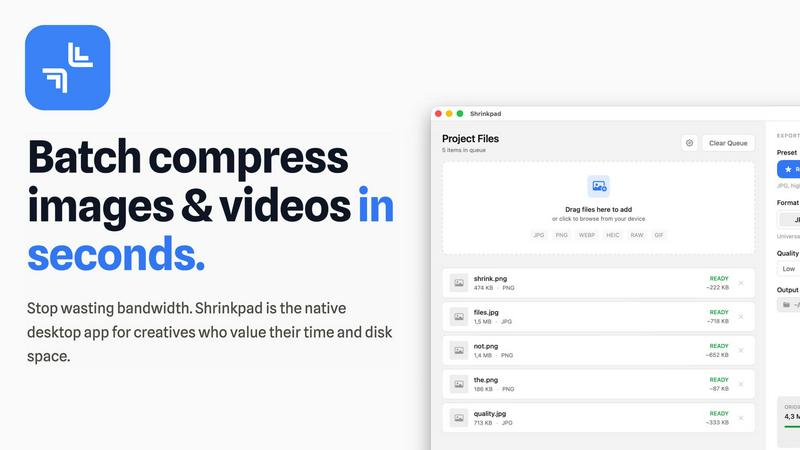
Shrinkpad batch compresses images and videos on Mac, saving space and time with optimal quality and zero manual effort.
Last updated: February 28, 2026

Download hosted MP4s from embedded/direct pages
Visual Comparison
Shrinkpad
Sprout Video Downloader

Overview
About Shrinkpad
Shrinkpad is a robust, native macOS application designed specifically for the batch compression of images and videos directly on your Mac. This tool effectively tackles the prevalent challenges of large media files that consume valuable storage space and hinder workflow efficiency. The central value proposition of Shrinkpad is threefold: it delivers exceptional speed through local processing, ensures uncompromising privacy by keeping your files on your device, and achieves significant file size reductions without noticeable quality loss. Users can easily drag and drop hundreds of files or entire folders, configure their desired compression settings, and process everything in a matter of seconds. Unlike web-based solutions, Shrinkpad operates entirely locally using macOS frameworks, guaranteeing that sensitive files remain on your device and eliminating reliance on internet connections or cloud services. It is crafted for professionals, including photographers, designers, content creators, developers, and anyone who frequently manages high-resolution images, 4K videos, or large batches of assets, providing a solution to optimize their work for storage, web usage, or application development.
About Sprout Video Downloader
SproutVideo Downloader is a browser extension built for users who need offline access to business videos, training content, and embedded media served through SproutVideo. It detects supported direct-file and streaming playback flows, surfaces available quality options when present, and exports the final result as MP4 for later playback.
Save supported SproutVideo videos from embeds and direct pages
Handle direct MP4 and supported HLS-backed workflows
Export MP4 files for easier offline viewing and review
Keep a browser-first workflow for business and training content
Avoid manual stream extraction from embedded players