
Seedance 2.0 vs Viral AI Video Maker
Side-by-side comparison to help you choose the right product.

Seedance 2.0 generates stunning 2K videos from text, images, or audio with consistent characters and perfect audio sync.
Last updated: February 26, 2026

Viral AI Video Maker
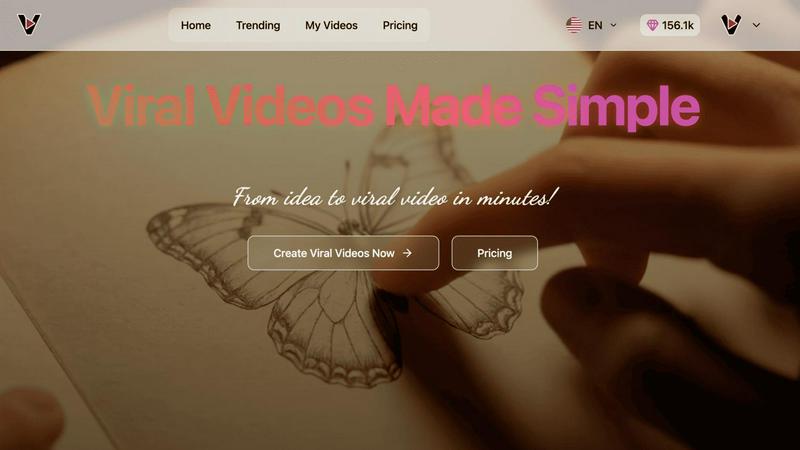
Create viral TikTok and Instagram videos in minutes with simple AI-powered tools.
Last updated: February 28, 2026
Visual Comparison
Seedance 2.0

Viral AI Video Maker
Feature Comparison
Seedance 2.0
Text-to-Video Generation
Seedance 2.0 allows users to create videos up to 12 seconds long at 2K resolution directly from natural language prompts. This feature enables creators to describe scenes, characters, and camera movements, resulting in cinematic clips that exhibit realistic physics and smooth motion.
Character Consistency Across Shots
The multi-shot storytelling engine in Seedance 2.0 ensures that facial features, clothing, and body proportions remain consistent across different camera angles. This feature is essential for producing series or films where character continuity is crucial.
Image-to-Video Conversion
Users can upload product photos, concept art, or design mockups, which Seedance 2.0 then animates into life with natural motion. This feature preserves the original composition while adding cinematic animation, making it ideal for product demonstrations or creative projects.
Native Audio & Lip-Sync
Seedance 2.0 generates synchronized audio along with video in a single pass, creating Foley effects, ambient sound, and phoneme-level lip-sync in over eight languages. This capability eliminates the need for separate audio editing, simplifying the production workflow.
Viral AI Video Maker
Google Veo3 AI-Powered Engine
At the heart of the platform is the integration of Google's advanced Veo3 AI technology. This powerful engine analyzes trends and optimizes video elements for virality, ensuring that the content you create is not just visually appealing but also strategically designed to capture and retain viewer attention. It assists in generating dynamic visuals and transitions that are proven to perform well on social media algorithms, giving your content a significant competitive edge.
Pre-Optimized Viral Templates
The platform offers a diverse and constantly updated library of video templates that are pre-optimized for specific social media platforms and content styles. Each template is crafted based on viral trends and best practices for dimensions, pacing, and visual hooks. This feature allows users to skip the guesswork and start with a proven foundation, dramatically reducing production time while increasing the likelihood of creating high-performing content.
Intuitive Drag-and-Drop Customization
Viral AI Video Maker features an exceptionally user-friendly interface that requires no prior editing experience. Users can easily personalize their chosen templates through a simple drag-and-drop editor. Effortlessly add your own images, logos, and text, adjust colors to match your brand, and modify scenes. The process is designed to be seamless, turning your creative idea into a customized, professional video in just a few clicks.
Watermark-Free Instant Export
Once customization is complete, users can export their finished video instantly. On premium subscription plans, this export is completely free of any platform watermarks, allowing for a professional presentation. The videos are rendered in optimal formats and resolutions ready for direct upload to TikTok, Instagram, YouTube, and other social channels, enabling quick turnaround from creation to publication.
Use Cases
Seedance 2.0
Marketing Campaigns
Marketing teams can leverage Seedance 2.0 to create promotional videos that effectively showcase products in action. The ability to generate high-quality video content quickly allows brands to respond to market trends with agility and creativity.
Content Creation for Social Media
Content creators can harness Seedance 2.0 to produce eye-catching videos that engage audiences across platforms like Instagram, TikTok, and YouTube. The text-to-video generation facilitates rapid production, enabling creators to keep pace with their content calendars.
Educational Videos
Educators and e-learning professionals can utilize Seedance 2.0 to craft instructional videos that visually explain complex concepts. By integrating text prompts with video generation, educators can enhance the learning experience through engaging visual content.
Creative Storytelling
Filmmakers and storytellers can use Seedance 2.0 for developing short films or episodic content. The multi-shot consistency feature allows them to maintain character integrity while exploring diverse narrative angles and perspectives.
Viral AI Video Maker
Social Media Content Creation
Ideal for influencers, creators, and brands needing a constant stream of fresh content for Reels, Shorts, and TikTok. The tool enables rapid production of trendy, engaging clips for product showcases, tutorials, behind-the-scenes looks, and viral challenges, helping to grow followers and increase engagement rates without a large time investment or budget.
Digital Marketing & Advertising
Digital marketers and agencies can use the platform to create compelling ad creatives and promotional videos quickly. By utilizing AI-optimized templates, they can produce A/B test variants, launch timely campaign videos, and create eye-catching content for social media ads, email marketing, and landing pages, all designed to drive conversions and click-through rates.
Small Business Promotion
Small business owners can leverage this tool to create professional marketing videos without hiring a videographer or editor. Perfect for announcing new products, sharing customer testimonials, creating how-to guides, or promoting special offers on social media. It empowers local businesses to build their brand presence and connect with their community through high-quality video.
Educational & Explainer Content
Educators, coaches, and consultants can transform complex information into digestible and engaging explainer videos. The platform's templates are excellent for creating short, animated-style lessons, course previews, tips, and FAQ videos that enhance learning retention and can be shared across educational platforms and professional networks like LinkedIn.
Overview
About Seedance 2.0
Seedance 2.0 is a cutting-edge AI video generator that revolutionizes how creators conceptualize and produce cinematic content. With the ability to generate stunning 2K videos from text, images, or audio, Seedance 2.0 caters to filmmakers, marketers, and content creators by providing a seamless platform for transforming ideas into visually engaging narratives. Its advanced features, including character consistency and audio synchronization, ensure that videos are not only visually appealing but also narratively coherent. Seedance 2.0 is designed to simplify the video creation process, allowing users to focus on storytelling while the AI handles technical aspects. This makes it an invaluable tool for anyone looking to enhance their content production capabilities.
About Viral AI Video Maker
Viral AI Video Maker is a cutting-edge, AI-powered platform designed to democratize high-impact video creation. Accessible via veo3video.me, its core mission is to enable anyone to produce professional, engaging, and potentially viral video content in minutes, eliminating the need for complex editing software or specialized skills. The tool is specifically engineered for content creators, digital marketers, small business owners, and social media enthusiasts who need to consistently produce attention-grabbing content for platforms like TikTok, Instagram Reels, and YouTube Shorts. Its primary value proposition lies in leveraging advanced Google Veo3 AI technology within a library of pre-optimized templates. This combination ensures every video is not only visually stunning but also algorithmically tailored for maximum reach and engagement. The process is streamlined and intuitive: users select a template, customize it with their own text and images, and can instantly download a finished, watermark-free video (on premium plans), ready to publish and share with their audience.
Frequently Asked Questions
Seedance 2.0 FAQ
What types of videos can I produce with Seedance 2.0?
You can create a variety of videos, including promotional content, educational clips, social media posts, and cinematic short films, all at 2K resolution.
How does the character consistency feature work?
The multi-shot storytelling engine locks in the visual characteristics of characters, ensuring they appear identical across different shots, which is crucial for maintaining narrative continuity.
Can I upload my own audio for video projects?
Yes, Seedance 2.0 allows you to upload your own voiceovers, which can be synchronized with the generated video, providing a complete audio-visual experience.
What is the maximum video duration I can create?
Seedance 2.0 supports video generation up to 12 seconds in length, making it suitable for quick, impactful content creation.
Viral AI Video Maker FAQ
What is Google Veo3 AI technology?
Google Veo3 AI is an advanced generative video model that powers the core creative engine of Viral AI Video Maker. It helps in generating and optimizing video content by understanding visual trends and social media dynamics. This integration ensures the templates and output are not just generic but are tailored with elements that have a higher potential for viewer engagement and virality.
Do I need video editing experience to use this tool?
No, prior video editing experience is not required. Viral AI Video Maker is specifically designed with a user-friendly, intuitive interface. The process is built around selecting pre-made templates and customizing them with your own text and images via simple editing tools. The platform guides you through creating a professional video in a matter of minutes.
Can I use my own images and branding?
Yes, absolutely. A key feature of the platform is full customization. You can upload your own images, logos, and graphics directly into the video editor. You can also modify text, fonts, and color schemes to align perfectly with your personal or business brand identity, ensuring every video you create is unique and on-brand.
Are the exported videos free of watermarks?
Watermark-free exports are available on the platform's premium subscription plans. Free trials or basic plans may include a watermark on the final video. Upgrading to a premium plan allows you to download your finished videos instantly without any Viral AI Video Maker branding, making them ready for professional use and publication.
Alternatives
Seedance 2.0 Alternatives
Seedance 2.0 is an advanced AI model that belongs to the category of generative AI, specifically designed for tasks involving chat, image, and video generation. Users often seek alternatives to Seedance 2.0 for various reasons, including pricing, feature set, and compatibility with their specific platform needs. As the AI landscape evolves, individuals and businesses may find that their requirements change, prompting them to explore other options that may offer better value or align more closely with their objectives. When selecting an alternative, it is essential to consider several factors, such as the model’s performance capabilities, ease of integration, support for different languages, and overall cost-effectiveness. Evaluating the specific features that are crucial for your use case, such as advanced reasoning or multi-turn dialogue capabilities, will help ensure that the alternative you choose meets your needs and delivers the desired outcomes in your applications.
Viral AI Video Maker Alternatives
Viral AI Video Maker is an AI-powered video creation tool designed to help users quickly produce content for platforms like TikTok and Instagram Reels. It falls into the category of automated, template-driven video editors, leveraging advanced AI to simplify the creative process. Users often seek alternatives for various reasons. Common motivations include finding a tool with a different pricing structure, needing specific features not offered, or requiring compatibility with other platforms or workflows. The search for the right tool is highly personal and depends on individual project needs and budget. When evaluating an alternative, consider key factors like the quality and variety of templates, the sophistication of the AI features, output format flexibility, and overall ease of use. The goal is to find a solution that balances powerful functionality with an intuitive workflow to efficiently create engaging social media videos.