
Regi AI vs Video Database
Side-by-side comparison to help you choose the right product.

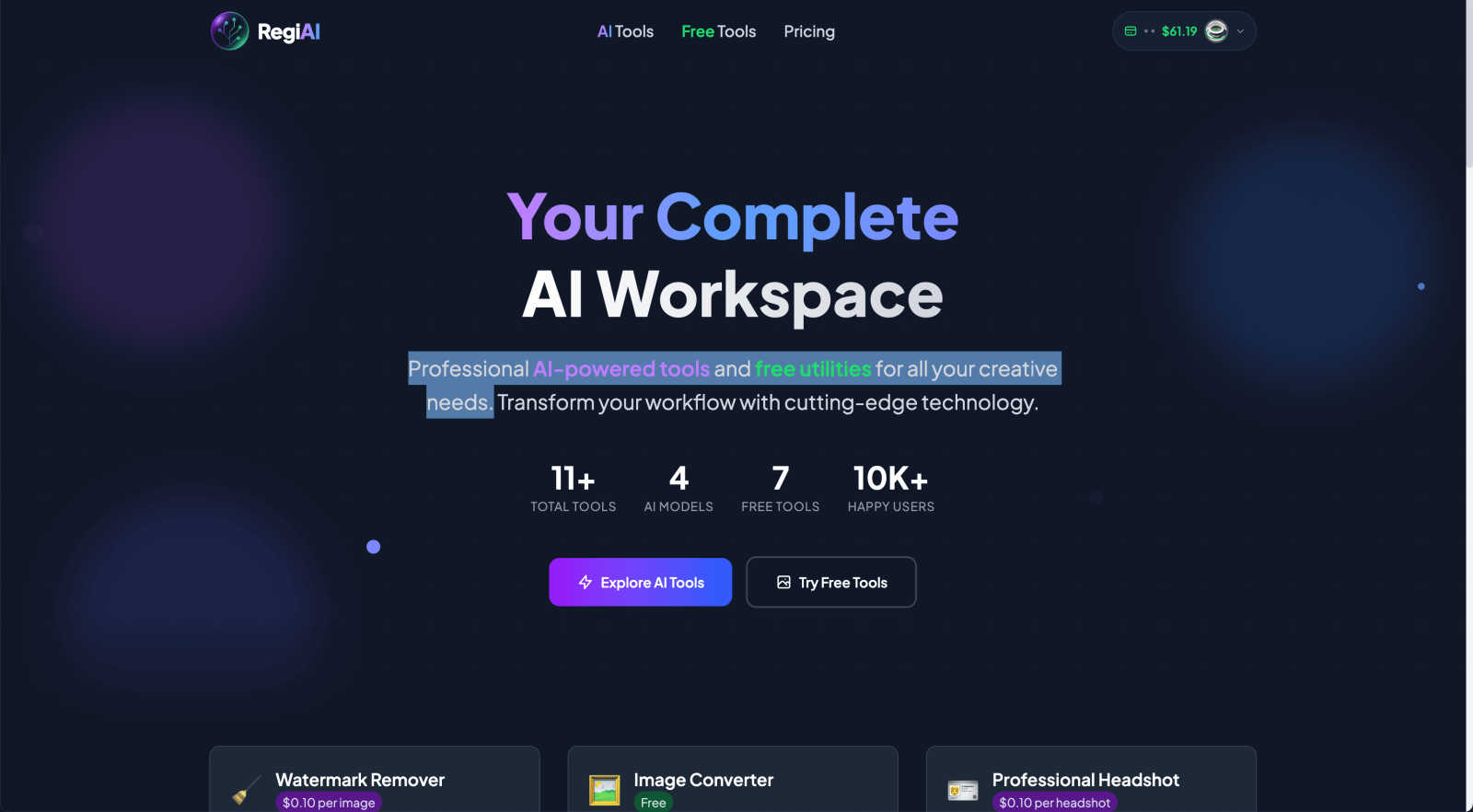
Regi AI is your complete workspace of professional and free AI tools for all creative needs.
Last updated: March 1, 2026

Video Database
Video Database is a curated library and analysis tool for discovering top-performing short-form videos from Instagram and TikTok.
Last updated: April 13, 2026
Visual Comparison
Regi AI
Video Database

Feature Comparison
Regi AI
Premium AI Tool Suite
Regi AI provides a powerful collection of over 9 premium AI tools, each designed for specific, high-impact tasks. These include the AI Watermark Remover for cleaning images, AI Photo Restoration for repairing and colorizing old photos, and the Professional Headshot generator for creating studio-quality portraits. Advanced options like the Action Figure Generator and Face Swap offer unique creative possibilities. Each tool operates on a transparent, pay-per-use credit system, ensuring you only pay for what you need while accessing state-of-the-art AI models for professional results.
Free Essential Utilities
Complementing its premium offerings, Regi AI includes a set of over 7 completely free tools for fundamental image processing tasks. This includes a robust Background Remover for quick subject isolation and an Image Converter for changing file formats between JPG, PNG, and WebP. These utilities provide immediate value for everyday workflows, allowing users to perform common edits without any cost, making the platform a practical starting point for all users before exploring specialized AI features.
Transparent Pay-Per-Use Pricing
The platform operates on a flexible and affordable credit-based system, distinct from rigid subscription models. Each AI tool has a clear, per-use cost, with credits starting as low as $0.01 for tools like the AI Image Describer. This approach provides unparalleled flexibility, making professional AI capabilities accessible for one-off projects or sporadic use without financial commitment, which is ideal for individuals, freelancers, and small businesses.
Centralized AI Workspace
Regi AI consolidates a fragmented toolset into one unified dashboard. Instead of juggling multiple websites or applications for different tasks—like watermark removal, photo restoration, and text extraction—users can access everything from a single interface. This centralized workspace streamlines the creative process, saves time, and organizes all AI-powered enhancements and edits under one roof for maximum efficiency.
Video Database
Curated Video Library
The database hosts thousands of hand-picked video references sourced from major platforms like Instagram and TikTok. Each entry is more than just a link; it includes key performance metrics such as view counts, engagement rates (🔥), and viral multipliers (e.g., 25.0x). Videos are meticulously categorized by format and concept, ensuring users are studying proven, high-performing content rather than random viral hits. This curated approach guarantees quality and relevance, saving users hundreds of hours of manual research.
Advanced Filtering & Browsing
Users can search and browse the database with surgical precision using a robust set of filters. These include video format (e.g., One Shot, Carousel, Greenscreen Talking Head), core creative concept (e.g., Expectation vs Reality, Product Demo, Tutorial), topic, and account type (like Brand or Personal Brand). This system allows a user to find, for example, all successful "Relatable One Shot" videos from brand accounts, making inspiration hunting highly targeted and efficient.
Video Analysis & DNA Extraction
Every video in the database comes with a deep analysis, breaking down the elements that contributed to its success. For Creator-tier subscribers, the "Extract Video DNA" feature generates a detailed markdown report deconstructing the video's hook, structure, pacing, visuals, and audio. This transforms passive viewing into an active learning session, providing a template that can be adapted and applied to new content.
Creator Panel & Swipe Files
Available in the Creator plan, the interactive Creator Panel is a powerful ideation toolkit. Users can input their content focus and receive AI-generated hook ideas, brainstorm video concepts inspired by existing database entries, and even get full scripts written in their unique voice. Users can also save favorite videos into personal collections or shareable "Swipe Files," building a personalized library of inspiration for ongoing projects.
Use Cases
Regi AI
Personal Photo Restoration and Enhancement
Individuals can use Regi AI to digitally preserve cherished memories. The AI Photo Restoration tool can automatically repair scratches, tears, and fading in old family photographs, while the colorization feature can bring black-and-white images to life. Additionally, the Image Unblur and AI Image Upscaler tools can enhance the clarity and resolution of precious but low-quality personal photos, ensuring they are preserved for future generations in the best possible quality.
Professional Content and Marketing Creation
Content creators, marketers, and small business owners can leverage Regi AI to produce high-quality visual assets quickly and affordably. The AI Professional Headshot tool generates polished profile pictures for team pages and LinkedIn. The YouTube Thumbnail Maker offers 160+ templates to create click-worthy graphics, while the Watermark Remover and Background Remover help prepare clean, professional images for websites, social media, and advertising campaigns without a design budget.
Creative Projects and Entertainment
For creative hobbies and entertainment, Regi AI offers fun and innovative tools. The AI Action Figure Generator allows users to turn photos of themselves or friends into ultra-realistic collectible figures with custom packaging, perfect for unique gifts or social media content. The Face Swap tool provides seamless face-swapping capabilities for humorous or creative image edits, enabling users to explore imaginative concepts with ease.
Educational and Productivity Assistance
Students, researchers, and professionals can utilize Regi AI for productivity and problem-solving. The AI Image to Text tool extracts written content from screenshots or photographed documents using advanced OCR. The AI Picture Answer feature can help solve problems presented in an image, and the AI Image Describer provides detailed analyses of visual content, serving as valuable aids for analysis, study, and accessible content creation.
Video Database
Content Creator Inspiration & Skill Development
Individual creators and influencers use the database to overcome creative block and study specific formats. For instance, a creator struggling with hooks can filter for videos with exceptionally high engagement rates, use the Creator Panel to generate hook ideas in their style, and then deconstruct the "DNA" of top examples to understand the underlying principles, systematically improving their craft.
Social Media Strategy & Competitive Analysis
Brands and marketing agencies utilize the platform for strategic research. A social media manager can filter videos by "Product Demo" and "Brand" account types to analyze how competitors are showcasing products successfully. They can track new accounts, export data, and use insights to inform content calendars, ensuring their strategy is informed by proven trends rather than guesswork.
Educational Resource for Teams & Students
Coaches, agencies, and educational programs like Cut30's own bootcamp use the Video Database as a centralized training resource. Instead of sending scattered links, they can direct team members or students to specific collections of curated examples that illustrate key lessons, such as effective storytelling in a "One Shot" format or the structure of a "Value Vlog."
Trend Forecasting & Format Exploration
Strategists and early adopters leverage the daily-updated library to spot emerging trends. By browsing recently added videos and monitoring which new formats or concepts are gaining traction, they can pivot their content strategy proactively. Exploring categories like "Climactic Moment Highlight" or "Pope in The Pool Multitask" helps them understand and experiment with novel video structures before they become mainstream.
Pricing Comparison
Regi AI
Regi AI utilizes a straightforward, pay-per-use credit system. Users purchase credits, which are then spent to use individual premium AI tools. Each tool has a fixed cost per task, providing clear and predictable pricing. Examples include AI Watermark Remover and Photo Restoration at $0.10 per image, AI Image Upscaler at $0.03 per upscale, and tools like AI Image Describer and Face Swap starting at just $0.01 per use. Free tools, such as the Background Remover and Image Converter, are available at no cost. This model ensures you only pay for the specific capabilities you need, without any mandatory subscriptions or monthly fees.
Video Database
The Video Database offers a tiered subscription model to cater to different user needs. The Basic plan is free and includes robust filtering, access to hook templates, deep video analysis, and the ability to save videos. The Creator plan is priced at $49 per month and includes all Basic features plus full access to the AI-powered Creator Panel for hooks, ideas, and scripts, Video DNA extraction, the ability to create and share swipe files, and options to follow specific creators and formats. The Strategist plan, priced at $99 per month and marked as "Coming Soon," builds on the Creator tier with advanced team features like managing multiple voices/creators within the panel, tracking new accounts, CSV data export, and access to an agentic strategy chatbot for deeper planning insights.
Overview
About Regi AI
Regi AI is a comprehensive, all-in-one AI workspace designed to democratize access to professional-grade creative tools. It functions as a centralized hub, offering a versatile suite of over 16 specialized utilities that cater to a wide audience, including creative professionals, content creators, marketers, and casual users. The platform's core value proposition lies in its unique hybrid model, combining premium, pay-per-use AI tools with essential free utilities. This structure eliminates the barrier of expensive subscriptions, allowing users to access cutting-edge technology like AI Photo Restoration, Professional Headshot generation, and Watermark Removal for as little as $0.01 per task. Simultaneously, free tools like the Background Remover and Image Converter handle everyday needs. By consolidating a diverse range of capabilities—from restoring old memories and creating marketing assets to solving visual problems—into a single, streamlined interface, Regi AI empowers users to transform their creative workflow efficiently, cost-effectively, and without requiring complex software expertise.
About Video Database
The Video Database is a meticulously organized, hand-curated reference library and analysis platform for short-form video content. It was developed to solve a critical problem faced by creators and strategists: the inefficient and time-consuming process of researching successful content by endlessly scrolling through social media algorithms. Originating from the internal needs of Cut30's short-form video bootcamp, the platform centralizes hundreds of valuable example videos that were previously scattered, providing a systematic research environment. It serves as a definitive resource for studying winning Instagram and TikTok videos, moving beyond simple aggregation to offer deep structural and performance analysis. The primary value proposition is to replace chaotic, algorithm-dependent discovery with a structured, filterable, and always-updated database. This enables users to deconstruct trends, understand what makes content resonate, and apply those insights directly to their own creative process. It is designed for content creators, social media managers, brand strategists, and marketers who need data-backed inspiration and a clear methodology for improving their video output.
Frequently Asked Questions
Regi AI FAQ
What is the difference between AI Tools and Free Tools on Regi AI?
AI Tools are premium features powered by advanced artificial intelligence models for complex tasks like restoration, generation, and enhancement. These operate on a pay-per-use credit system. Free Tools are essential utilities for common tasks like background removal and format conversion, which are provided at no cost to all users. This structure allows everyone to use basic functions for free while offering affordable access to specialized AI power.
How does the pay-per-use credit system work?
Regi AI uses a credit system instead of subscriptions. You purchase credits, and each AI tool consumes a set number of credits per use, with prices clearly listed (e.g., $0.10 for a headshot). Credits are only deducted when you use a premium AI tool; free tools do not require credits. This model offers flexibility, as you only pay for the specific tasks you need, making it cost-effective for occasional users.
Are there any subscriptions or monthly fees?
No, Regi AI does not require any monthly subscriptions or recurring fees. The platform operates solely on the pay-per-use credit model. You control your spending by purchasing credits as needed and using them for the specific AI tools you choose. There are no locked-in plans, and the free tools remain accessible without any payment whatsoever.
What image formats are supported by the tools?
Regi AI supports all common image file formats across its toolset. This includes JPG, PNG, WebP, and others. The Image Converter free tool specifically allows you to convert between these formats easily. Most AI tools accept these standard formats as input, ensuring compatibility with the vast majority of images from cameras, smartphones, and the web.
Video Database FAQ
What makes Video Database different from just browsing TikTok or Instagram?
Unlike social platforms where content discovery is controlled by a personalized algorithm designed for consumption, the Video Database is a structured research tool. It provides hand-curated, high-performing examples pre-analyzed with key metrics and organized into searchable categories. This removes noise and randomness, allowing for systematic study based on format, concept, and performance data rather than passive, endless scrolling.
How often is the content updated?
The database is updated daily with new, winning videos. The platform clearly displays recent additions, such as batches of new videos in specific categories like "Relatable One Shot" or "Golf." This ensures users have access to the latest trends and techniques, keeping their inspiration and analysis current with the fast-paced social media landscape.
Can I save and organize videos for my projects?
Yes. Users can save any video from the database into personal collections, creating customized "Swipe Files" for different campaigns, themes, or formats. This feature allows for easy access to relevant references when brainstorming, scripting, or presenting ideas to clients or team members, making the research process reusable and organized.
What is the "Creator Panel" and who has access to it?
The Creator Panel is an AI-powered ideation suite within the Video Database. It includes tools to generate hook ideas, brainstorm video concepts, write scripts, and extract detailed Video DNA reports. Access to the full Creator Panel is a core feature of the paid Creator subscription tier ($49/month). It is designed to help users not just find inspiration, but actively generate personalized, actionable content ideas derived from successful examples.
Alternatives
Regi AI Alternatives
Regi AI is a comprehensive AI-powered workspace categorized under productivity and management tools. It serves as a centralized hub offering a suite of specialized utilities for creative tasks, from image restoration to professional headshot generation. Users often explore alternatives for various reasons. These can include seeking different pricing models beyond pay-per-use credits, requiring a toolset with a different mix of features, or needing a platform that integrates more deeply with other software in their existing workflow. When evaluating an alternative, consider the core value it provides. Key factors include the specific AI tools offered, the overall cost structure, the quality and speed of outputs, and the platform's ease of use. The goal is to find a solution that aligns with your primary creative needs and budget.
Video Database Alternatives
Video Database is a specialized tool in the content creation category, designed to monitor and organize high-value creator videos. It solves the problem of endless, inefficient scrolling by providing a centralized system for studying and analyzing top-performing video content, turning scattered inspiration into a structured asset. Users often seek alternatives for various reasons, including budget constraints, the need for different feature sets like collaborative editing or deeper analytics, or a requirement to integrate with other platforms in their workflow. The specific needs of a team or individual project can drive the search for a different solution. When evaluating an alternative, consider your core need: is it pure organization, collaborative analysis, or integration with other tools? Assess the depth of categorization, searchability, and whether the platform offers actionable insights beyond simple storage. The right tool should systematically eliminate friction in your research process.