
OpenMark AI vs Quickfix AI
Side-by-side comparison to help you choose the right product.

OpenMark AI benchmarks over 100 LLMs on your specific task for cost, speed, quality, and stability without requiring API keys.
Last updated: March 26, 2026

Quickfix AI
Quickfix AI provides instant, clear diagnostics of your computer's performance and health, no technical knowledge.
Last updated: February 28, 2026
Visual Comparison
OpenMark AI
Quickfix AI
Feature Comparison
OpenMark AI
Plain Language Task Configuration
You can define the exact task you want to benchmark using simple, descriptive language without writing complex code or scripts. The platform guides you through setting up the prompt, expected output format, and evaluation criteria. This intuitive interface makes sophisticated benchmarking accessible to both technical and non-technical team members, ensuring the test accurately reflects the real-world use case you intend to build.
Multi-Model Comparative Analysis
Run your defined task against a wide selection of models simultaneously in one coordinated session. OpenMark AI manages the API calls to all providers, presenting results in a unified, side-by-side dashboard. This allows for direct comparison of performance metrics across different model families and vendors, providing a clear, holistic view of which model excels specifically for your needs, rather than generic benchmarks.
Real Cost & Performance Metrics
The platform reports actual, incurred costs from real API calls and measures true latency, giving you accurate financial and operational data for planning. More importantly, it scores output quality based on your task's criteria and runs multiple iterations to show stability and variance. This reveals not just if a model can get the task right once, but how consistently it performs and what the reliable cost-to-quality ratio is.
Hosted Benchmarking with Credits
OpenMark AI operates on a credit system, eliminating the need for users to provision, manage, and pay for separate API keys from multiple AI providers. This significantly reduces setup complexity and administrative overhead. You purchase credits from OpenMark and consume them to run benchmarks, streamlining the entire testing workflow and enabling rapid, secure experimentation without configuring external accounts.
Quickfix AI
Intelligent Reply Generation
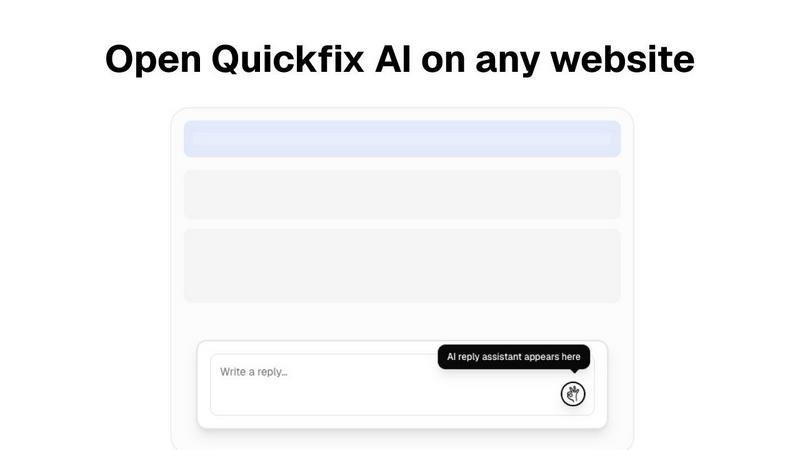
Quickfix AI's browser extension automates the process of crafting written responses. By analyzing the context of any webpage, it generates accurate replies for various platforms, including emails and social media, enabling users to communicate effectively without manual typing.
Comprehensive System Diagnostics
The tool provides a one-click scan feature that compiles a detailed report on a user's system performance. This includes insights into CPU, memory, storage, battery health, and network status, allowing users to identify potential issues quickly.
AI-Powered Explanations
Quickfix AI includes an integrated AI assistant that interprets technical diagnostics in plain English. This feature ensures that users, regardless of their technical expertise, can understand their system's performance metrics and receive actionable recommendations.
Secure Sharing Code
The sharing code functionality allows users to share their diagnostic reports securely with others, such as IT support teams. This feature facilitates remote troubleshooting, enabling rapid identification and resolution of system issues without the need for physical access.
Use Cases
OpenMark AI
Pre-Deployment Model Selection
Before integrating an LLM into a production feature, development teams can use OpenMark AI to empirically test candidate models on prototypes of their actual tasks. This validates which model delivers the required accuracy, tone, and format at an acceptable cost and latency, ensuring a confident, evidence-based selection that aligns with both technical and business requirements prior to shipping.
Cost Efficiency Optimization
For applications with high-volume or recurring AI usage, even small cost differences per request can have major financial implications. OpenMark AI helps identify the most cost-effective model that still meets quality thresholds. Teams can compare the real API cost against scored output quality to find the optimal balance, moving beyond just selecting the model with the cheapest listed token price.
Consistency and Reliability Validation
Testing a model's output across multiple runs is crucial for features requiring deterministic or highly reliable behavior. OpenMark AI's stability analysis shows variance in responses, helping teams avoid models that are inconsistent or prone to erratic outputs. This is essential for building user trust in AI-powered features like customer support, content moderation, or data processing.
Agent Routing and Workflow Design
When designing complex AI agent systems where different tasks are routed to specialized models, OpenMark AI is ideal for benchmarking each sub-task. Teams can determine the best model for classification, the best for summarization, and the best for creative generation within the same workflow, creating an optimized and cost-aware multi-model architecture based on empirical data.
Quickfix AI
Troubleshooting Performance Issues
For users experiencing slow computer performance, Quickfix AI can diagnose the underlying issues by analyzing system metrics. It provides clear insights into resource usage, helping users take immediate action to enhance their system's speed.
Enhancing Communication Efficiency
Professionals who spend significant time responding to emails or social media comments can benefit from Quickfix AI's intelligent reply generation. The tool allows them to maintain engagement without the burden of composing responses manually.
IT Support Management
IT support teams can utilize Quickfix AI to manage multiple machines more effectively. By sending a sharing code, they can instantly access the diagnostic reports of individual computers, streamlining the troubleshooting process and improving response times.
Personal System Health Monitoring
Casual users can leverage Quickfix AI to monitor the health of their personal devices. By running regular diagnostics, they can stay informed about their system's performance and security, ensuring their devices operate optimally.
Overview
About OpenMark AI
OpenMark AI is a comprehensive, web-based platform designed for task-level benchmarking of Large Language Models (LLMs). It empowers developers, product teams, and AI practitioners to make data-driven decisions when selecting AI models for their applications. The core value proposition is moving beyond theoretical datasheets and marketing claims to evaluate models based on real performance for a specific task. Users describe their objective in plain language—such as data extraction, classification, or creative writing—and OpenMark AI executes the same prompts across a vast catalog of over 100 models in a single session. The platform provides a systematic comparison across critical dimensions: the scored quality of outputs, the actual cost per API request, latency, and crucially, the stability of results across multiple runs to reveal variance. This eliminates the guesswork and risk of relying on a single, potentially "lucky" output. By using a hosted credit system, it removes the friction of configuring and managing multiple API keys from providers like OpenAI, Anthropic, and Google, streamlining the pre-deployment validation process to ensure the chosen model is cost-efficient, reliable, and fit-for-purpose.
About Quickfix AI
Quickfix AI is an innovative, AI-driven tool designed to enhance productivity and streamline system management for users across various domains. It operates primarily in two significant capacities: as a browser extension for automating written communication and as a comprehensive system diagnostics tool for Windows and macOS. The browser extension intelligently recognizes context on any webpage, enabling users to generate precise and relevant replies for emails, social media comments, and support tickets with just a click. This feature is particularly beneficial for professionals and support agents who often engage in extensive written exchanges, saving them considerable time and effort.
On the other hand, Quickfix AI’s system diagnostics capabilities empower users to gain instant insights into their computer's performance, health, and security. With a simple one-click scan, users receive a detailed report covering critical components such as CPU usage, memory pressure, storage health, and network status. The integrated AI assistant translates complex technical findings into easily understandable language, making it accessible for everyone, from casual users troubleshooting slow computers to IT support teams managing multiple systems. The core value proposition of Quickfix AI lies in its ability to deliver immediate, intelligent solutions, whether it is crafting the perfect response or diagnosing intricate system issues, all presented through a user-friendly interface.
Frequently Asked Questions
OpenMark AI FAQ
How does OpenMark AI score the quality of model outputs?
OpenMark AI uses the evaluation criteria you define when setting up your task to score outputs. This can involve automated checks for format correctness, keyword presence, or semantic similarity to a reference answer, as well as manual scoring rubrics. The platform aggregates scores across multiple runs to provide a reliable quality metric tailored to your specific success criteria.
Do I need my own API keys to use OpenMark AI?
No, you do not need to configure separate API keys from OpenAI, Anthropic, Google, or other providers. OpenMark AI operates on a hosted credit system. You purchase credits through OpenMark and use them to run benchmarks. The platform manages all the underlying API calls and costs, simplifying the process and centralizing billing.
What is the difference between a single run and testing for stability?
A single run gives you one data point, which could be an outlier or "lucky" output. Testing for stability involves running the same prompt against the same model multiple times. OpenMark AI shows the variance in cost, latency, and quality scores across these repeat runs, giving you a realistic understanding of the model's consistency and reliability in production.
What kinds of tasks can I benchmark with OpenMark AI?
You can benchmark a wide variety of tasks, including but not limited to text classification, translation, data extraction from documents, question answering, content generation, summarization, code writing, and agent-based reasoning. The platform is designed to be flexible, allowing you to describe and test virtually any prompt-based task you would send to an LLM.
Quickfix AI FAQ
Is Quickfix AI free?
Quickfix AI offers a free version with core features. However, advanced functionalities and additional support may be available through paid plans.
Is my data secure?
Yes, Quickfix AI prioritizes user privacy and data security. The tool complies with standard data protection regulations, ensuring that user information is handled safely.
Do I need technical knowledge to use Quickfix AI?
No, Quickfix AI is designed to be user-friendly and accessible to everyone. The AI assistant provides explanations in plain English, making it easy for users with no technical background to understand their system diagnostics.
What information does Quickfix AI collect?
Quickfix AI collects non-personal diagnostic data related to system performance, including CPU usage, memory, and network status, to provide users with accurate insights and recommendations.
Alternatives
OpenMark AI Alternatives
OpenMark AI is a developer tool for task-level benchmarking of large language models. It allows teams to test many LLMs simultaneously on their specific use case, comparing real-world metrics like cost, latency, output quality, and stability from actual API calls, all within a browser. Users may explore alternatives for various reasons, such as budget constraints, a need for different feature sets like automated testing integration, or a preference for self-hosted solutions that offer more data control. Some may seek tools with a stronger focus on ongoing production monitoring rather than pre-deployment validation. When evaluating other options, key considerations include the scope of supported models, the depth of performance analytics, data privacy and security practices, and the overall workflow integration. The goal is to find a solution that provides actionable, trustworthy data to inform your model selection without unnecessary complexity.
Quickfix AI Alternatives
Quickfix AI is an advanced productivity tool that falls into the categories of system diagnostics and automated communication. It serves a dual purpose by providing instant insights into computer performance and generating contextually relevant replies across various platforms. Many users seek alternatives to Quickfix AI due to factors such as pricing structures, specific feature requirements, or compatibility with different operating systems. When considering alternatives, it is essential to examine the range of features offered, user interface design, compatibility with existing workflows, and the overall value provided. Look for solutions that prioritize ease of use, comprehensive diagnostics, and effective communication enhancements to ensure they meet your unique needs.