
Quickfix AI
Quickfix AI provides instant, clear diagnostics of your computer's performance and health, no technical knowledge.
Visit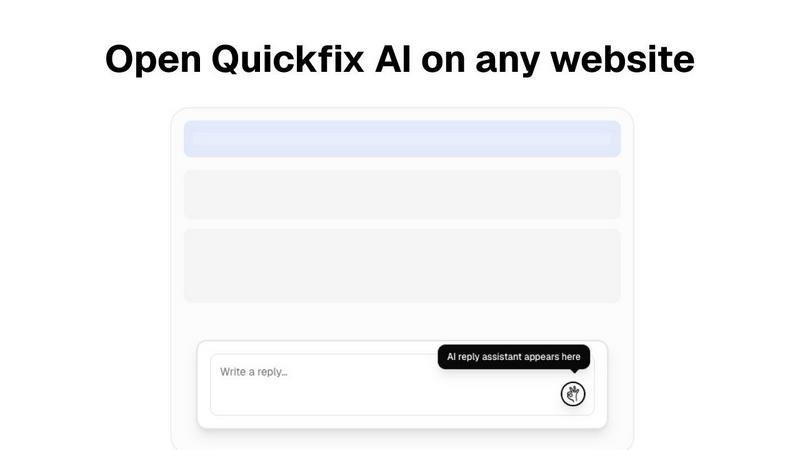
About Quickfix AI
Quickfix AI is an innovative, AI-driven tool designed to enhance productivity and streamline system management for users across various domains. It operates primarily in two significant capacities: as a browser extension for automating written communication and as a comprehensive system diagnostics tool for Windows and macOS. The browser extension intelligently recognizes context on any webpage, enabling users to generate precise and relevant replies for emails, social media comments, and support tickets with just a click. This feature is particularly beneficial for professionals and support agents who often engage in extensive written exchanges, saving them considerable time and effort.
On the other hand, Quickfix AI’s system diagnostics capabilities empower users to gain instant insights into their computer's performance, health, and security. With a simple one-click scan, users receive a detailed report covering critical components such as CPU usage, memory pressure, storage health, and network status. The integrated AI assistant translates complex technical findings into easily understandable language, making it accessible for everyone, from casual users troubleshooting slow computers to IT support teams managing multiple systems. The core value proposition of Quickfix AI lies in its ability to deliver immediate, intelligent solutions, whether it is crafting the perfect response or diagnosing intricate system issues, all presented through a user-friendly interface.
Features of Quickfix AI
Intelligent Reply Generation
Quickfix AI's browser extension automates the process of crafting written responses. By analyzing the context of any webpage, it generates accurate replies for various platforms, including emails and social media, enabling users to communicate effectively without manual typing.
Comprehensive System Diagnostics
The tool provides a one-click scan feature that compiles a detailed report on a user's system performance. This includes insights into CPU, memory, storage, battery health, and network status, allowing users to identify potential issues quickly.
AI-Powered Explanations
Quickfix AI includes an integrated AI assistant that interprets technical diagnostics in plain English. This feature ensures that users, regardless of their technical expertise, can understand their system's performance metrics and receive actionable recommendations.
Secure Sharing Code
The sharing code functionality allows users to share their diagnostic reports securely with others, such as IT support teams. This feature facilitates remote troubleshooting, enabling rapid identification and resolution of system issues without the need for physical access.
Use Cases of Quickfix AI
Troubleshooting Performance Issues
For users experiencing slow computer performance, Quickfix AI can diagnose the underlying issues by analyzing system metrics. It provides clear insights into resource usage, helping users take immediate action to enhance their system's speed.
Enhancing Communication Efficiency
Professionals who spend significant time responding to emails or social media comments can benefit from Quickfix AI's intelligent reply generation. The tool allows them to maintain engagement without the burden of composing responses manually.
IT Support Management
IT support teams can utilize Quickfix AI to manage multiple machines more effectively. By sending a sharing code, they can instantly access the diagnostic reports of individual computers, streamlining the troubleshooting process and improving response times.
Personal System Health Monitoring
Casual users can leverage Quickfix AI to monitor the health of their personal devices. By running regular diagnostics, they can stay informed about their system's performance and security, ensuring their devices operate optimally.
Frequently Asked Questions
Is Quickfix AI free?
Quickfix AI offers a free version with core features. However, advanced functionalities and additional support may be available through paid plans.
Is my data secure?
Yes, Quickfix AI prioritizes user privacy and data security. The tool complies with standard data protection regulations, ensuring that user information is handled safely.
Do I need technical knowledge to use Quickfix AI?
No, Quickfix AI is designed to be user-friendly and accessible to everyone. The AI assistant provides explanations in plain English, making it easy for users with no technical background to understand their system diagnostics.
What information does Quickfix AI collect?
Quickfix AI collects non-personal diagnostic data related to system performance, including CPU usage, memory, and network status, to provide users with accurate insights and recommendations.
Explore more in this category:
Similar to Quickfix AI

Free collection of online developer utilities, code formatters, and digital converters designed to streamline your daily workflow.

Moderation, routing, intent and scoring for any text over one Jev-compatible API, hosted in the EU.

A free directory of 950+ projects built on Laya, the open-source decision model. Updated daily.

Online tally counter for tracking attendance, workouts, inventory, visitors, sports scores, habits, and everyday counting tasks.

The #1 Native Form Builder Plugin for Framer - No Code, No Embeds, No External Platforms.

A free launch checklist for SaaS, apps, AI tools and more. Every step says why it matters and when you can skip it.

Generate and edit production-ready images with GPT Image 2 API using detailed prompts, reference images, clear text rendering, and developer-friendly
