
QuickData.ai vs TrafficClaw
Side-by-side comparison to help you choose the right product.

QuickData.ai
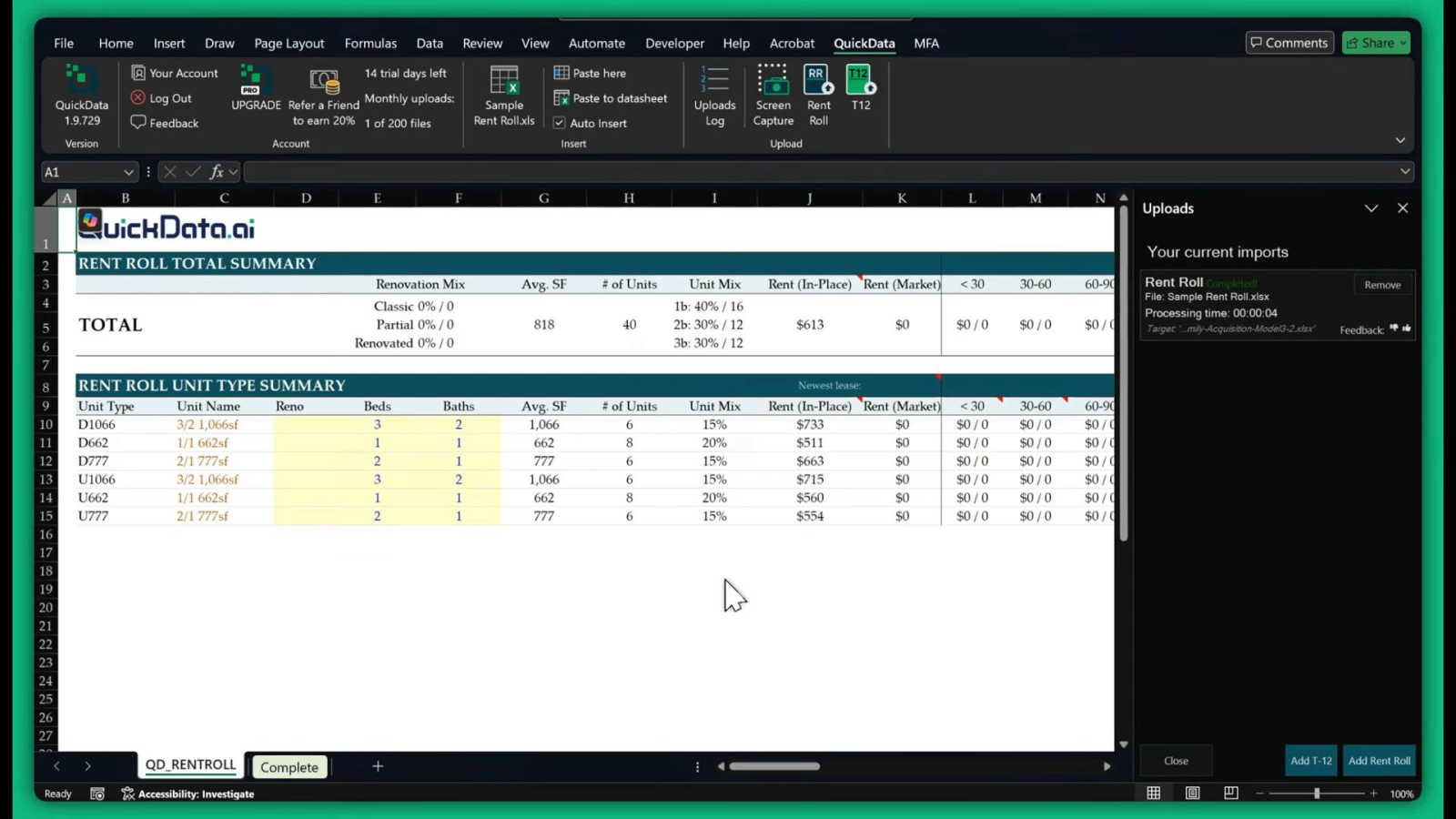
QuickData.ai automates multifamily rent roll and T12 data entry into Excel, speeding up underwriting by 10x.
Last updated: March 1, 2026

TrafficClaw
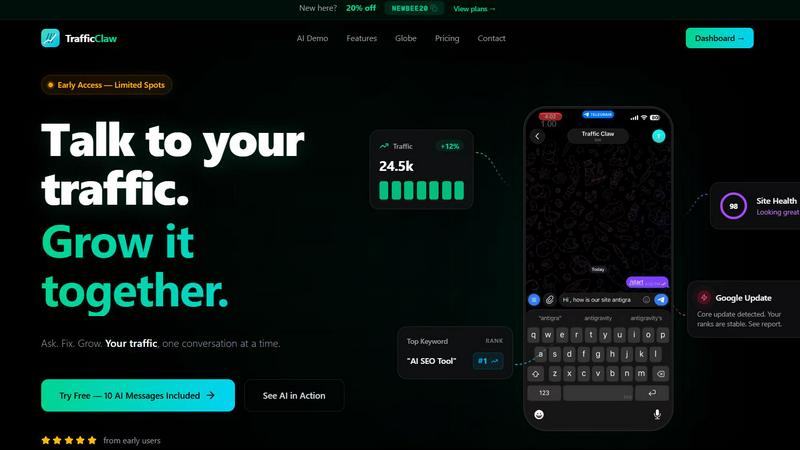
TrafficClaw is an AI analyst that talks to your live SEO and analytics data to deliver actionable growth insights.
Last updated: April 13, 2026
Visual Comparison
QuickData.ai
TrafficClaw
Feature Comparison
QuickData.ai
Multifamily Excel Model
QuickData.ai offers a dedicated multifamily Excel model that is tailored to meet the specific needs of real estate professionals. This feature allows users to easily input and analyze data within a familiar Excel environment, making it more accessible and efficient for underwriting processes.
Automated Data Extraction
This feature automates the extraction of critical data from rent rolls, T12 financial statements, and offering memorandums. By eliminating the need for manual data entry, QuickData.ai reduces errors and saves time, allowing users to focus on their analysis rather than data gathering.
14-Day Free Trial
QuickData.ai provides a risk-free opportunity for potential users to experience the benefits of the software through a 14-day free trial. This allows users to explore the features and functionalities of the add-in without any financial commitment.
One-Click Process
The one-click processing feature of QuickData.ai transforms complex and time-consuming data entry tasks into a streamlined operation. Users can extract and populate data with a single click, significantly enhancing productivity and efficiency in the underwriting process.
TrafficClaw
AI Chat Analyst
This is the core interactive feature. You can ask natural language questions about your traffic, rankings, and user behavior. The AI analyzes your connected live data from GA4 and Search Console to provide immediate answers, supported by charts and evidence. It delivers specific verdicts and actionable recommendations, such as identifying a ranking drop due to a specific Google update or content cannibalization, rather than offering generic advice.
SEO Intelligence Suite
This feature provides deep SEO diagnostics and opportunities. It automatically monitors for keyword gaps where you could rank but don't, alerts you to content decay as older posts lose traction, and detects cannibalization issues where multiple pages compete for the same keyword. It also includes tools optimized for AI search engines, helping you structure content to perform well in evolving search landscapes like Google's Search Generative Experience.
Integrated Analytics Dashboard
TrafficClaw consolidates key metrics into a single, real-time overview. You can monitor live visitor counts, traffic trends over time, bounce rates, and conversion funnels without switching between multiple tabs or tools. This unified view provides immediate context, making it easier to spot correlations and understand the full story behind your data at a glance.
Live Visitor Globe & Embed
This unique feature allows you to visualize your website's real-time traffic on an interactive 3D globe. It shows visitor locations, referral sources, and on-site activity in a live feed. Furthermore, you can embed this globe on your own website with a single line of code, using it as a public engagement tool or internal monitor, all powered by your actual GA4 data without requiring additional tracking scripts.
Use Cases
QuickData.ai
Speeding Up Underwriting
Real estate professionals can use QuickData.ai to dramatically speed up their underwriting processes. By automating data entry, users can evaluate potential deals much faster than traditional methods, allowing for quicker decision-making.
Managing Increased Deal Volume
With the ability to underwrite deals 10 times faster, QuickData.ai enables firms to handle a higher volume of deals without the need for additional staffing. This scalability is crucial for growing businesses looking to expand their portfolio.
Enhancing Data Accuracy
By minimizing human error through automated data extraction, QuickData.ai helps professionals achieve higher accuracy in their financial models. This reliability is essential for making informed investment decisions.
Streamlining Team Collaboration
QuickData.ai facilitates better collaboration among team members by providing a unified platform for data management. Teams can easily share and access the same data within Excel, enhancing communication and workflow efficiency.
TrafficClaw
Diagnosing Sudden Traffic Drops
When your analytics show an unexplained traffic decline, instead of manually cross-referencing data, you can directly ask the AI, "Why did my traffic drop last Tuesday?" The system will analyze your connected data, check for Google algorithm updates, ranking changes for key pages, or technical issues, and provide a clear verdict with the root cause and suggested fixes.
Uncovering New Keyword Opportunities
For content planning and SEO growth, you can ask the AI to "show me keyword gaps for my main topic." It will analyze your current rankings versus competitor data and search demand to identify high-potential keywords you are not currently targeting, providing a direct list of opportunities to create new content or optimize existing pages.
Performing Comprehensive Site Audits
Instead of using separate, complex auditing tools, you can request a site health check. TrafficClaw will run a deep page-level audit, evaluating performance scores, Core Web Vitals, meta data, and structural issues. It then generates a prioritized list of auto-fix suggestions to improve technical SEO and user experience efficiently.
Monitoring Real-Time Campaign Impact
When launching a new marketing campaign, blog post, or product feature, you can use the real-time dashboard and globe to monitor immediate visitor reactions. Watch live traffic sources, geographic distribution, and on-page behavior to gauge initial interest and engagement, allowing for quick, data-informed adjustments to your strategy.
Overview
About QuickData.ai
QuickData.ai is an innovative AI-powered Excel add-in specifically designed to streamline the underwriting process for multifamily and commercial real estate professionals. By addressing the industry's most labor-intensive and error-prone task, which is manual data entry from essential documents such as rent rolls, trailing twelve-month (T12) financial statements, and offering memorandums (OMs), this tool significantly enhances productivity. QuickData.ai seamlessly integrates into Microsoft Excel, where it automatically extracts, parses, and populates data directly into users' existing underwriting models. This automation not only saves hours of tedious copy-pasting but also minimizes human error, enabling acquisitions teams, brokers, lenders, and analysts to concentrate on high-value analysis and decision-making. The core value proposition of QuickData.ai is clear: it empowers real estate professionals to underwrite potential deals up to 10 times faster, manage increased deal volumes without additional staffing, and gain a competitive edge through enhanced speed and accuracy. By transforming a multi-hour chore into a one-click process, QuickData.ai saves an average of 15 hours per month per user, leading to rapid and confident investment evaluations.
About TrafficClaw
TrafficClaw is an AI-powered analytics and SEO command center designed to eliminate the guesswork from understanding website performance. It directly addresses the common frustration of seeing traffic drop in Google Analytics without clear, actionable reasons. The platform connects to your real data sources, primarily Google Analytics 4 and Google Search Console, and provides an intelligent chat interface where you can ask questions in plain English. Instead of sifting through generic blog advice, you receive specific, data-backed verdicts and fixes. It's built for website owners, digital marketers, SEO specialists, and developers who need to move beyond static graphs to dynamic, conversational insights. The core value proposition is simple: stop analyzing and start asking. By unifying analytics, SEO intelligence, site audits, and content tools into one dashboard, TrafficClaw empowers users to diagnose issues, uncover opportunities, and implement growth strategies through a single, AI-driven conversation.
Frequently Asked Questions
QuickData.ai FAQ
How does QuickData.ai integrate with Excel?
QuickData.ai integrates seamlessly with Microsoft Excel, allowing users to extract and populate data directly into their existing models without changing their workflow.
What type of data can be extracted using QuickData.ai?
The add-in specializes in extracting data from rent rolls, trailing twelve-month (T12) financial statements, and offering memorandums, which are critical for real estate underwriting.
Is there a free trial available for new users?
Yes, QuickData.ai offers a 14-day free trial, allowing new users to explore the features and benefits of the software without any financial commitment.
Can I cancel my subscription at any time?
Yes, QuickData.ai allows users to cancel their subscription at any time, providing flexibility and peace of mind for those who may not need the service long-term.
TrafficClaw FAQ
How does TrafficClaw access my data?
TrafficClaw uses secure, read-only Google OAuth to connect to your Google Analytics 4 and Search Console accounts. This means we can view your data to provide insights but cannot edit, delete, or modify anything within your Google accounts. Your data remains yours and is not used for training public AI models.
What is included in the free trial?
The free trial includes 10 AI messages. This allows you to fully connect your GA4 and Search Console accounts and ask a series of questions to experience the platform's core functionality, such as diagnosing traffic issues or asking for SEO insights, before committing to a paid plan.
Can I use TrafficClaw on any website?
Yes, TrafficClaw works with any website that has Google Analytics 4 and Search Console set up. It is platform-agnostic, meaning it works with sites built on WordPress, custom code, Shopify, Webflow, or any other CMS or framework, as long as the Google services are connected.
How is the AI Analyst different from ChatGPT?
The TrafficClaw AI Analyst is specifically trained and configured to analyze live website analytics and SEO data. Unlike general AI chatbots that provide advice based on public information, this AI grounds its responses in your unique, connected dataset, providing personalized verdicts, charts, and actionable steps specific to your site's performance.
Alternatives
QuickData.ai Alternatives
QuickData.ai is an AI-powered Excel add-in specifically designed to streamline the underwriting process for multifamily and commercial real estate professionals. By automating the tedious task of data entry from critical documents like rent rolls and T12 financial statements, it allows users to focus on high-value analysis and decision-making. As professionals seek greater efficiency and accuracy in their workflows, they often look for alternatives to address specific needs such as pricing, feature sets, or platform compatibility. When searching for an alternative, users should consider factors like the ease of integration with existing tools, the range of features offered, and overall pricing structures. Additionally, evaluating user support and the learning curve associated with a new product can help ensure a seamless transition and continued productivity. Finding a solution that meets both current and future needs is essential for optimizing performance in data-driven environments.
TrafficClaw Alternatives
TrafficClaw is an AI-powered assistant in the SEO and analytics category. It connects directly to your data sources like Google Analytics and Search Console, allowing you to ask natural language questions about your traffic and performance to get specific, actionable answers. Users may explore alternatives for various reasons. Some might seek different pricing models or specific feature sets that better match their workflow. Others might require integration with additional data platforms beyond the core offerings or prefer a different user interface and experience. When evaluating an alternative, consider the depth of data source integrations, the intelligence and specificity of the AI's insights, and the overall ease of use. The goal is to find a tool that effectively translates complex data into clear, contextual guidance for your unique situation.