
Perkoon vs Phishly
Side-by-side comparison to help you choose the right product.

Perkoon enables free, unlimited peer-to-peer file transfers without signup, ensuring your files remain private and.
Last updated: March 4, 2026

Phishly
Phishly uses AI to instantly detect phishing emails with a simple one-click scan in Gmail and web tools.
Visual Comparison
Perkoon

Phishly
Feature Comparison
Perkoon
Peer-to-Peer File Transfer
Perkoon’s flagship feature utilizes P2P technology to facilitate direct file transfers between users' browsers. This method ensures that files are sent without limits, accounts, or delays, making it a truly free service. Since the files never pass through a central server, users enjoy enhanced privacy and security.
Encrypted Cloud Storage
When the recipient is offline, Perkoon provides secure cloud storage for file transfers. This paid feature ensures that files remain encrypted while stored on Perkoon’s servers, giving users peace of mind that their data is protected until it can be delivered.
AI Integration
Perkoon is built for the age of AI, featuring built-in automation tools that allow AI agents to interact with the service. This functionality streamlines the file transfer process, making it easy for machines to send and receive files without requiring manual input or screen scraping.
Referral and Rewards Program
Perkoon offers a unique referral program that incentivizes users to share the service with others. When a user refers a friend who then joins and transfers files, both parties receive extra storage, creating a mutually beneficial ecosystem that encourages growth and community engagement.
Phishly
Instant Email Scanning
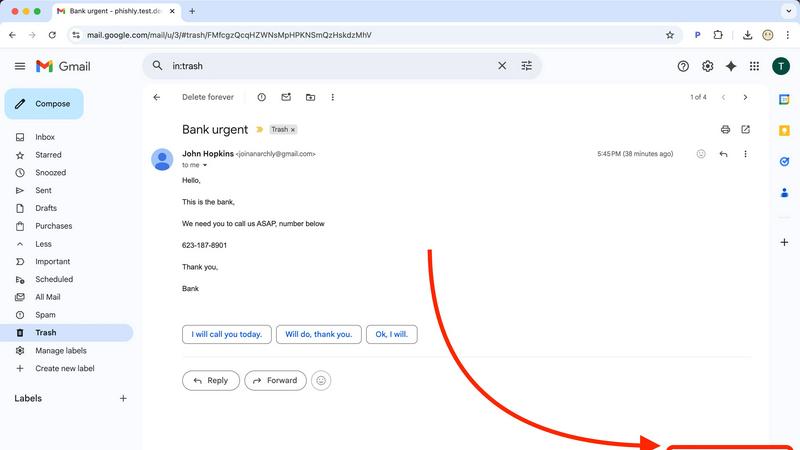
Phishly offers a seamless email scanning feature that allows users to quickly evaluate any email in their Gmail inbox. By simply clicking "Scan with Phishly," users can leverage the power of AI to detect potential phishing threats instantly, ensuring a rapid response to suspicious emails.
Risk Assessment Categorization
Upon scanning an email, Phishly provides a clear risk assessment that categorizes the email as Safe, Medium Risk, or High Risk. This straightforward classification helps users easily understand the level of threat posed by the email, alongside detailed explanations of the factors contributing to the assessment.
Privacy-Focused Analysis
Phishly prioritizes user privacy by only analyzing emails that users explicitly select for scanning. This feature guarantees that personal information remains protected, allowing users to maintain control over their data while still benefiting from advanced phishing detection capabilities.
User-Friendly Interface
Designed with simplicity in mind, Phishly's interface requires no technical knowledge, making it accessible to everyone. The intuitive design ensures that users can effortlessly navigate the tool, scan emails, and interpret risk assessments without any prior experience in cybersecurity.
Use Cases
Perkoon
Personal File Sharing
Individuals can easily share large files with friends or family without worrying about size limits or the need for an account. Whether it's sending photos, videos, or documents, Perkoon ensures a seamless transfer experience.
Business Collaborations
Teams can utilize Perkoon to share large files securely during projects. The P2P transfer method allows for instant file delivery, facilitating collaboration without the frustrations of traditional file-sharing methods.
Offline File Delivery
Users can send files to recipients who are not currently online by utilizing Perkoon’s encrypted cloud storage. This feature is particularly useful for delivering important documents or large files that need to be accessed later.
Automation for Developers
Developers can integrate Perkoon into their applications or workflows using the built-in AI integration. This allows for automated file transfers and interactions, enhancing productivity and simplifying processes within tech environments.
Phishly
Personal Email Security
Individuals can use Phishly to protect their personal email accounts from phishing attacks. By scanning suspicious emails, users can confidently identify legitimate communications and avoid falling victim to scams, enhancing their overall email security.
Small Business Protection
Small businesses can leverage Phishly to safeguard their email communications against phishing threats. By integrating the tool into their workflow, employees can quickly assess the safety of emails, reducing the risk of data breaches and financial losses caused by phishing attempts.
Educational Institutions
Educational institutions can utilize Phishly to educate staff and students about phishing threats. By encouraging the use of the scanning tool, institutions can foster a culture of awareness and vigilance, helping to protect sensitive information from cybercriminals.
Remote Work Environments
In remote work settings, Phishly provides an essential layer of security for distributed teams. Employees can scan emails received from clients or colleagues, ensuring that they only engage with legitimate requests and safeguarding company data from potential phishing attacks.
Overview
About Perkoon
Perkoon is an innovative file transfer service designed for individuals and businesses seeking a straightforward and reliable way to move files without the usual complications associated with traditional services. It stands out by prioritizing user privacy and offering a hassle-free experience without hidden fees or mandatory sign-ups. Through its unique peer-to-peer (P2P) technology, Perkoon allows users to send files directly between browsers in real-time, eliminating size limits and ensuring that the data remains private. This feature is entirely free, as it incurs no costs for Perkoon. For situations where the recipient is offline, Perkoon provides an encrypted cloud storage option, enabling seamless file retrieval at a minimal cost that supports server operations. Additionally, Perkoon is designed with automation in mind, featuring built-in tools that allow AI agents to interact with the service directly. This makes it an ideal solution for both everyday users and tech-savvy individuals who require more from their file transfer services.
About Phishly
Phishly is an innovative AI-driven phishing detection platform designed to enhance email security for individuals and small businesses. Available as a Chrome extension for Gmail and a web tool, Phishly empowers users to quickly assess the legitimacy of emails. With just a click on "Scan with Phishly" or by pasting suspicious emails into the web interface, users can receive instant analysis. Utilizing advanced AI technology, Phishly identifies potential phishing threats by detecting red flags such as suspicious domains, urgent language, spoofed senders, and social engineering tactics. The platform categorizes emails into clear risk assessments—Safe, Medium Risk, and High Risk—each accompanied by detailed explanations. Phishly is particularly suited for those seeking straightforward phishing protection without the complexities often associated with enterprise-level solutions. The platform respects user privacy by only analyzing emails that users explicitly choose to scan, ensuring that no personal data is compromised. No technical expertise is required, and the service is free to use, providing immediate answers when users are uncertain about an email's authenticity.
Frequently Asked Questions
Perkoon FAQ
What makes Perkoon free?
Perkoon’s P2P file transfer service is free because it operates without the costs associated with central servers. The company only charges for encrypted cloud storage, which covers server expenses while keeping the primary service accessible to all users.
Is my data safe with Perkoon?
Yes, your data is safe with Perkoon. P2P transfers do not touch the servers, ensuring privacy. For cloud storage, files are encrypted, and Perkoon cannot view the content being transferred, providing users with confidence in their data security.
Which browsers are compatible with Perkoon?
Perkoon works seamlessly with Chrome, Edge, and Brave, offering no limits on file transfers. However, users of Firefox and Safari may encounter some restrictions due to browser limitations.
Can I use Perkoon for machine-to-machine transfers?
Absolutely. Perkoon is designed to accommodate automated processes and machine-to-machine interactions. The dedicated integration allows AI agents to communicate with the service directly, facilitating efficient transfers without manual intervention.
Phishly FAQ
How does Phishly detect phishing threats?
Phishly uses advanced AI algorithms to analyze emails for various phishing indicators, such as suspicious domains, urgent language, and spoofed sender addresses. This comprehensive analysis helps identify potential threats effectively.
Is Phishly free to use?
Yes, Phishly is completely free to use. Users can scan emails and receive risk assessments without any cost, making it accessible for everyone, including individuals and small businesses.
Do I need technical skills to use Phishly?
No, Phishly is designed for users of all skill levels. Its user-friendly interface ensures that anyone can easily navigate the tool, scan emails, and understand risk assessments without requiring technical expertise.
What happens to my email data when I use Phishly?
Phishly respects user privacy by only analyzing emails that users explicitly choose to scan. No data from emails is stored or shared, ensuring that your personal information remains secure while using the platform.