
Magic Hour vs NanoImg
Side-by-side comparison to help you choose the right product.

Magic Hour
Magic Hour is your free AI studio to create professional videos and images instantly.
Last updated: March 4, 2026
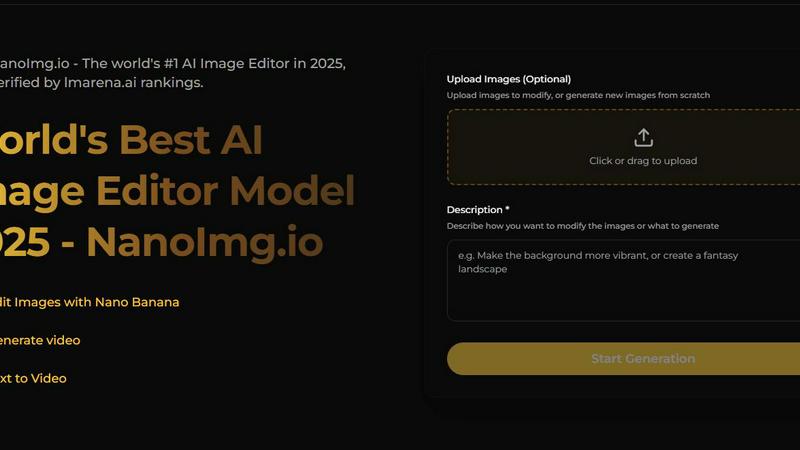
NanoImg is your all-in-one platform to generate and edit studio-quality images with AI.
Last updated: March 1, 2026
Visual Comparison
Magic Hour

NanoImg
Feature Comparison
Magic Hour
Unified AI Studio Platform
Magic Hour integrates over 100 distinct AI tools for video, image, and audio creation into one cohesive, browser-based interface. This eliminates the need to juggle multiple subscriptions and software, providing a centralized hub for the entire creative workflow. Users can move seamlessly from generating an AI image, to animating it into a video, to editing and enhancing the final output without ever leaving the platform, significantly speeding up production time and simplifying the creative process.
Text-to-Video and Video-to-Video Generation
The platform offers powerful generative and transformative video tools. With text-to-video, users can create complete video scenes from a simple written description, ideal for storyboarding or creating original content. The video-to-video feature allows users to apply new artistic styles, filters, or visual effects to existing footage, completely transforming its look and feel without requiring a reshoot. This enables endless creative experimentation and style consistency across projects.
AI Face Swap and Lip Sync
Magic Hour provides sophisticated personalization tools like AI Face Swap and Lip Sync. The Face Swap feature works on both photos and videos, allowing users to seamlessly replace faces for creative, humorous, or branded content. The Lip Sync tool can animate static photos or video footage to make subjects appear as if they are speaking any provided audio, perfect for creating engaging talking photos, personalized messages, or dubbed video content.
Professional AI Image Tools Suite
Beyond video, the platform includes a full suite of AI-powered image tools. This includes a high-quality AI Image Generator, an intelligent Image Editor that accepts text instructions for edits, an AI Headshot Generator for professional portraits, and an Image Upscaler to enhance resolution and detail. These tools empower users to create, refine, and perfect still imagery for all purposes, from marketing materials to social media posts.
NanoImg
All-in-One AI Model Hub
NanoImg provides centralized access to a curated selection of the best AI image models, including Nano Banana Pro, Seedream 4.0, Flux Kontext, Sora 2, and GPT Image 1. This feature allows users to select the optimal model for their specific need—whether it's the fastest generation speed, best text rendering, superior editing capabilities, or cinematic video generation—without needing to switch between different platforms or services, streamlining the creative workflow significantly.
Natural Language Image Editor
The platform features an advanced AI photo editor that understands and executes commands written in plain English. Users can upload an image and instruct the editor to perform complex edits like "remove reflections," "change the outfit to formal wear," or "apply a neon background." This intuitive system maintains character and style consistency across edits, making sophisticated photo manipulation accessible to users without any technical expertise in traditional editing software like Photoshop.
Template-Driven Generation for Speed
To accelerate content creation, NanoImg offers a library of plug-and-play templates designed for immediate use in high-demand areas such as social media posts, e-commerce product scenes, advertising banners, and digital art. Users can select a template and generate a customized, professional-grade image in about 10 seconds by simply providing a basic description, drastically reducing the time from concept to final visual asset.
Multi-Tool AI Effects Suite
Beyond core generation and editing, NanoImg hosts an extensive suite of over 80 specialized AI tools and effects. This includes popular features like Face Swap, Photo to Anime, Black and White filters, Glitch effects, Vignette effects, and character generators (e.g., Spongebob Meme, Bratz Doll). This organized toolkit allows users to apply trendy, specific visual transformations with a single click, catering to viral content trends and niche creative requirements.
Use Cases
Magic Hour
Social Media Content Creation
Creators and marketers can rapidly produce a high volume of engaging, platform-specific content for channels like Instagram, TikTok, and YouTube. Using templates and AI tools, they can generate eye-catching videos from text prompts, create trendy memes, animate photos for stories, and personalize content with face swaps or lip sync to boost engagement and maintain a consistent posting schedule without a large production budget.
Advertising and Marketing Campaigns
Marketing teams and agencies can use Magic Hour to produce professional ad creatives, personalized video ads, and scalable user-generated content (UGC) simulations. The ability to quickly generate variations, apply brand styles via video-to-video, and create personalized experiences at scale through the API makes it ideal for A/B testing campaigns and delivering targeted, high-conversion visual assets for paid media and experiential marketing.
Corporate Training and Communication
Organizations can develop engaging training materials, internal communication videos, and educational content efficiently. Trainers can transform scripts or presentations into explanatory videos, create animated summaries, or use the talking photo feature to make announcements from leadership feel more personal. This saves production time and costs while improving information retention through dynamic visual media.
Personalized E-commerce and Experiences
E-commerce brands and developers can leverage the Magic Hour API to build interactive experiences. This includes creating virtual try-on simulations, generating personalized product demonstration videos for customers, or producing unique marketing assets for thousands of products automatically. This level of personalization enhances customer interaction and can significantly drive sales and engagement.
NanoImg
Social Media Content Creation
Marketers and influencers can use NanoImg to produce a high volume of engaging, on-brand visual content for platforms like Instagram, TikTok, and Facebook. By leveraging quick-turnaround templates and the natural language editor, users can generate viral memes, polished promotional graphics, and consistent character-based content in seconds, helping to maintain a frequent posting schedule and boost audience engagement rates dramatically.
E-commerce Product Visualization
Online store owners and managers can generate photorealistic product photos, lifestyle scenes, and mockups without the cost and time of organizing professional photoshoots. Using AI models like Flux Kontext for editing, they can place products in various contexts, change colors or styles, and create hundreds of marketing variations while perfectly maintaining brand consistency, ultimately improving product presentation and conversion rates.
Marketing and Advertising Campaigns
Agencies and in-house marketing teams can rapidly prototype and produce final visuals for ad campaigns, email newsletters, and website banners. The platform's ability to follow natural language instructions allows for quick iteration on client feedback—such as "make it more energetic" or "focus on the product"—enabling the creation of compelling campaign assets that align closely with strategic marketing goals and brand guidelines.
Creative Illustration and Digital Art
Artists and designers can utilize NanoImg as a brainstorming and creation tool to generate unique illustrations, concept art, and character designs. The fusion capabilities of models like Nano Banana allow for blending multiple image concepts, while tools like Photo to Sketch or Line Drawing provide artistic filters. This empowers creatives to explore new styles, overcome creative blocks, and produce original artwork efficiently.
Overview
About Magic Hour
Magic Hour is a comprehensive, browser-based AI studio that consolidates a vast suite of over 100 professional creative tools into a single, intuitive platform. Its core mission is to democratize high-quality video and image production, making it fast, easy, and accessible to creators of all skill levels without the need for expensive hardware, complex software, or extensive technical knowledge. The platform serves a wide audience, including solo content creators, digital marketers, social media managers, advertising agencies, and development teams. Users can start from a simple text prompt, an existing image, or a video clip and transform it into polished, engaging media in seconds. Magic Hour's primary value proposition lies in its unified workflow, enabling users to generate, edit, enhance, and personalize content seamlessly. From AI-generated videos and images to advanced editing features like face swap, lip sync, and style transfer, the platform streamlines the entire production process. It supports rapid iteration, brand consistency, and the creation of share-ready assets for social media, advertisements, training materials, and more, all directly from a web browser and backed by a robust API for scalable integration.
About NanoImg
NanoImg is a comprehensive, browser-based platform that consolidates the power of multiple cutting-edge artificial intelligence models into a single, intuitive workspace for image generation and editing. It is designed to democratize professional-grade visual content creation by eliminating traditional barriers such as complex software, steep learning curves, and the need for specialized prompt engineering skills. The platform integrates top-tier AI models like Nano Banana, Seedream, Flux AI, Sora 2, and GPT Image 1, offering users a versatile toolkit for any creative task. Users can generate a new image in approximately 10 seconds by simply describing their vision or by starting from plug-and-play templates tailored for e-commerce, social media, advertising, and digital art. For editing, its natural language processing understands commands like "remove the background" or "make it pop," allowing for precise adjustments while maintaining stylistic consistency. NanoImg serves a broad audience, from complete beginners seeking fast, friction-free creation to professional designers, marketers, and content creators who require efficient, high-quality outputs for social media content, product mockups, marketing campaigns, and artistic projects, all accessible directly from a web browser without any software installation.
Frequently Asked Questions
Magic Hour FAQ
Is Magic Hour really free to use?
Yes, Magic Hour offers a free tier that provides access to a wide array of its core AI tools, allowing users to create videos and images without a credit card. This is ideal for individuals and creators starting out. The platform also offers advanced features, higher usage limits, and API access through its paid plans, which are designed for professionals, teams, and businesses requiring scalable production.
What kind of content can I create with Magic Hour?
You can create a vast range of professional media, including AI-generated videos from text or images, stylized videos from existing footage, animated talking photos, lip-synced videos, face-swapped content, professional AI headshots, edited and upscaled images, social media templates, advertisements, and much more. The platform supports outputs for various channels and formats.
Do I need technical or editing skills to use Magic Hour?
No, one of Magic Hour's primary design goals is accessibility. The platform is built to be intuitive and user-friendly, allowing anyone to create professional-looking content by simply providing a text prompt, uploading an asset, or using a template. Advanced controls are available for those who want them, but no prior video editing or technical AI expertise is required to start creating.
Can Magic Hour be integrated into my business workflow?
Absolutely. Magic Hour provides a powerful and comprehensive API with SDKs for popular programming languages like Python, Node, Go, and Rust. This allows developers and teams to integrate AI video and image generation directly into their own applications, websites, or automated workflows for personalization at scale, making it suitable for live campaigns, e-commerce platforms, and large-scale content operations.
NanoImg FAQ
What AI models are available on NanoImg?
NanoImg provides access to several state-of-the-art AI models in one platform. Key models include Nano Banana (best for overall generation and character consistency), Seedream 4.0 (fastest speed and 4K resolution), GPT Image 1 (superior text rendering within images), Flux Kontext (best for precise, style-preserving edits), and Sora 2 (for generating high-quality, cinematic videos). Users can choose the model that best fits their specific task.
Do I need to install any software to use NanoImg?
No installation is required. NanoImg is a completely browser-based platform. You can access all its features, including image generation, editing, and the suite of AI tools, directly through your web browser. This ensures easy access from any device with an internet connection, eliminating download and compatibility issues.
How does the natural language editing work?
The natural language editing feature allows you to edit images by typing commands in plain English. After uploading an image, you can describe the changes you want—for example, "remove the person in the background," "make the sky more dramatic," or "add a vintage filter." The AI understands these instructions and applies the corresponding edits to your image while striving to maintain its original style and quality.
Is there a free plan to try NanoImg?
Yes, NanoImg offers a free tier that allows users to generate and edit images online at no cost. This provides an opportunity to explore the platform's core capabilities, test different AI models, and use various AI tools before committing to any paid plans, making advanced AI image creation accessible to everyone.
Alternatives
Magic Hour Alternatives
Magic Hour is a comprehensive, browser-based AI studio designed for creating professional videos and images. It falls into the categories of content creation, video production, and image generation, offering a consolidated platform with over 100 AI tools for generating and editing media from simple prompts. Users often explore alternatives for various reasons. Some may require a different pricing model or a specific feature not offered. Others might need a downloadable desktop application instead of a web-based tool, or they could be looking for a platform with a different focus, such as more advanced traditional editing controls or specialized AI model access. When evaluating alternatives, consider your primary use case. Key factors include the types of media you create most often, your budget, the importance of a specific AI capability like lip-sync or face-swap, and whether you need team collaboration features. The ideal platform should align with your technical skill level and integrate smoothly into your existing workflow.
NanoImg Alternatives
NanoImg is a comprehensive, browser-based AI image generation and editing platform. It falls into the category of all-in-one creative tools that leverage multiple advanced AI models to produce studio-quality visuals from simple text descriptions. This consolidation aims to simplify the workflow for users who need both creation and sophisticated editing in one place. Users often explore alternatives for various practical reasons. These can include budget constraints, as pricing models differ significantly across the market. Others may seek platforms with a specific, specialized AI model not offered by NanoImg, or they might require different deployment options, such as a desktop application versus a web service. The need for a particular feature set, user interface style, or integration capability also drives this search. When evaluating an alternative, consider your primary use case. Key factors include the quality and style of the AI's output, the depth and ease of the editing tools, and the overall cost structure. It's also wise to assess the platform's learning curve, the speed of generation, and whether it supports the specific creative tasks you perform most often, from social media graphics to product mockups.