
MultiMMR vs StatPecker
Side-by-side comparison to help you choose the right product.

MultiMMR
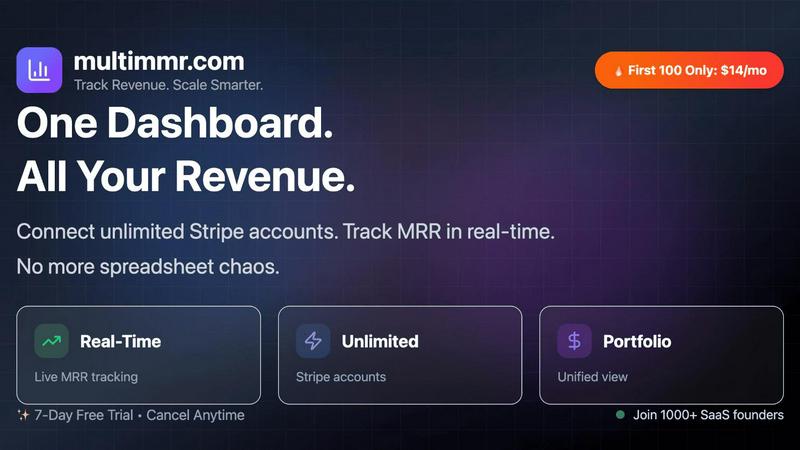
MultiMMR unifies all your Stripe revenue data into one real-time dashboard with actionable insights.

StatPecker
StatPecker provides fast AI insights and stunning visuals to enhance your data storytelling and presentations.
Last updated: March 1, 2026
Visual Comparison
MultiMMR
StatPecker

Feature Comparison
MultiMMR
Unified Financial Dashboard
This core feature allows you to connect an unlimited number of Stripe accounts to a single, centralized dashboard. It automatically syncs and aggregates all your revenue data, eliminating the need to toggle between different accounts or manually update complex spreadsheets. The dashboard presents a comprehensive, real-time overview of your total MRR, customer churn, and other vital metrics through beautiful, easy-to-interpret charts and graphs, providing an instant, holistic view of your portfolio's performance.
Real-Time MRR Tracking & Smart Alerts
MultiMMR monitors your Monthly Recurring Revenue in real-time, ensuring you always have access to the most current data. Coupled with this is the Smart Alerts system, which sends instant notifications directly to you when critical financial events occur. You will be alerted if your MRR experiences a significant spike or drop, or when high-value customers cancel their subscriptions, enabling you to respond proactively to both opportunities and risks.
Goal Tracking and Progress Analytics
This feature enables you to set specific, custom MRR growth targets for your business. MultiMMR then tracks your progress against these goals with daily metrics and clear visual indicators. You can easily see if you are "on track" to meet your objectives, helping to maintain focus and momentum. This transforms abstract growth ambitions into a measurable, monitored process, providing daily motivation and a clear path to scaling.
Secure Social Media Screenshots
MultiMMR includes a specialized tool to create visually appealing, branded screenshots of your key metrics and growth charts. This allows you to seamlessly share business milestones, achievements, and progress updates on social media platforms like X (Twitter) or LinkedIn. It turns your internal analytics into powerful marketing and branding assets, helping you build credibility and celebrate wins publicly without compromising data security.
StatPecker
Ask Your Query
StatPecker allows users to pose questions to the AI and receive instant insights from validated sources. This feature simplifies the data exploration process, enabling users to generate answers without the need for complex tools or technical knowledge.
Publish & Embed
With StatPecker, users can create interactive visuals that can be seamlessly integrated into blogs, articles, and websites. This feature enhances the user experience by allowing for dynamic data presentations that engage audiences.
Upload & Analyze CSVs
Users can upload local CSV files (up to 50 MB) and leverage StatPecker's on-device analysis capabilities. This feature ensures that data remains private while allowing users to extract key insights without the hassle of traditional spreadsheets.
Download & Use Anywhere
StatPecker enables users to export their infographics as images for use in reports, presentations, and other formats. This flexibility allows for easy sharing and utilization of visuals across different platforms and mediums.
Use Cases
MultiMMR
SaaS Portfolio Management for Founders
Founders operating multiple SaaS products or micro-SaaS ventures use MultiMMR to oversee their entire business empire from one location. Instead of logging into separate Stripe dashboards for each project, they get a consolidated financial report. This saves countless hours, reduces complexity, and provides the clarity needed to decide where to allocate resources for maximum growth and which projects require strategic attention.
Investor and Stakeholder Reporting
Finance teams and executives utilize MultiMMR to generate clear, professional reports for investors, board members, or internal stakeholders. The platform's beautiful charts and unified data presentation make it simple to communicate overall financial health, MRR trends, and progress toward goals without preparing cumbersome manual reports, thereby streamlining communication and building trust through transparent, data-driven updates.
Proactive Churn and Revenue Management
Product managers and growth teams leverage the Smart Alerts and real-time tracking to manage customer health and revenue stability. By receiving immediate notifications about customer cancellations or MRR dips, they can quickly investigate reasons for churn, engage with at-risk customers, and implement retention strategies before issues escalate, directly protecting and optimizing the revenue stream.
Marketing and Public Relationship Building
Entrepreneurs and marketing professionals employ the Social Media Screenshot feature to showcase business growth and traction. Sharing tangible proof of MRR milestones or goal achievements on social platforms serves as powerful social proof, attracts potential customers, engages a community, and enhances the company's public profile, all directly from the analytics dashboard.
StatPecker
Content Creation
Content creators can utilize StatPecker to quickly generate stunning infographics that enhance their articles and blogs. By transforming data into visually appealing formats, they can capture their audience's attention more effectively.
Market Analysis
Analysts can leverage StatPecker to extract trends from data sets and visualize global comparisons. This capability allows them to present insights in a clear and compelling manner, facilitating better decision-making within their organizations.
Educational Presentations
Educators can harness StatPecker to create engaging visual aids for their lectures and presentations. By using infographics, they can simplify complex information, making it easier for students to grasp key concepts.
Team Collaboration
StatPecker enables teams to collaboratively analyze data and create infographics that can be shared internally. This feature enhances communication and alignment around data-driven insights, leading to more informed strategies and decisions.
Overview
About MultiMMR
MultiMMR is a specialized financial analytics platform designed for SaaS founders, entrepreneurs, and finance teams who manage multiple revenue-generating projects. The core problem it solves is the chaotic and time-consuming process of manually aggregating data from various Stripe accounts and disparate spreadsheets. By providing a unified, real-time dashboard, MultiMMR centralizes your entire SaaS portfolio's financial health into a single, actionable view. Its primary value proposition is transforming complex, fragmented revenue data into clear, enterprise-grade analytics that drive smarter business decisions. The platform is built for users who need to track Monthly Recurring Revenue (MRR) and other key metrics across different products or ventures without the administrative overhead. With features like smart alerts, goal tracking, and social media-ready report generation, MultiMMR simplifies the reporting workflow, allowing you to shift focus from data compilation to strategic analysis and scaling your business effectively.
About StatPecker
StatPecker is an innovative AI-powered tool designed to transform raw data into visually captivating infographics in mere seconds. This platform caters to a diverse range of users, including content creators, analysts, marketers, and educators, all of whom aspire to enhance their storytelling through effective data visualization. By eliminating the need for manual reporting or hiring expensive designers, StatPecker streamlines the process of data storytelling. Users can focus on generating insights rather than struggling with complex software. The core value proposition of StatPecker lies in its ability to save time and reduce costs while significantly enhancing the impact of data presentations. By providing quick, credible answers that can be published, presented, or shared with teams, StatPecker empowers users to communicate data effectively and engagingly. Whether you are looking to extract trends or visualize global comparisons, StatPecker is an essential tool for anyone aiming to make data-driven decisions and presentations.
Frequently Asked Questions
MultiMMR FAQ
How many Stripe accounts can I connect to MultiMMR?
MultiMMR supports connecting an unlimited number of Stripe accounts on all paid plans. This is ideal for founders, agencies, or studios managing a portfolio of multiple SaaS products, client projects, or side ventures. You can bring all their revenue data into one unified dashboard for a complete financial picture without any per-account limits.
Is my financial data secure with MultiMMR?
Yes, security is a top priority. MultiMMR uses advanced security protocols and strong encryption to keep your sensitive financial analytics data safe. The connection to your Stripe accounts is established using secure, read-only API keys, meaning MultiMMR can only access your transaction data for reporting and cannot initiate charges or modify your Stripe account settings.
What is the "Lifetime Subscription" launch offer?
As a launch promotion, MultiMMR is offering a lifetime subscription to the first 10 users who try the platform for free and then post a genuine review about their experience on X (Twitter). After posting the review, the team will feature it on their website and grant the user lifetime access to MultiMMR. This is a limited-time offer to celebrate the product launch.
Is there a free trial available?
Yes, MultiMMR offers a 7-day free trial for all new users. This trial period allows you to fully explore the platform, connect your Stripe accounts, and experience all the features, including real-time tracking, smart alerts, and goal setting, without any commitment. You can start the free trial directly from the website before choosing a subscription plan.
StatPecker FAQ
How does StatPecker ensure data privacy?
StatPecker employs on-device analysis for CSV uploads, meaning that your data remains on your device during processing. This feature ensures that no sensitive information is shared over the internet.
Can I use StatPecker for free?
Yes, StatPecker offers a free tier that allows users to engage in unlimited projects and embeds, along with a limited number of AI queries and CSV uploads. This makes it accessible for users who want to explore the tool without any initial investment.
What types of files can I upload to StatPecker?
Users can upload CSV files up to 50 MB in size. This flexibility allows for the analysis of substantial data sets while maintaining ease of use.
Is there a refund policy for StatPecker?
Yes, StatPecker offers a 10-day refund policy for its paid plans, allowing users to request a refund with no questions asked if they are not satisfied with the service. This ensures that users can try the platform without financial risk.