
StatPecker
StatPecker provides fast AI insights and stunning visuals to enhance your data storytelling and presentations.
Visit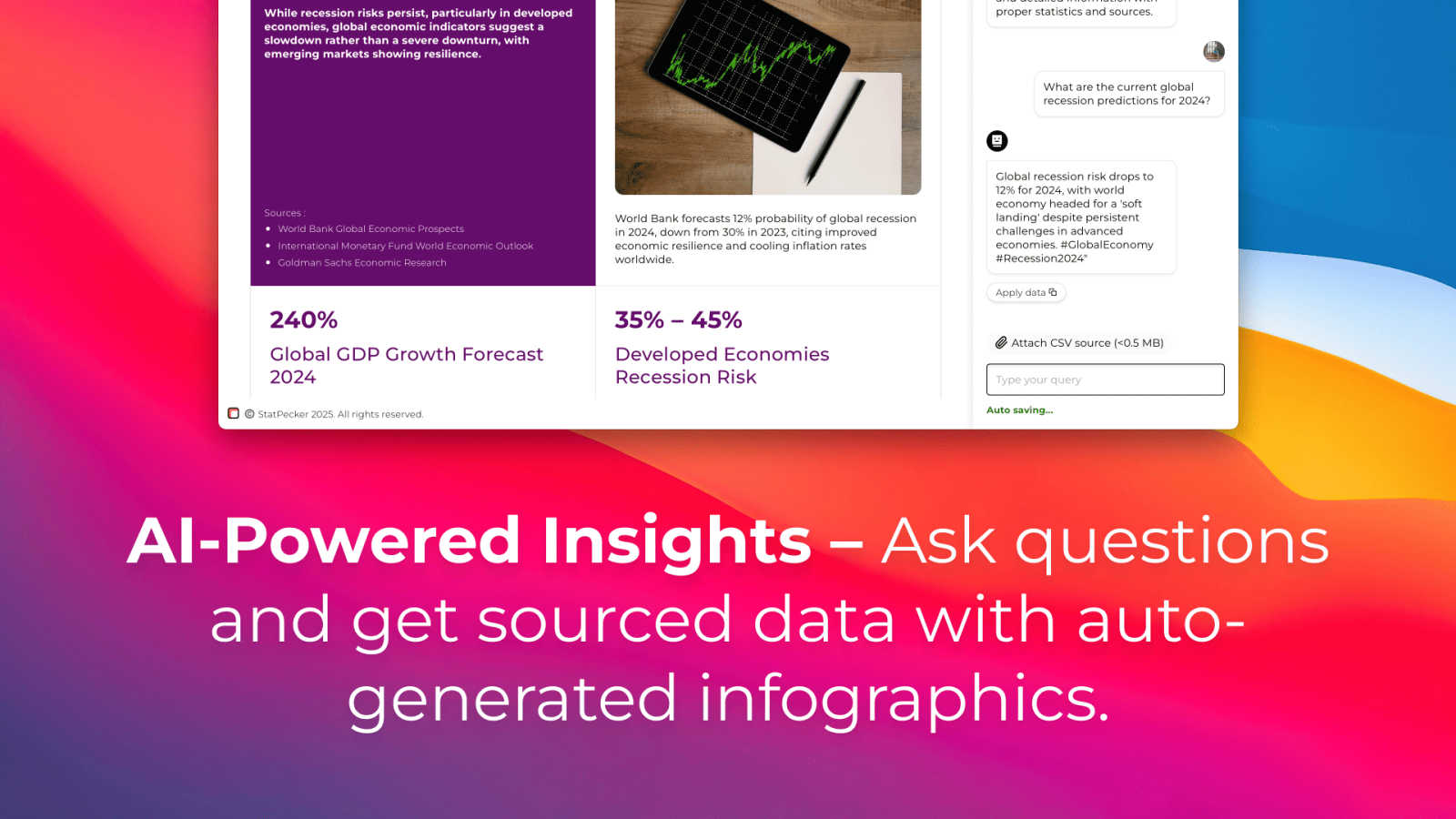
About StatPecker
StatPecker is an innovative AI-powered tool designed to transform raw data into visually captivating infographics in mere seconds. This platform caters to a diverse range of users, including content creators, analysts, marketers, and educators, all of whom aspire to enhance their storytelling through effective data visualization. By eliminating the need for manual reporting or hiring expensive designers, StatPecker streamlines the process of data storytelling. Users can focus on generating insights rather than struggling with complex software. The core value proposition of StatPecker lies in its ability to save time and reduce costs while significantly enhancing the impact of data presentations. By providing quick, credible answers that can be published, presented, or shared with teams, StatPecker empowers users to communicate data effectively and engagingly. Whether you are looking to extract trends or visualize global comparisons, StatPecker is an essential tool for anyone aiming to make data-driven decisions and presentations.
Features of StatPecker
Ask Your Query
StatPecker allows users to pose questions to the AI and receive instant insights from validated sources. This feature simplifies the data exploration process, enabling users to generate answers without the need for complex tools or technical knowledge.
Publish & Embed
With StatPecker, users can create interactive visuals that can be seamlessly integrated into blogs, articles, and websites. This feature enhances the user experience by allowing for dynamic data presentations that engage audiences.
Upload & Analyze CSVs
Users can upload local CSV files (up to 50 MB) and leverage StatPecker's on-device analysis capabilities. This feature ensures that data remains private while allowing users to extract key insights without the hassle of traditional spreadsheets.
Download & Use Anywhere
StatPecker enables users to export their infographics as images for use in reports, presentations, and other formats. This flexibility allows for easy sharing and utilization of visuals across different platforms and mediums.
Use Cases of StatPecker
Content Creation
Content creators can utilize StatPecker to quickly generate stunning infographics that enhance their articles and blogs. By transforming data into visually appealing formats, they can capture their audience's attention more effectively.
Market Analysis
Analysts can leverage StatPecker to extract trends from data sets and visualize global comparisons. This capability allows them to present insights in a clear and compelling manner, facilitating better decision-making within their organizations.
Educational Presentations
Educators can harness StatPecker to create engaging visual aids for their lectures and presentations. By using infographics, they can simplify complex information, making it easier for students to grasp key concepts.
Team Collaboration
StatPecker enables teams to collaboratively analyze data and create infographics that can be shared internally. This feature enhances communication and alignment around data-driven insights, leading to more informed strategies and decisions.
Frequently Asked Questions
How does StatPecker ensure data privacy?
StatPecker employs on-device analysis for CSV uploads, meaning that your data remains on your device during processing. This feature ensures that no sensitive information is shared over the internet.
Can I use StatPecker for free?
Yes, StatPecker offers a free tier that allows users to engage in unlimited projects and embeds, along with a limited number of AI queries and CSV uploads. This makes it accessible for users who want to explore the tool without any initial investment.
What types of files can I upload to StatPecker?
Users can upload CSV files up to 50 MB in size. This flexibility allows for the analysis of substantial data sets while maintaining ease of use.
Is there a refund policy for StatPecker?
Yes, StatPecker offers a 10-day refund policy for its paid plans, allowing users to request a refund with no questions asked if they are not satisfied with the service. This ensures that users can try the platform without financial risk.
Explore more in this category:
Similar to StatPecker

Online tally counter for tracking attendance, workouts, inventory, visitors, sports scores, habits, and everyday counting tasks.


Generate and edit production-ready images with GPT Image 2 API using detailed prompts, reference images, clear text rendering, and developer-friendly

AI enhancer for photos, images, videos, creative effects, and shared asset workflows.

Create cinematic AI videos from text or images with Seedance 2.5 Free.

Create high-quality Kling AI videos from text, images, audio, and motion references with Kling 3.0, Motion Control, Lip Sync, task tracking, and API a

Research keywords, competitors, backlinks and AI visibility inside Claude or Codex, with findings saved to your SEO dashboard.