
JobHustler vs MindMap AI
Side-by-side comparison to help you choose the right product.

JobHustler
JobHustler instantly tailors resumes and cover letters for any job application with no signup required.
Last updated: March 4, 2026

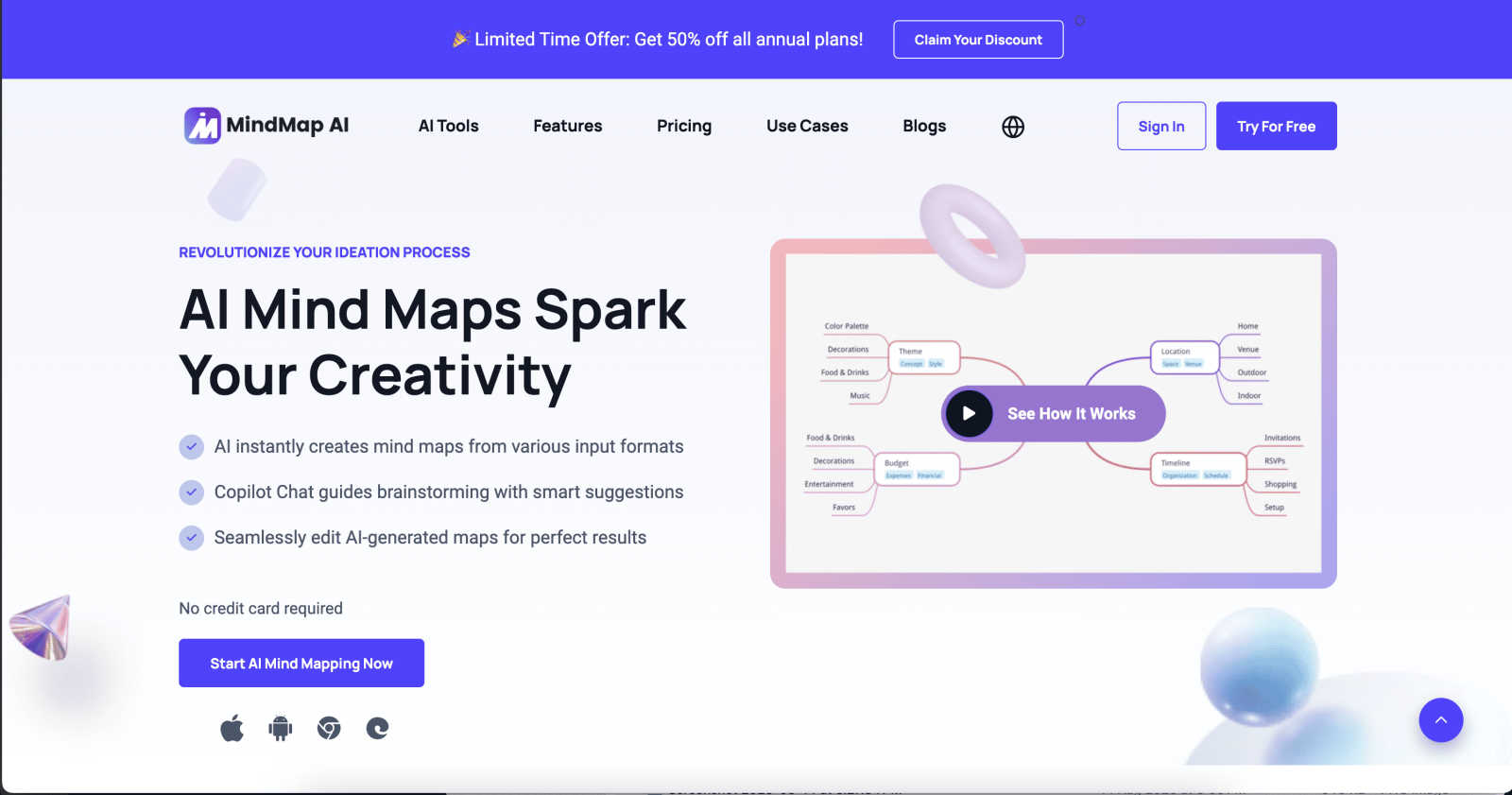
MindMap AI instantly creates and co-edits dynamic mind maps from your ideas and documents.
Last updated: March 1, 2026
Visual Comparison
JobHustler

MindMap AI
Feature Comparison
JobHustler
AI-Powered Resume and Cover Letter Generation
JobHustler utilizes advanced AI algorithms to generate resumes and cover letters that are specifically tailored to the job description provided. This ensures that the documents resonate with the expectations of hiring managers.
ATS-Friendly Formatting
The tool optimizes the format of resumes and cover letters to be ATS-friendly. This means that the documents are structured in a way that can be easily parsed by Applicant Tracking Systems, increasing the likelihood of passing initial screenings.
Customizable Cover Letters
Users can create cover letters that are not only tailored to the job description but also customized for the specific company and position. This feature enhances the personal touch of applications, making them more appealing to employers.
Free Usage Model
JobHustler offers a free usage model that allows users to generate a limited number of resumes and cover letters over time without requiring an account. This makes it accessible for users who want to explore the tool's capabilities before making a financial commitment.
MindMap AI
AI Thinking Mode
This proprietary reasoning engine analyzes your input with an understanding of context, hierarchy, and relationships before generating any map. It ensures the resulting structure is logically sound, meaningful, and accurate on the first try, moving beyond random branch generation to deliver maps that reflect coherent thought processes and save significant revision time.
Multi-Format File-to-Map Conversion
Transform a vast array of content sources into a visual map instantly. Simply upload or paste text, PDFs, PowerPoint slides, images, audio recordings, videos, Markdown, CSV, JSON, and other file types. The AI intelligently extracts key concepts and themes, structuring them into a clean, editable mind map foundation, allowing you to start from a structured point rather than a blank page.
MindMark Stability & Continuous Co-Editing
This foundational feature guarantees that your manual edits and custom layouts are permanently respected. The AI expands and suggests ideas around your work without ever overwriting or altering your personal structure. You maintain full control, seamlessly switching between manual editing and AI-assisted actions like summarization, expansion, or reorganization.
Flexible Layouts & Instant Aesthetics
Visualize your project from multiple perspectives without rebuilding. Switch effortlessly between a traditional Mind Map view, an Organizational Chart, and a Logic Chart with a single click. Your data structure remains perfectly aligned across all views. Coupled with a library of modern, presentation-ready themes, you can achieve a polished, professional look instantly.
Use Cases
JobHustler
Entry-Level Job Seekers
Recent graduates or those entering the job market can benefit greatly from JobHustler. It enables them to create their first professional resumes and cover letters that effectively highlight their skills and education, making a strong impression on potential employers.
Career Changers
Individuals looking to switch careers can use JobHustler to tailor their applications to new industries. The AI-driven customization helps them emphasize transferable skills and relevant experiences that may not be immediately obvious to hiring managers.
Professionals Seeking Promotions
For those already employed but aiming for promotions or new roles within their companies, JobHustler can help in crafting tailored applications that reflect their growth and align with the expectations of higher-level positions.
Freelancers and Contractors
Freelancers and independent contractors can utilize the tool to create customized proposals and resumes for various clients and projects. This ensures that their applications are relevant and showcase their unique skills effectively.
MindMap AI
Strategic Planning & Business Alignment
Teams can use MindMap AI to distill lengthy strategy documents, meeting notes, and market research into clear, visual maps. This facilitates faster consensus, identifies gaps in logic, and aligns stakeholders around key objectives. The AI co-pilot chat allows for real-time strategy refinement and questioning, turning planning sessions into actionable, living documents.
Academic Research & Learning
Students and researchers can upload papers, textbooks, or lecture recordings to automatically generate structured study guides and literature reviews. By converting dense information into a visual hierarchy, complex subjects become easier to comprehend, connect, and memorize. It's an invaluable tool for organizing thesis chapters or deconstructing complicated theories.
Project Management & Workflow Design
Project managers can transform project briefs, requirement lists, or brainstorming sessions into detailed project maps. Using widgets like Priority Flags and Due Dates, these maps become actionable plans. The ability to switch to an Org Chart view clarifies reporting structures, while the Logic Chart view helps in mapping out processes and dependencies clearly.
Creative Brainstorming & Content Planning
Content creators, writers, and marketing teams can kickstart campaigns by feeding in ideas, outlines, or competitor analyses. The AI helps expand on core concepts, suggest related topics, and structure content calendars visually. This use case turns chaotic creative sessions into organized, executable plans for articles, video series, or product launches.
Overview
About JobHustler
JobHustler is an innovative AI-powered tool designed to simplify the job application process by generating professional resumes and cover letters quickly and efficiently. It caters to job seekers at all levels, from recent graduates to seasoned professionals, ensuring that they can create tailored documents that meet the specific requirements of any job application. By simply pasting a job description, users can produce customized resumes and cover letters that are not only aligned with what employers are looking for but also optimized for Applicant Tracking Systems (ATS). This capability significantly enhances the chances of landing interviews in a competitive job market. JobHustler focuses on generating role-specific bullet points, refining language for clarity and impact, and structuring documents in a professional manner. With no account setup required and a user-friendly interface, it provides a seamless experience for users. Additionally, the free usage model allows users to test the tool without commitment, making it a valuable resource for anyone looking to make their job application process faster and more effective.
About MindMap AI
MindMap AI is a sophisticated, AI-powered visual thinking platform engineered to transform unstructured information into structured, actionable clarity. It serves as a dynamic workspace for professionals, teams, students, and researchers who need to organize complex ideas, vast research, or strategic plans efficiently. The core innovation lies in its ability to automate the initial structuring process. Users can input virtually any format—text, PDFs, documents, images, audio, video, Markdown, CSV, and more—and instantly generate a clean, editable mind map. This eliminates hours of manual formatting, allowing individuals and teams to dive straight into higher-order thinking, analysis, and collaboration. Beyond simple generation, MindMap AI acts as an intelligent co-pilot. Its interactive chat allows users to ask questions, expand on ideas, summarize sections, and refine strategies directly within the map, turning static diagrams into living documents. Built for real-world productivity, it supports seamless co-editing, offers multiple chart views, and ensures AI assistance never overwrites manual work. With robust multi-language support, large document processing, and deep customization, MindMap AI is the definitive tool for converting chaos into clear workflows, projects, and strategies in minutes.
Frequently Asked Questions
JobHustler FAQ
How does JobHustler work?
JobHustler works by allowing users to paste job descriptions into the tool. It then generates tailored resumes and cover letters based on the input, ensuring that the documents meet the specific requirements of the job.
Is there a limit on how many resumes and cover letters I can generate?
Yes, JobHustler allows for a limited number of free uses that recharge over time. Users can also opt for a one-time purchase plan for additional generations.
Do I need to create an account to use JobHustler?
No, JobHustler does not require any account setup. Users can access the tool and start generating their documents immediately.
Can I edit the generated documents?
Yes, users can edit the resumes and cover letters generated by JobHustler to further personalize them or make adjustments as needed before submission.
MindMap AI FAQ
What types of files can MindMap AI convert into a mind map?
MindMap AI supports a wide range of inputs for conversion. You can use text snippets, PDF documents, PowerPoint presentations, Word files, images (with extractable text), audio recordings, videos, Markdown files, CSV/Excel data, JSON, XML, and HTML. This makes it a versatile tool for consolidating information from nearly any digital source.
Does the AI overwrite my manual edits on a mind map?
No, it does not. A core principle of MindMap AI is "MindMark Stability." The AI is designed to be a cooperative assistant. It will only add new branches or suggestions based on your prompts; it will never alter, move, or delete any node, connection, or formatting that you have created manually. You retain complete control over your work.
How does the free plan work?
The free plan offers 50 AI credits per month at no cost and without requiring a credit card. These credits are used for AI-powered actions like generating maps from files, using the AI co-pilot chat, or auto-expanding branches. This allows users to explore the core functionality extensively before deciding to upgrade to a paid plan for higher usage limits.
Can I collaborate with others on a mind map?
Yes, MindMap AI is built for collaboration. You can share your maps with team members or classmates to co-edit in real-time. Collaborators can work simultaneously across web and mobile platforms. The platform supports seamless integration of both human and AI contributions within the same document, making team brainstorming and planning highly efficient.
Alternatives
JobHustler Alternatives
JobHustler is an innovative AI-powered tool that falls under the Productivity & Management category, specifically designed to streamline job application processes. It enables users to generate tailored resumes and cover letters instantly, eliminating the need for account setup. As job seekers often seek alternatives to JobHustler, they typically look for variations in pricing, additional features, or compatibility with different platforms that might better suit their specific needs. When choosing an alternative, consider factors such as the ease of use, customization options, document formatting capabilities, and whether the tool efficiently addresses the specific requirements of the jobs you are applying for. It's also important to evaluate the level of support and resources available to users, as these can significantly enhance the overall experience.
MindMap AI Alternatives
MindMap AI is a premier AI-powered mind mapping tool in the productivity and management software category. It is designed to instantly convert complex information from documents, audio, and other formats into structured, interactive visual maps, helping teams and professionals organize ideas and strategies with greater clarity and efficiency. Users often explore alternatives for various practical reasons. These can include budget constraints, the need for specific platform compatibility, a preference for simpler or more traditional tools, or requirements for different collaboration or integration features. The search for the right tool is highly personal and depends on an individual's or team's unique workflow. When evaluating alternatives, key considerations should include the core functionality you need, such as AI-assisted structuring, real-time collaboration, or multi-format import capabilities. Also assess the overall value, including pricing transparency, ease of use, security standards, and the quality of support. The goal is to find a solution that seamlessly integrates into your process without forcing a compromise on your essential requirements.