
Imgezy vs RemoveTexts
Side-by-side comparison to help you choose the right product.

Imgezy
Imgezy is an AI photo editor that effortlessly removes objects and changes backgrounds for stunning, professional.
Last updated: March 1, 2026

RemoveTexts
RemoveTexts is an AI tool that effortlessly removes text from images in seconds, ensuring clean visuals without any editing skills needed.
Last updated: March 11, 2026
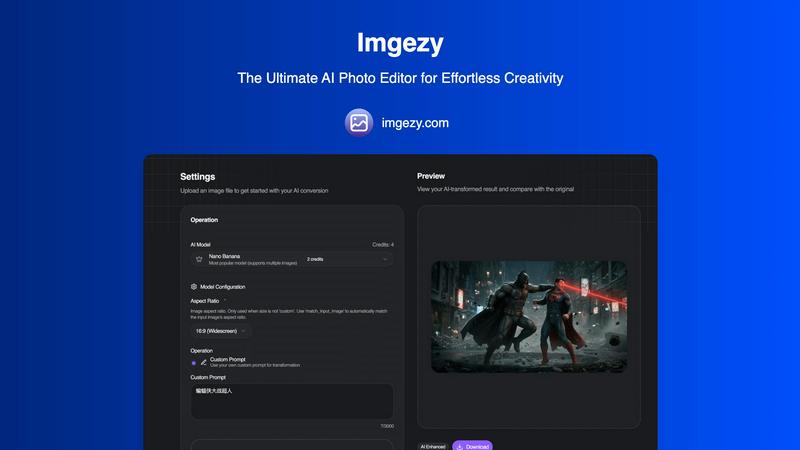
Visual Comparison
Imgezy
RemoveTexts

Feature Comparison
Imgezy
Object Removal
Imgezy's object removal feature utilizes advanced AI to identify and eliminate unwanted elements from photos. Whether it's distracting tourists or unwanted objects, the AI reconstructs the background seamlessly, ensuring your images look pristine and professional.
Background Replacement
This feature allows users to change backgrounds instantly, transforming ordinary scenes into extraordinary ones. Users can select from a range of stunning landscapes or solid colors, providing endless creative possibilities for their photos.
Photo Enhancement
Imgezy automatically enhances photos by adjusting colors, lighting, and sharpness, making images more vibrant and visually appealing. This feature ensures that your photos pop, giving them a polished and professional look without any manual adjustments.
Batch Processing
With the batch processing feature, users can edit multiple images simultaneously, saving significant time on large projects. This is particularly beneficial for professionals who need to edit a series of images quickly and efficiently while maintaining high-quality standards.
RemoveTexts
Paint to Remove
This feature allows users to brush over specific areas of text they wish to remove, providing precise control over the editing process. Users can select only the text they want gone, ensuring that the rest of the image remains intact.
Auto Remove All
With the Auto Remove All feature, the AI automatically detects and removes all text elements from an image with just one click. This function is perfect for users who want a quick and effortless solution to clean their images in seconds.
Edit & Replace Text
This unique feature enables users to not only remove existing text but also replace it with new text while matching the original font style. This is particularly beneficial for those who want to edit images without losing their visual integrity.
Remove Objects
In addition to text, RemoveTexts allows users to erase unwanted objects, logos, and other visual elements from images. This versatility makes it suitable for a wide range of editing tasks, enhancing the overall usability of the tool.
Use Cases
Imgezy
Social Media Content Creation
Social media influencers and marketers can use Imgezy to create eye-catching content quickly. With the ability to edit and enhance images in seconds, they can consistently produce high-quality visuals that engage their followers and elevate their brand.
E-commerce Product Photography
E-commerce entrepreneurs can leverage Imgezy to enhance product images, remove distractions, and create appealing backgrounds. This ensures that their products stand out, ultimately increasing sales and customer interest.
Travel Photography
Travel enthusiasts can use Imgezy to enhance their travel photos by removing unwanted objects or adjusting backgrounds to reflect their experiences accurately. This helps in creating memorable visuals that encapsulate their adventures.
Event Photography
Photographers working on events can utilize Imgezy to quickly edit images by removing photobombers or enhancing the overall aesthetics of the photos. This feature allows them to deliver professional-quality images to clients in a fraction of the time.
RemoveTexts
E-commerce Product Photo Editing
Online sellers can use RemoveTexts to eliminate watermarks or distracting text from product images, ensuring that their visuals are clean and professional. This helps improve product presentation and boosts sales potential.
Social Media Content Creation
Content creators can quickly remove unwanted text or logos from images before posting on social media platforms. This feature helps maintain a polished aesthetic that aligns with branding.
Legal Document Redaction
Legal professionals can utilize RemoveTexts to redact sensitive information from images of documents, ensuring confidentiality while preserving the overall appearance of the documents being shared.
Academic and Research Publications
Researchers and academics can remove watermarks and other text from images used in their publications, allowing for clearer visuals that enhance their written work. This ensures that readers focus on the content rather than distractions.
Overview
About Imgezy
Imgezy is an innovative AI-powered photo editing platform that revolutionizes the way users manipulate images. Designed to make professional-grade photo editing accessible to everyone, Imgezy allows users to make complex edits through simple text-based instructions. Whether you want to remove a distracting object or change the background to a picturesque landscape, Imgezy transforms your verbal description into a stunningly edited image within seconds. This platform caters to a diverse audience, including individual creators, social media influencers, e-commerce entrepreneurs, and professional photographers, all seeking to enhance their visual content without the steep learning curve associated with traditional editing software. With over 200,000 satisfied users, Imgezy emphasizes speed, simplicity, and high-quality output, enabling anyone, regardless of their technical skill level, to produce beautiful images effortlessly. Its powerful algorithms ensure pixel-perfect accuracy in tasks like object removal and background replacement, ultimately streamlining workflows and enhancing productivity.
About RemoveTexts
RemoveTexts is an innovative, AI-powered image editing tool designed to effortlessly remove unwanted text from images in mere seconds. Ideal for anyone from casual users to professionals, it streamlines the process of cleaning up images without requiring any design skills. Whether you need to eliminate watermarks from product photos, erase captions from screenshots, or remove text overlays from graphics, RemoveTexts provides a fast and efficient solution. The tool employs advanced deep learning inpainting technology to analyze surrounding pixels, ensuring that the background is seamlessly reconstructed after text removal. This makes it possible to achieve professional-grade results, making the tool indispensable for creators, marketers, and designers alike. With over 100,000 images processed and a growing user base of more than 50,000 worldwide, RemoveTexts is quickly becoming the go-to choice for anyone looking to maintain clean visuals.
Frequently Asked Questions
Imgezy FAQ
How does Imgezy work?
Imgezy uses advanced AI algorithms to analyze your image and execute edits based on your text-based instructions. Simply describe what you want, and the AI does the rest.
What types of images can I edit with Imgezy?
Imgezy supports all major image formats, including JPG, PNG, and WebP, allowing you to upload and edit a wide range of photos effortlessly.
Is there a limit to how many images I can edit?
Imgezy offers various pricing plans with different credit allocations. Depending on your plan, you can edit anywhere from a few hundred to thousands of images each month.
Do I need any prior editing experience to use Imgezy?
No, Imgezy is designed for users of all skill levels. You only need to describe the edits you want, and the AI will handle the technical aspects of photo editing for you.
RemoveTexts FAQ
How does RemoveTexts work?
RemoveTexts uses advanced AI technology to analyze images and intelligently reconstruct the background after removing text. This deep learning inpainting ensures that the results are seamless and professional.
What file formats does RemoveTexts support?
RemoveTexts supports image uploads in JPG, PNG, and WebP formats, allowing users to work with various types of images without restrictions.
Is there a limit to the image size I can upload?
Yes, RemoveTexts allows users to upload images up to 10 MB in size. This ensures that the tool can handle high-quality images while maintaining quick processing times.
Can I use RemoveTexts on mobile devices?
Yes, RemoveTexts is a web-based tool, making it accessible on any device with an internet connection, including smartphones and tablets. This accessibility makes it easy to remove text on the go.
Alternatives
Imgezy Alternatives
Imgezy is an advanced AI photo editing platform that allows users to perform complex image manipulations through simple text-based commands. This innovative tool is designed to cater to a wide range of users, from social media enthusiasts to professional photographers, making high-quality image editing accessible to everyone. As users seek alternatives to Imgezy, common reasons include exploring different pricing structures, varying features, or platform compatibility that better meets their specific needs. When searching for an alternative, it is essential to consider factors such as ease of use, the range of editing capabilities, and the quality of output. Users should also evaluate the platform's support for different file formats and integration with other tools they may be using. A good alternative should provide similar functionality while offering unique advantages that align with the user's editing objectives and preferences.
RemoveTexts Alternatives
RemoveTexts is an innovative AI-powered image editing tool designed for the seamless removal of unwanted text from images. It falls into the category of image and photo editing software, allowing users to easily clean up images without the need for complex software like Photoshop. Users often seek alternatives for various reasons, including pricing, specific feature sets, or compatibility with different platforms. An effective alternative should offer similar capabilities, ease of use, and support for various file types to ensure it meets user needs. When selecting an alternative to RemoveTexts, it's essential to consider the range of features offered, such as the ability to remove text automatically or manually, the quality of image output, and the user interface's simplicity. Additionally, support for multiple languages and fast processing times can significantly enhance the user experience, making the tool more versatile for different applications.