
Imgezy vs Nano AI
Side-by-side comparison to help you choose the right product.

Imgezy
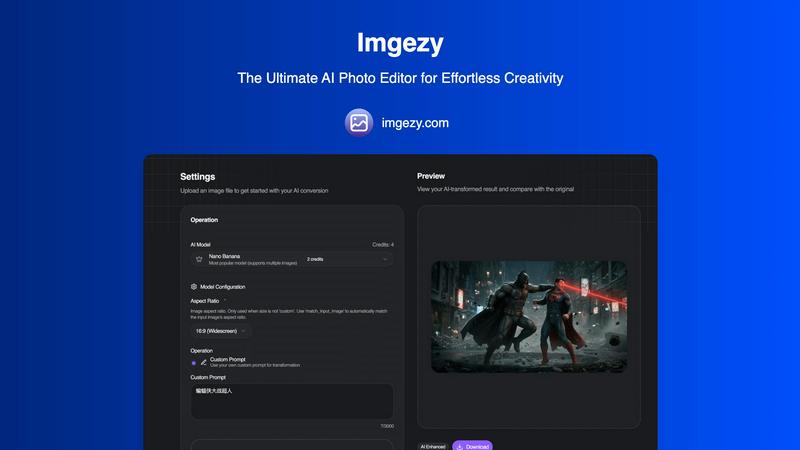
Imgezy is an AI photo editor that effortlessly removes objects and changes backgrounds for stunning, professional.
Last updated: March 1, 2026

Nano AI
Nano AI is your all-in-one creative platform for ultra-fast AI image generation and editing.
Last updated: February 28, 2026
Visual Comparison
Imgezy
Nano AI

Feature Comparison
Imgezy
Object Removal
Imgezy's object removal feature utilizes advanced AI to identify and eliminate unwanted elements from photos. Whether it's distracting tourists or unwanted objects, the AI reconstructs the background seamlessly, ensuring your images look pristine and professional.
Background Replacement
This feature allows users to change backgrounds instantly, transforming ordinary scenes into extraordinary ones. Users can select from a range of stunning landscapes or solid colors, providing endless creative possibilities for their photos.
Photo Enhancement
Imgezy automatically enhances photos by adjusting colors, lighting, and sharpness, making images more vibrant and visually appealing. This feature ensures that your photos pop, giving them a polished and professional look without any manual adjustments.
Batch Processing
With the batch processing feature, users can edit multiple images simultaneously, saving significant time on large projects. This is particularly beneficial for professionals who need to edit a series of images quickly and efficiently while maintaining high-quality standards.
Nano AI
Flash-Speed AI Generation with Nano Banana
Powered by the proprietary Nano Banana model, Nano AI delivers sub-10-second generation for both text-to-image and image-to-image tasks. This flash-speed inference ensures concepts appear almost instantly, keeping you in the creative flow without disruptive waiting times. The model is designed to honor layered instructions and stylistic cues from casual descriptions, making advanced image generation accessible without complex prompt engineering.
Unified Creative Workspace
Nano AI consolidates the entire creative pipeline into one intuitive interface. Users can move seamlessly from generating an initial concept using AI, to refining it with advanced editing tools like inpainting/outpainting, and finally to sharing via collaborative galleries—all without leaving the platform. This unified approach keeps every experiment, review, and export in one place, preserving project momentum.
Deep Style Tuning & Magic Edit
Go beyond generic filters with Deep Style Tuning, which provides granular control over lighting, texture, and composition through natural language descriptions. The complementary Magic Edit feature allows for precise, non-destructive edits: simply highlight an area and describe the change (e.g., "change shirt color," "add sunglasses") to inpaint, outpaint, or reimagine specific regions of any image.
Integrated Utility & Effects Toolkit
Beyond core generation, Nano AI includes a growing suite of practical tools and artistic effects to handle common tasks. This includes one-click background removal, image resizing, format conversion, and a library of neural filters like Photo to Sketch, Photo to Watercolor Painting, and Manga Generator. This toolkit removes the need for ancillary software for finishing touches.
Use Cases
Imgezy
Social Media Content Creation
Social media influencers and marketers can use Imgezy to create eye-catching content quickly. With the ability to edit and enhance images in seconds, they can consistently produce high-quality visuals that engage their followers and elevate their brand.
E-commerce Product Photography
E-commerce entrepreneurs can leverage Imgezy to enhance product images, remove distractions, and create appealing backgrounds. This ensures that their products stand out, ultimately increasing sales and customer interest.
Travel Photography
Travel enthusiasts can use Imgezy to enhance their travel photos by removing unwanted objects or adjusting backgrounds to reflect their experiences accurately. This helps in creating memorable visuals that encapsulate their adventures.
Event Photography
Photographers working on events can utilize Imgezy to quickly edit images by removing photobombers or enhancing the overall aesthetics of the photos. This feature allows them to deliver professional-quality images to clients in a fraction of the time.
Nano AI
Rapid Marketing Asset Creation
Marketing teams can use Nano AI to swiftly generate and iterate on visual concepts for campaigns, social media posts, and advertisements. The speed from text prompt to high-quality image allows for rapid A/B testing of visuals, creation of on-brand graphics, and quick adjustments based on stakeholder feedback, all within tight deadlines.
Streamlined Design Ideation & Mockups
Designers and product teams can leverage the platform to quickly brainstorm and visualize ideas. Generate multiple design variations, create product mockups, or explore UI/UX concepts in minutes. The image-to-image capability is perfect for iterating on existing drafts, while style tuning ensures outputs match specific brand aesthetics.
Content Production for Publishers & Bloggers
Content creators and publishers can efficiently produce unique, royalty-free illustrations, featured images, and article graphics. The ability to describe a scene or concept and receive a tailored image in seconds, then edit it directly within the same platform, significantly accelerates content production cycles.
Collaborative Creative Projects
Teams working on visual projects can utilize shared galleries and the unified workspace to collaborate effectively. Members can generate assets, leave them in a shared space for feedback, and use editing tools to implement changes based on collective input, ensuring everyone stays aligned without version control issues.
Overview
About Imgezy
Imgezy is an innovative AI-powered photo editing platform that revolutionizes the way users manipulate images. Designed to make professional-grade photo editing accessible to everyone, Imgezy allows users to make complex edits through simple text-based instructions. Whether you want to remove a distracting object or change the background to a picturesque landscape, Imgezy transforms your verbal description into a stunningly edited image within seconds. This platform caters to a diverse audience, including individual creators, social media influencers, e-commerce entrepreneurs, and professional photographers, all seeking to enhance their visual content without the steep learning curve associated with traditional editing software. With over 200,000 satisfied users, Imgezy emphasizes speed, simplicity, and high-quality output, enabling anyone, regardless of their technical skill level, to produce beautiful images effortlessly. Its powerful algorithms ensure pixel-perfect accuracy in tasks like object removal and background replacement, ultimately streamlining workflows and enhancing productivity.
About Nano AI
Nano AI is a comprehensive, all-in-one creative platform engineered to streamline the entire visual asset creation workflow. It integrates powerful AI generation, sophisticated editing tools, and collaborative features into a single, unified workspace, eliminating the friction of switching between disparate applications. At its technological core is the proprietary Nano Banana model, which enables flash-speed, sub-10-second orchestration for both text-to-image and image-to-image generation. This platform is purpose-built for creators, marketers, designers, and teams who need to rapidly ideate, iterate, and ship high-quality visuals. Its primary value proposition lies in its unparalleled speed, cohesive workflow, and granular creative control, allowing users to maintain creative momentum and drastically reduce the time from initial concept to final, production-ready output. By consolidating the creative stack into one efficient environment, Nano AI empowers users to generate, edit, refine, and share assets seamlessly.
Frequently Asked Questions
Imgezy FAQ
How does Imgezy work?
Imgezy uses advanced AI algorithms to analyze your image and execute edits based on your text-based instructions. Simply describe what you want, and the AI does the rest.
What types of images can I edit with Imgezy?
Imgezy supports all major image formats, including JPG, PNG, and WebP, allowing you to upload and edit a wide range of photos effortlessly.
Is there a limit to how many images I can edit?
Imgezy offers various pricing plans with different credit allocations. Depending on your plan, you can edit anywhere from a few hundred to thousands of images each month.
Do I need any prior editing experience to use Imgezy?
No, Imgezy is designed for users of all skill levels. You only need to describe the edits you want, and the AI will handle the technical aspects of photo editing for you.
Nano AI FAQ
What makes Nano AI different from other AI image generators?
Nano AI distinguishes itself as an all-in-one platform, not just a generator. While its Nano Banana model provides exceptionally fast, high-quality image creation, the platform's real power is in combining generation with robust editing tools (like Magic Edit), utility features (like BG removal), and collaborative workspaces. This integration creates a seamless, end-to-end workflow for professional asset creation.
What is the "Nano Banana" model?
Nano Banana is Nano AI's proprietary AI model engineered for speed and fidelity. It specializes in "flash-speed inference," generating images from text or image prompts in under 10 seconds. It is also uniquely adept at understanding layered, casual language descriptions and adhering to complex stylistic instructions without requiring advanced prompt engineering techniques.
Can I edit images after generating them?
Absolutely. Nano AI is built for iteration. You can take any generated image and use the built-in Magic Edit tool to make precise changes using natural language, such as altering objects, colors, or expanding the canvas (outpainting). The platform also offers standard editing tools and filters, making it a complete editing suite.
Is Nano AI suitable for professional/commercial use?
Yes, Nano AI is designed for professional creators, marketers, and teams. The platform focuses on producing production-ready visuals, offers tools for granular control, and is built to support collaborative workflows. Features like the upcoming 4K Neural Upscaler are specifically aimed at ensuring assets meet high-quality standards for commercial projects.
Alternatives
Imgezy Alternatives
Imgezy is an advanced AI photo editing platform that allows users to perform complex image manipulations through simple text-based commands. This innovative tool is designed to cater to a wide range of users, from social media enthusiasts to professional photographers, making high-quality image editing accessible to everyone. As users seek alternatives to Imgezy, common reasons include exploring different pricing structures, varying features, or platform compatibility that better meets their specific needs. When searching for an alternative, it is essential to consider factors such as ease of use, the range of editing capabilities, and the quality of output. Users should also evaluate the platform's support for different file formats and integration with other tools they may be using. A good alternative should provide similar functionality while offering unique advantages that align with the user's editing objectives and preferences.
Nano AI Alternatives
Nano AI is an all-in-one creative platform in the AI image generation and editing category. It distinguishes itself by combining ultra-fast generation with a suite of professional editing tools in a unified workspace, aiming to streamline the entire visual creation process from concept to final asset. Users explore alternatives for various reasons, including budget constraints, specific feature requirements not covered by a single platform, or the need for integration with other tools in their workflow. Some may seek platforms with different artistic styles, more specialized editing capabilities, or different pricing and subscription models. When evaluating alternatives, consider your primary needs: Is raw generation speed most critical, or is depth of editing control? Do you require robust collaboration features for a team, or are you a solo creator? Assessing the balance between specialized power and all-in-one convenience, along with cost and output quality, will guide you to the right solution.