

Alternatives to Very Good Calendar Sync
Very Good Calendar Sync aligns your work, personal, and client calendars on your Mac without linking accounts or exposing sensitive data.
Explore 20 alternatives to Very Good Calendar Sync. Compare features, pricing, and find the best fit for your needs.
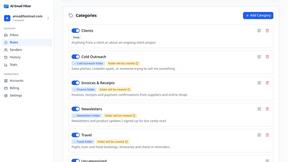
AI Email Filter
AI Email Filter sorts incoming mail into folders using plain-language prompts you write. Works with any IMAP mailbox; bring your own LLM if you want.

Egmatic
No-code 2D game editor: visual node logic, drag-and-drop scenes, live preview. Exports to Windows, macOS, Linux, Android, iOS, Web.
Kody Tools
Free collection of online developer utilities, code formatters, and digital converters designed to streamline your daily workflow.
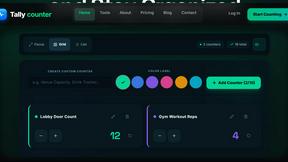
Tally Counter
Online tally counter for tracking attendance, workouts, inventory, visitors, sports scores, habits, and everyday counting tasks.
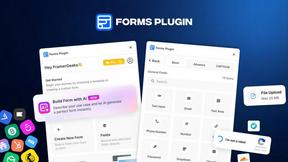
Forms Plugin
The #1 Native Form Builder Plugin for Framer - No Code, No Embeds, No External Platforms.
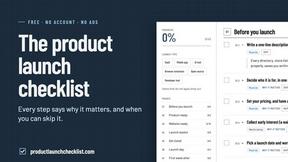
Product Launch Checklist
A free launch checklist for SaaS, apps, AI tools and more. Every step says why it matters and when you can skip it.

HomeAnswerBook
Practical, independent guides to home repairs, maintenance, costs, troubleshooting, and everyday fixes.
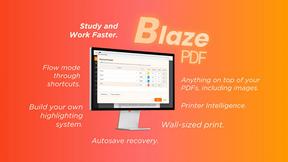
BlazePDF
Highlight faster. Study in flow with custom shortcuts and a workflow built around you. Print smarter, or turn any page into a tiled poster.

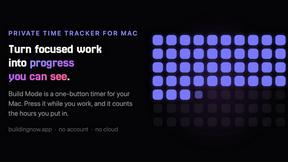
Build Mode for Mac
Build Mode is a Mac app that turns focused sessions into visible progress, so you can see the work adding up before the results arrive.
LiteralKit
Free, no-signup Unicode text tools: superscript, fancy fonts, case converter, symbols. Fast and private.



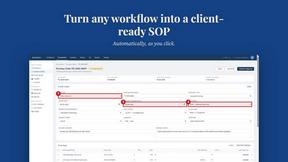
MySOP.guru
Capture any workflow in your browser and export a branded, step-by-step SOP with screenshots. €5 per document, no subscription.

PerPageFax
PerPageFax lets you send a fax online from any browser for a flat $0.50 per page — no account, no subscription, no fax machine.

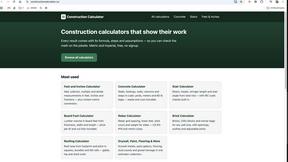
Construction Calculator
Free construction calculators with transparent formulas, steps, assumptions, and metric or imperial units.


About Very Good Calendar Sync Alternatives
Very Good Calendar Sync is a macOS-native utility designed to automate the synchronization of multiple calendars directly through the Apple Calendar app. It falls under the Productivity & Management category, offering a set-it-and-forget-it solution for users who need their work, personal, and project calendars to stay in harmony without manual intervention. The core appeal is its emphasis on privacy and local processing, as it syncs data without transmitting anything to the cloud or requiring third-party credentials. Users often seek alternatives for several practical reasons. Some may require cross-platform support for Windows or Android devices, which this Mac-only tool does not provide. Others might find the pricing model restrictive or need more advanced features like two-way conflict resolution, team-based sharing, or integration with non-Apple calendar services such as Google Calendar or Outlook. When evaluating an alternative, look for solutions that offer robust filtering options, clear privacy policies regarding data handling, and compatibility with your specific operating system and calendar providers. Prioritize tools that provide transparent sync logic, reliable background operation, and the ability to control event detail sharing to match your workflow.