

Alternatives to VersQ
VersQ translates PDFs, DOCX, and EPUBs with 50+ AI models while preserving formatting, using flat monthly pricing with no per-character fees.
Explore 20 alternatives to VersQ. Compare features, pricing, and find the best fit for your needs.
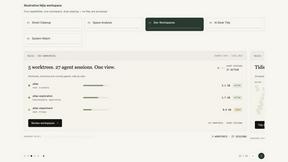
Nijia
Analyze Mac storage, map disk usage, and safely clean rebuildable clutter with Nijia, a native macOS utility with a 7-day full-feature trial.

Panzoe
Panzoe is an all-in-one AI platform for personal productivity, business automation, AI assistants, content creation, and custom AI solutions.

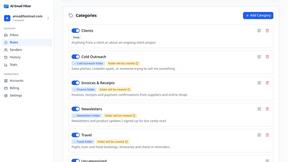
AI Email Filter
AI Email Filter sorts incoming mail into folders using plain-language prompts you write. Works with any IMAP mailbox; bring your own LLM if you want.

Egmatic
No-code 2D game editor: visual node logic, drag-and-drop scenes, live preview. Exports to Windows, macOS, Linux, Android, iOS, Web.
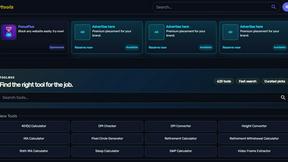
Kody Tools
Free collection of online developer utilities, code formatters, and digital converters designed to streamline your daily workflow.
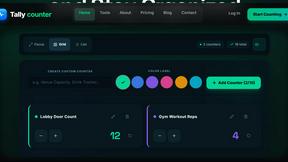
Tally Counter
Online tally counter for tracking attendance, workouts, inventory, visitors, sports scores, habits, and everyday counting tasks.
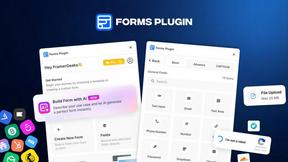
Forms Plugin
The #1 Native Form Builder Plugin for Framer - No Code, No Embeds, No External Platforms.

Product Launch Checklist
A free launch checklist for SaaS, apps, AI tools and more. Every step says why it matters and when you can skip it.

HomeAnswerBook
Practical, independent guides to home repairs, maintenance, costs, troubleshooting, and everyday fixes.
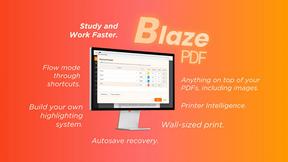
BlazePDF
Highlight faster. Study in flow with custom shortcuts and a workflow built around you. Print smarter, or turn any page into a tiled poster.


Build Mode for Mac
Build Mode is a Mac app that turns focused sessions into visible progress, so you can see the work adding up before the results arrive.
LiteralKit
Free, no-signup Unicode text tools: superscript, fancy fonts, case converter, symbols. Fast and private.



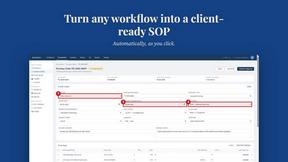
MySOP.guru
Capture any workflow in your browser and export a branded, step-by-step SOP with screenshots. €5 per document, no subscription.
About VersQ Alternatives
VersQ is a specialized AI document translation platform designed for professionals in legal, medical, and international business fields. It falls under the Productivity & Management category, focusing on delivering accurate, context-aware translations while preserving the original formatting of complex documents. Users commonly seek alternatives due to considerations around pricing models, the need for specific language pairs not well-covered by VersQ’s model selection, or a desire for deeper integration with their existing software stacks. Others may find that their volume of work requires a more budget-friendly per-page rate or that they need features like real-time collaborative editing or advanced OCR capabilities for scanned documents. When evaluating alternatives to VersQ, look for platforms that offer robust format preservation for your most common file types, including PDFs, DOCX, and XLSX. Assess the breadth and quality of available AI translation models, as having access to multiple engines like GPT-4, Claude, or specialized legal and medical models can improve accuracy. Consider the security and compliance features, particularly if you handle sensitive client or patient data, and check for data handling certifications. Finally, evaluate the user interface and workflow integration capabilities to ensure the tool fits seamlessly into your team’s existing processes without causing friction.
FAQs about VersQ Alternatives
What is VersQ?
VersQ is an AI-powered document translation platform built for professional use. It is designed to translate complex documents while preserving original formatting, tables, and layout structures. The platform supports over 15 file formats, including PDFs, DOCX, EPUB, XLSX, and HTML, and leverages a choice of 50+ AI models like GPT-4, Claude, and Gemini to deliver context-aware translations.
Who is VersQ for?
VersQ is specifically built for professionals in legal, medical, and international business teams who require high-accuracy translations that maintain document integrity. It is ideal for translators, paralegals, compliance officers, and global operations managers who handle sensitive or formatting-heavy documents. The tool is not designed for casual or consumer-level translation needs but rather for rigorous, professional workflows.
What are the main features of VersQ?
Key features include support for 15+ document formats, semantic section splitting for context-aware translation, and access to over 50 different AI language models. VersQ extracts text from uploaded files, applies intelligent segmentation, and then reconstructs the translated output while preserving original formatting, tables, and layout. This ensures the final document looks identical to the source in terms of structure.
Is VersQ secure for handling sensitive documents?
VersQ is designed for professional use in legal and medical fields, which implies a strong focus on data security and confidentiality. While specific certifications are not detailed in the provided content, the platform’s target audience requires compliance with standards like GDPR or HIPAA for handling sensitive information. Users should review VersQ’s privacy policy and data processing agreements to confirm alignment with their specific security requirements.