

Alternatives to SubcueAI
SubcueAI provides real-time AI answer suggestions for video interviews by capturing audio from any platform and displaying talking points in a.
Explore 20 alternatives to SubcueAI. Compare features, pricing, and find the best fit for your needs.


Nijia
Analyze Mac storage, map disk usage, and safely clean rebuildable clutter with Nijia, a native macOS utility with a 7-day full-feature trial.

Panzoe
Panzoe is an all-in-one AI platform for personal productivity, business automation, AI assistants, content creation, and custom AI solutions.
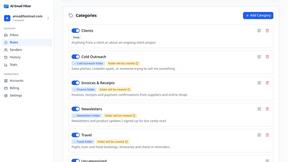
AI Email Filter
AI Email Filter sorts incoming mail into folders using plain-language prompts you write. Works with any IMAP mailbox; bring your own LLM if you want.
Egmatic
No-code 2D game editor: visual node logic, drag-and-drop scenes, live preview. Exports to Windows, macOS, Linux, Android, iOS, Web.
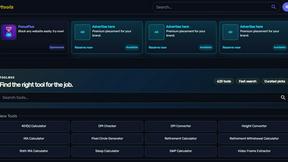
Kody Tools
Free collection of online developer utilities, code formatters, and digital converters designed to streamline your daily workflow.

Tally Counter
Online tally counter for tracking attendance, workouts, inventory, visitors, sports scores, habits, and everyday counting tasks.
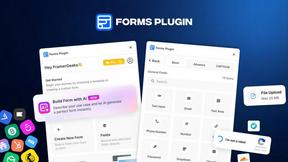
Forms Plugin
The #1 Native Form Builder Plugin for Framer - No Code, No Embeds, No External Platforms.

Product Launch Checklist
A free launch checklist for SaaS, apps, AI tools and more. Every step says why it matters and when you can skip it.

HomeAnswerBook
Practical, independent guides to home repairs, maintenance, costs, troubleshooting, and everyday fixes.
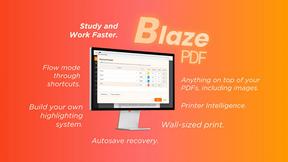
BlazePDF
Highlight faster. Study in flow with custom shortcuts and a workflow built around you. Print smarter, or turn any page into a tiled poster.


Build Mode for Mac
Build Mode is a Mac app that turns focused sessions into visible progress, so you can see the work adding up before the results arrive.

LiteralKit
Free, no-signup Unicode text tools: superscript, fancy fonts, case converter, symbols. Fast and private.



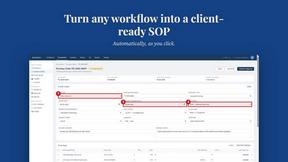
MySOP.guru
Capture any workflow in your browser and export a branded, step-by-step SOP with screenshots. €5 per document, no subscription.

PerPageFax
PerPageFax lets you send a fax online from any browser for a flat $0.50 per page — no account, no subscription, no fax machine.

About SubcueAI Alternatives
SubcueAI is a real-time AI interview assistant designed for macOS and Windows users who want to improve their performance during video job interviews. It belongs to the Productivity & Management category, specifically focusing on interview preparation and execution. The tool captures audio from popular video conferencing platforms like Zoom, Google Meet, and Microsoft Teams, transcribes questions, and generates context-aware answers using GPT-4o. While SubcueAI offers a powerful solution for live interview support, users often look for alternatives due to factors such as pricing structures, platform compatibility limitations, feature gaps in non-video formats, or the need for offline functionality. Others may seek tools that provide more extensive practice modes, deeper integration with job application tracking, or support for languages and industries not fully covered by SubcueAI. When evaluating an alternative, it is important to first identify your specific interview needs, such as whether you require support for technical coding, behavioral, or case interviews. Look for tools that offer reliable real-time transcription and response generation without causing distractions during the actual interview. Consider the compatibility with your operating system and preferred video call platforms, as well as the accuracy and speed of the AI suggestions. Additionally, examine the pricing model to ensure it fits your budget, and check for security features like data encryption and privacy controls, especially since interview tools handle sensitive personal and professional information. Finally, assess whether the alternative provides a free trial or demo to test its effectiveness in real-world scenarios.
FAQs about SubcueAI Alternatives
What is SubcueAI?
SubcueAI is an AI interview assistant designed for macOS and Windows users to improve job interview performance. It captures audio from video conferencing platforms like Zoom, Google Meet, and Microsoft Teams, transcribes questions in real time, and generates context-aware responses using GPT-4o. The tool supports various interview formats, including technical coding, behavioral, and case interviews.
Who is SubcueAI for?
SubcueAI is primarily for job seekers who want to enhance their performance during live video interviews. It is suitable for professionals preparing for technical coding interviews, behavioral interviews, and case interviews. The tool is designed for users who conduct interviews on macOS or Windows and use popular video call platforms.
Is SubcueAI free?
The provided content does not specify whether SubcueAI is free or has a pricing model. Users should check the official SubcueAI website for current pricing details, including any free trial options or subscription plans. Typically, tools in this category offer tiered pricing based on features and usage limits.
What are the main features of SubcueAI?
SubcueAI offers real-time audio capture from video calls, automatic transcription of interview questions, and context-aware answer suggestions powered by GPT-4o. It supports multiple interview formats, including technical coding, behavioral, and case interviews. The tool is compatible with macOS and Windows and integrates with Zoom, Google Meet, and Microsoft Teams.