

Alternatives to Seedream AI Studio
Seedream AI Studio generates images with Seedream 5.0 and animates selected results into short videos in one streamlined browser workflow.
Explore 20 alternatives to Seedream AI Studio. Compare features, pricing, and find the best fit for your needs.
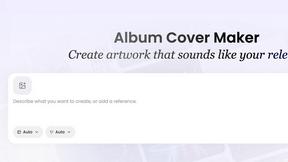
AI Album Cover Maker
Create release-ready album covers from a prompt or photo. Generate, refine, and export art for singles, EPs, mixtapes, and playlists.

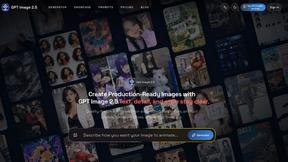
GPT Image 2 API
Generate and edit production-ready images with GPT Image 2 API using detailed prompts, reference images, clear text rendering, and developer-friendly

Z Image Turbo
Fast AI image generation for photorealistic visuals, bilingual posters, ecommerce content, and social graphics.

RunwayAI
Create videos from prompts and images with RunwayAI, an independent runway ai video generator with practical output controls.

AIEnhancer
AI enhancer for photos, images, videos, creative effects, and shared asset workflows.
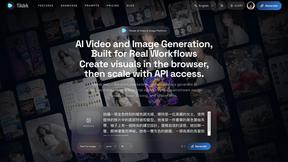


TryKlingAI
Create high-quality Kling AI videos from text, images, audio, and motion references with Kling 3.0, Motion Control, Lip Sync, task tracking, and API a
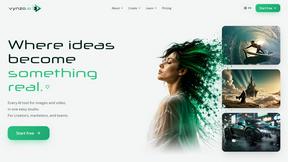
Vynzo
AI image and video studio. Generate from a prompt, animate stills, swap faces, restyle clips and edit — one credit pool, no subscription.
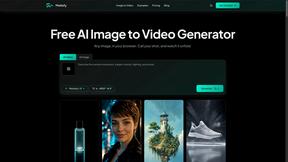
Motiofy
Motiofy is an AI creative workspace that helps creators and teams turn ideas into polished visual stories.
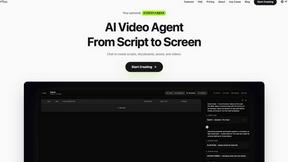
Pixo
Pixo is an AI video director that turns a prompt or script into a storyboard, consistent scenes, voiceover, and an edited final cut.
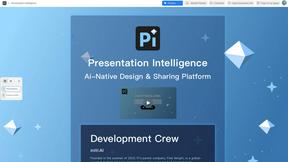
Presentation Intelligence
AI-native presentation and visual content platform that turns prompts, documents, images, videos, and data into polished, shareable decks.

ProfileLoom
ProfileLoom turns one photo into platform-ready AI portraits for professional, social, and creator profiles, with presets and built-in editing.
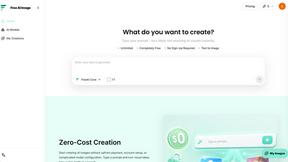
Free AI Image
Free AI Image is a free text-to-image AI generator for creating clean visual drafts from prompts with no sign-up required.

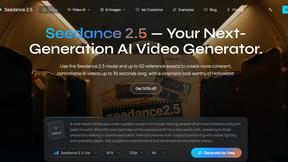
Seedance 2.5
Seedance 2.5 is a multimodal AI video generator by ByteDance for 30-second, high-fidelity cinematic video creation and AI video editing.
About Seedream AI Studio Alternatives
Seedream AI Studio is a browser-based creative tool that falls under the categories of content creation, design tools, video, and image generation. It allows users to generate images using the Seedream 5.0 model and its variants, compare outputs across different versions, and then turn selected results into short videos, all within a single, streamlined browser workflow. While this integrated approach is powerful, users often look for alternatives due to specific needs such as different pricing structures, a desire for more advanced video editing capabilities beyond short clips, or the need for platform-specific integrations like mobile apps or API access for bulk processing. When evaluating alternatives to Seedream AI Studio, it is important to consider the core functionality you require. Key factors include the quality and variety of image generation models available, the ease of the video creation workflow, and the flexibility of the output formats. Pricing is another critical element, as some users may need a more generous free tier or a pay-as-you-go model rather than a subscription. Additionally, consider the breadth of the creative ecosystem, such as whether the alternative offers standalone image editing tools, community features, or direct export to other software. A strong alternative should balance model performance with a workflow that matches your specific creative process.
FAQs about Seedream AI Studio Alternatives
What is Seedream AI Studio?
Seedream AI Studio is an independent browser-based creative tool designed for generating images using current Seedream models. It allows users to compare outputs across different model versions and turn selected images into short videos. The platform supports Seedream 5.0, 5.0 Lite, 4.5, and 4.0, providing a single workflow from prompt to image to animation.
Who is Seedream AI Studio for?
Seedream AI Studio is designed for digital creators, graphic designers, and content producers who need a streamlined way to generate images and quickly animate them. It is ideal for users who want to experiment with different Seedream model versions to find the best visual output for their projects. The tool is particularly useful for those who prefer a browser-based solution that eliminates the need for multiple software applications.
Is Seedream AI Studio free?
Yes, Seedream AI Studio offers a free tier that allows users to access the core image generation and video creation features. This free access enables creators to test the platform and generate content without an upfront financial commitment. Specific limitations on usage volume or resolution may apply to the free tier, but it provides a functional entry point for evaluating the tool.
What are the main features of Seedream AI Studio?
The main features include multi-model image generation with Seedream 5.0, 5.0 Lite, 4.5, and 4.0, and the ability to compare outputs across these versions side-by-side. A key feature is the integrated video creation tool that lets users turn selected images into short videos without leaving the browser. The platform also provides a free tier and a unified workflow that moves seamlessly from text prompts to final animated content.