

Alternatives to Seedream 4.0
Seedream 4.0 combines AI image generation and editing for high-definition visuals, enabling fast and intuitive creative.
Explore 20 alternatives to Seedream 4.0. Compare features, pricing, and find the best fit for your needs.

Nano AI
Create and edit AI images, generate videos, and compare models in one creative workbench.
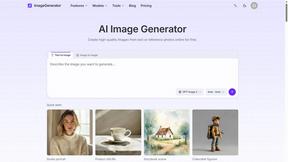
ImageGenerator
Create and edit AI images online with multiple models, text-to-image, image-to-image, background removal, and upscaling.

SightRadar
Face recognition API, a drop-in replacement for AWS Rekognition. Index, search, compare and detect faces, billed per photo with no subscription.
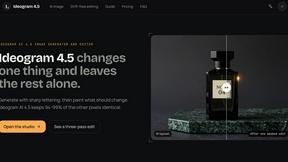
Ideogram AI 4.5
Advanced AI image generation and editing with sharp typography, native 2K output, and localized edits with minimal drift.
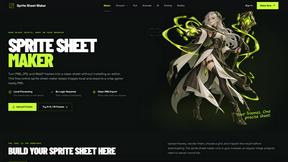
Sprite Sheet Maker
A free browser-based toolkit for creating, cutting, converting, and previewing sprite sheet animations.

FaceCoda
Free AI attractiveness test and face analysis with private, on-device photo processing.

Z Image Turbo
Fast AI image generation for photorealistic visuals, bilingual posters, ecommerce content, and social graphics.

RunwayAI
Create videos from prompts and images with RunwayAI, an independent runway ai video generator with practical output controls.

AIEnhancer
AI enhancer for photos, images, videos, creative effects, and shared asset workflows.

ProfileLoom
ProfileLoom turns one photo into platform-ready AI portraits for professional, social, and creator profiles, with presets and built-in editing.
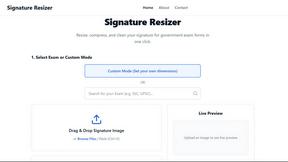
Signature Resizer
Free tool to instantly resize, compress, and format signatures for SSC, UPSC & other govt exams. Meets strict KB and pixel limits easily!

Magic Eraser
AI photo editor for removing objects and backgrounds, enhancing images, expanding scenes, and creating visuals.

AI Image Editor
Free AI image editor that edits, retouches, and transforms photos with natural-language text prompts.
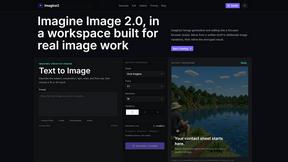
Imagine2
Private browser-based AI image generation and editing with text-to-image, targeted edits, and multi-image references.

Kogashitsuka AI
An online AI image tool that enhances photos and illustrations at their original size or upscales them by 2x or 4x.

StopScroll
StopScroll is an AI thumbnail maker that generates YouTube thumbnail concepts from a URL, title, or prompt.


IsThisAIImage
Free online AI image and deepfake checker. Upload a photo for AI-generated and deepfake scores, a clear verdict, and optional generator hints.
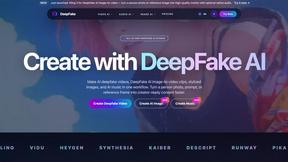
DeepFake AI
DeepFake AI is an all-in-one studio for creating realistic face-swap videos, image-to-video clips, AI images, and music in your browser.
About Seedream 4.0 Alternatives
Seedream 4.0 is a cutting-edge AI image generator and editor that enables users to create and refine high-definition visuals through a unified platform. As a next-generation tool, it caters to a diverse audience, including creative professionals, marketers, and educators, who seek to produce customizable visual content efficiently. Users often seek alternatives to Seedream 4.0 for various reasons, including pricing considerations, specific feature requirements, or compatibility with different platforms. When choosing an alternative, it’s essential to evaluate the tool's capabilities, ease of use, and integration with existing workflows to ensure it meets your creative needs and enhances productivity.
FAQs about Seedream 4.0 Alternatives
What is Seedream 4.0?
Seedream 4.0 is an AI-powered image generator and editor that allows users to create and modify high-definition visuals through a unified platform.
Who is Seedream 4.0 for?
Seedream 4.0 is designed for a wide range of users, including individual creators, social media managers, professional designers, marketers, and educators.
Is Seedream 4.0 free?
The pricing structure for Seedream 4.0 may vary, and users should check the official website for the latest information regarding subscription plans and free trials.
What are the main features of Seedream 4.0?
Key features of Seedream 4.0 include its unified generation and editing architecture, multi-image composition, and support for 4K high-definition resolution.