

Alternatives to BlueHumanizer
BlueHumanizer transforms AI-generated text into clear, natural writing in one click while preserving your original meaning and tone.
Explore 20 alternatives to BlueHumanizer. Compare features, pricing, and find the best fit for your needs.
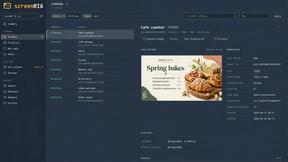
screenRIG
Signage and kiosk infrastructure for AI agents. Your agent publishes images, video, streams, web pages and apps to screens via one plugin.screenRIG is
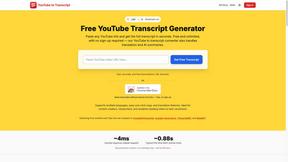
GetYouTubeTranscript
Free YouTube transcripts on the web, a Chrome extension, and an API + MCP server so AI assistants can read YouTube.

layahost
Moderation, routing, intent and scoring for any text over one Jev-compatible API, hosted in the EU.




Speechyou
AI transcription for voice notes, meetings, and audio files in 1,700 languages, with AI summaries and subtitle export and unlimited chat ai usage.
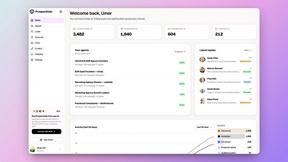
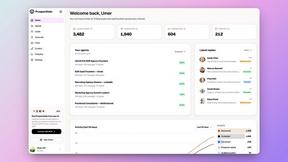
ProspectHalo
AI sales agent that finds qualified leads, runs outreach, follows up automatically, creates content, and helps book more meetings.

benchmark.directory
An AI tools directory that turns down money. 146 listings, 20 categories, no sponsored placement and no affiliate ordering.

saasgrow.ai
Get your SaaS tool discovered. Free listing, honest screening, a dofollow link — and no way for anyone to outbid you.

Tools Network
Tools Network is a curated directory of the best AI tools across 25+ categories — from writing and image generation to coding and marketing.


SnapPChart
SnapPChart grades a trading chart screenshot A+ to F, with an entry, stop, targets, and risk/reward. Works on stocks, forex, crypto, futures.

Skydive
Skydive lets teams create AI agents that can complete real work inside the tools they already use.


Imgbulk
ImgBulk is a Gemini AI image generator built for batch production instead of one-image-at-a-time creation.


About BlueHumanizer Alternatives
BlueHumanizer is an AI humanizer tool that belongs to the AI Assistants category, designed to transform AI-generated text into clear, natural writing in a single click. Users commonly look for alternatives due to factors such as pricing model changes, the need for more advanced rewriting features, integration requirements with other platforms, or a desire for broader language support and tone customization. When choosing an alternative to BlueHumanizer, it is important to evaluate how well the tool preserves original meaning and tone, whether it maintains citations and quotes untouched, and if it offers adjustable humanization levels and multi-language capabilities. Additionally, consider the tool’s ease of use, speed of output, and whether it provides a free tier or trial to test its performance before committing to a paid plan. The best alternative will depend on your specific use case, whether you are a student refining essays, a researcher polishing papers, a marketer shipping on-brand copy, or a professional warming up emails and reports. Look for a solution that reshapes sentence structure and restores natural rhythm rather than simply swapping synonyms, as this ensures the final text reads clean and authentic. Also, verify that the tool supports the AI writers you use, such as ChatGPT or Claude, and check for any hidden costs or credit card requirements during the trial period.
FAQs about BlueHumanizer Alternatives
What is BlueHumanizer?
BlueHumanizer is an AI humanizer tool that transforms AI-generated text into clear, natural writing in one click. It works by reshaping sentence structure and restoring natural rhythm rather than simply swapping words for synonyms, keeping your meaning, tone, and key points intact. The tool supports over 50 languages and offers adjustable humanization levels and tone controls, making it suitable for a wide range of writing tasks. Quotes and citations within the text remain untouched during the rewriting process.
Who is BlueHumanizer for?
BlueHumanizer is built for students, researchers, marketers, and anyone who writes with AI tools like ChatGPT, Claude, or Gemini. It is particularly useful for refining essays, polishing research papers, shipping on-brand marketing copy, and warming up everyday emails and reports. The tool caters to both casual users and professionals who need polished, human-sounding prose without sacrificing original meaning or tone. Its adjustable features make it adaptable for different writing styles and audience requirements.
Is BlueHumanizer free?
Yes, BlueHumanizer is free to start and does not require a credit card to begin using the service. Users can access the core humanization features without any upfront payment, making it accessible for testing and regular use. The free tier allows you to experience the tool's ability to produce clean, natural AI text with better flow and sharper phrasing. For advanced features or higher usage limits, there may be paid plans available, but the basic functionality is offered at no cost.
What are the main features of BlueHumanizer?
BlueHumanizer offers one-click humanization that transforms AI-generated text into polished, human-sounding prose with improved flow and sharper phrasing. It supports over 50 languages, provides adjustable humanization levels, and includes tone controls to match specific writing needs. The tool preserves your original meaning, tone, and key points while ensuring quotes and citations remain untouched. It is compatible with output from ChatGPT, Claude, Gemini, and other major AI writers, making it versatile for various content types.