
conceptviz
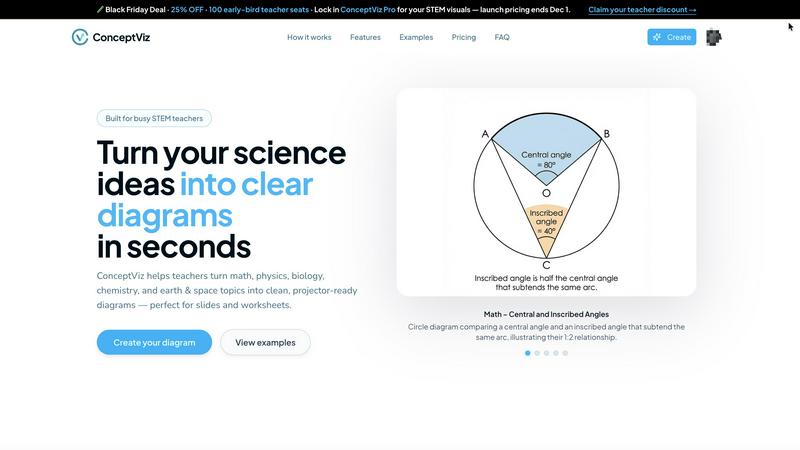
ConceptViz transforms plain-English descriptions into clear, accurate STEM diagrams in minutes for effective teaching.
VisitPublished on:
December 2, 2025
Pricing:
About conceptviz
ConceptViz is an innovative tool tailored for STEM educators, students, and researchers, designed to facilitate the creation of professional-quality diagrams effortlessly. This platform caters to a wide spectrum of educational needs, from K-12 classrooms to advanced research environments, enhancing the process of visual communication in science and mathematics. By allowing users to generate clear, projector-ready visuals in three simple steps, ConceptViz streamlines the development of lesson plans, lab instructions, and assessments. With support across various subjects—such as physics, biology, chemistry, earth and space science, and math—ConceptViz proves to be an invaluable asset for educators at all levels. Users can articulate their diagram requirements in plain English, and the tool transforms these ideas into high-quality visuals, saving time and improving the learning experience. By concentrating on clarity, consistency, and usability, ConceptViz empowers educators to convey complex scientific concepts in an accessible and engaging manner, ensuring that students can grasp essential ideas with ease.
Features of conceptviz
User-Friendly Interface
ConceptViz offers a simple, intuitive interface that allows users to sign in and select their subject matter effortlessly. This makes it accessible for educators and students with varying degrees of technical expertise, enabling them to focus on content rather than navigation.
Plain English Descriptions
Users can describe the diagrams they need in plain English, making the tool approachable for everyone. This feature eliminates the need for specialized terminology, allowing educators to express their ideas freely and receive tailored visuals based on their descriptions.
Projector-Ready Diagrams
All diagrams generated by ConceptViz are designed to be high-resolution and projector-ready. This ensures that visuals maintain clarity and legibility, from the front row to the back of the classroom, making it easier for students to engage with the material.
Subject and Grade Presets
ConceptViz includes quick presets for various subjects and U.S. grade bands, which facilitate the creation of diagrams specifically tailored to different educational levels. This feature allows educators to quickly generate relevant content without the need for extensive customization.
Use Cases of conceptviz
Classroom Teaching
Educators can use ConceptViz to create customized diagrams for lesson plans, making complex scientific concepts easier to understand for students. This enhances the overall learning experience and supports diverse educational approaches.
Student Projects
Students can utilize ConceptViz to visually represent their research topics or science projects, allowing them to communicate their findings effectively. This encourages creativity and reinforces their understanding of the subject matter.
Lab Instructions
Researchers and educators can generate clear lab instruction diagrams that guide students through experiments. This helps to minimize confusion and increases the likelihood of successful outcomes in laboratory settings.
Assessments and Worksheets
ConceptViz can be used to create visually engaging assessments and worksheets that challenge students while providing clear instructions. This aids in evaluating student comprehension and reinforces learning objectives.
Frequently Asked Questions
What subjects does ConceptViz support?
ConceptViz supports a variety of subjects, including physics, biology, chemistry, earth and space science, and math, making it suitable for K-12 and higher education settings.
How do I create a diagram with ConceptViz?
Creating a diagram is simple: sign in, select your subject and grade level, describe the diagram you need in plain English, and ConceptViz will generate the visual for you to download and use.
Is there a free trial available for ConceptViz?
Yes, ConceptViz offers a free 4K Ultra HD trial, allowing users to explore the platform and create diagrams without the need for a credit card.
Can I use the diagrams in my presentations?
Absolutely! The diagrams created by ConceptViz are high-resolution and projector-ready, making them perfect for use in presentations, slideshows, and printed materials.
Similar to conceptviz

Motiofy is an AI creative workspace that helps creators and teams turn ideas into polished visual stories.

AI transcription for voice notes, meetings, and audio files in 1,700 languages, with AI summaries and subtitle export and unlimited chat ai usage.

AI sales agent that finds qualified leads, runs outreach, follows up automatically, creates content, and helps book more meetings.

An AI tools directory that turns down money. 146 listings, 20 categories, no sponsored placement and no affiliate ordering.

Get your SaaS tool discovered. Free listing, honest screening, a dofollow link — and no way for anyone to outbid you.

Tools Network is a curated directory of the best AI tools across 25+ categories — from writing and image generation to coding and marketing.

AI-native presentation and visual content platform that turns prompts, documents, images, videos, and data into polished, shareable decks.

ProfileLoom turns one photo into platform-ready AI portraits for professional, social, and creator profiles, with presets and built-in editing.