
CheckoutReceipt
Generate authentic receipts for business, education, or creative use with 100+ templates, real-time editing, and instant PNG/PDF downloads.
Visit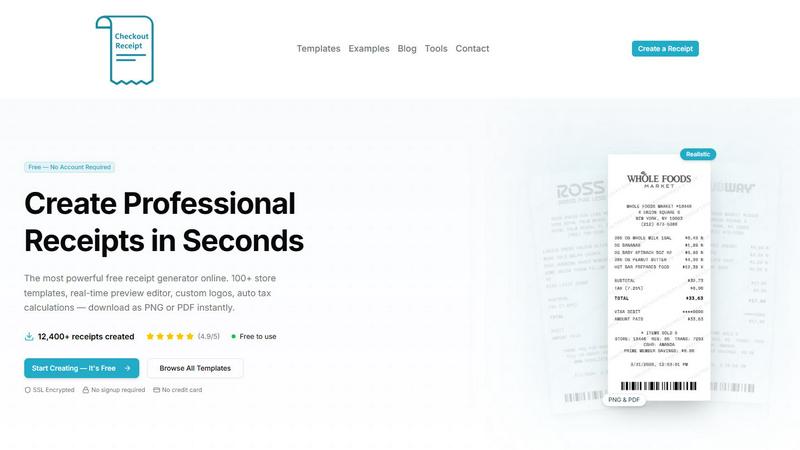
About CheckoutReceipt
CheckoutReceipt is a powerful, free online receipt generator and maker designed to create professional, realistic receipts in under 60 seconds. This browser-based tool provides over 100 customizable store templates covering retail giants like Target, Walmart, and Home Depot, food and dining establishments like Subway and Dunkin, service industries, automotive shops, healthcare providers, and many more categories. The core value proposition is simplicity and speed: users can select a template, customize every detail including store name, address, items, prices, tax rates, payment methods, and logos, then download the finished receipt as a high-resolution PNG or PDF file. No account creation, no software installation, and no credit card are required to use the service. CheckoutReceipt is trusted by over 10,000 professionals for legitimate receipt documentation needs, including business expense tracking, reimbursement requests, educational demonstrations, and creative projects. The tool emphasizes security and privacy by processing everything directly in the user's browser with SSL encryption, ensuring no receipt data is stored on external servers. It is explicitly designed for legitimate business, creative, and educational use only, with strict prohibitions against generating receipts for fraudulent or deceptive purposes. With a 4.9 out of 5 rating from users and over 12,400 receipts created, CheckoutReceipt stands as the most accessible and feature-rich free receipt generator available online.
Features of CheckoutReceipt
100+ Store-Specific Receipt Templates
Access a comprehensive library of over 100 realistic receipt templates that mirror the exact formats used by major retailers, restaurants, service providers, and other businesses. Templates include specific formats for Target (Regular and REDcard), Walmart (Supercenter and Neighborhood), Home Depot, Whole Foods, Subway, Publix, Ross, Dunkin, and dozens more. The collection spans automotive receipts, hospitality and travel receipts, food and dining receipts, health and personal care receipts, financial and administrative receipts, retail receipts, professional services receipts, bills and utilities receipts, entertainment receipts, and general service receipts. Each template is pre-formatted with authentic layouts, making it easy to generate convincing documentation for any scenario.
Real-Time Live Preview Editor
See every change you make reflected instantly in the live preview panel. As you type store names, add line items, adjust prices, modify tax rates, select payment methods, or change dates, the receipt updates in real-time to show exactly what the final downloaded version will look like. This immediate visual feedback eliminates guesswork and allows for precise adjustments, ensuring the finished receipt meets your exact specifications before you commit to downloading.
Fully Customizable Receipt Details
Edit every single element of your receipt with granular control. Customize the store name, store address, phone number, and website. Add or remove individual line items with product names, quantities, unit prices, and total amounts. Set tax rates manually or use auto-calculation features. Choose payment methods including cash, credit card, debit card, or check. Adjust the transaction date and time, receipt number, and even add custom messages or footer text. This level of customization ensures your receipt matches your specific needs perfectly.
Custom Logo Upload and Auto Barcode Generation
Upload your own business logo or select from built-in store logos to add authenticity to your receipts. The tool supports adjustable sizing and positioning for logos, ensuring they integrate seamlessly with the template design. Additionally, the system automatically generates realistic barcodes based on customizable numbers, adding another layer of authenticity to your receipts. Both features are designed to make your receipts look as professional and genuine as possible.
Use Cases of CheckoutReceipt
Business Expense Tracking and Reimbursement
Professionals can generate accurate receipts for business expenses that were paid with cash or where original receipts were lost. This is particularly useful for employees who need to submit expense reports for travel, client meetings, office supplies, or other work-related purchases. The tool allows users to recreate receipts with the correct store name, date, items, and amounts, ensuring reimbursement requests are properly documented and compliant with company policies. The ability to download as PDF provides a universally accepted format for submission to accounting departments.
Educational Demonstrations and Training
Teachers, trainers, and educators can use CheckoutReceipt to create realistic receipts for classroom exercises, financial literacy programs, and vocational training. Students learning about budgeting, accounting, tax preparation, or retail operations benefit from working with authentic-looking documents. The tool allows instructors to customize receipts with specific scenarios, such as grocery shopping for a budget exercise or tracking expenses for a small business simulation. This practical application enhances learning outcomes and prepares students for real-world financial documentation.
Creative Projects and Content Creation
Content creators, graphic designers, and artists can generate realistic receipts for use in videos, social media posts, presentations, or artistic projects. Whether creating a mock receipt for a comedy sketch, designing a prop for a film or theater production, or illustrating a point in a blog post about consumer behavior, CheckoutReceipt provides the tools to produce professional-looking receipts quickly. The PNG and PDF export options ensure high-quality images suitable for both digital and print use in creative works.
Personal Record Keeping and Budgeting
Individuals can generate receipts for personal transactions where original receipts have been lost or damaged. This is especially useful for warranty claims, insurance documentation, tax deductions, or simply maintaining organized personal financial records. Users can recreate receipts for major purchases, medical expenses, charitable donations, or rent payments, ensuring they have proper documentation for any future needs. The no-account-required feature makes it easy to generate a receipt on the spot whenever needed.
Frequently Asked Questions
Is CheckoutReceipt really free to use?
Yes, CheckoutReceipt is completely free to use with no hidden costs or subscription fees. There is no requirement to create an account, provide a credit card, or sign up for any service. You can simply visit the website, choose a template, customize your receipt, and download it instantly as a PNG or PDF. All features, including the 100+ templates, live preview editor, custom logo upload, barcode generation, and multiple export formats, are available at no charge.
Can I use CheckoutReceipt for fraudulent purposes?
No. CheckoutReceipt is explicitly designed for legitimate business, creative, and educational use only. Generating receipts to commit fraud, deceive others, or misrepresent transactions is strictly prohibited by the Terms of Service. The tool should not be used to create fake receipts for insurance claims, tax evasion, legal disputes, or any other deceptive activity. Users who violate these terms may be subject to account restrictions or legal action.
What file formats can I download my receipt in?
You can download your completed receipt in two high-quality formats: PNG and PDF. The PNG format is ideal for digital use, such as inserting into documents, emails, or social media posts, and provides crisp text at any size. The PDF format is best for printing or sharing as a professional document, maintaining the exact layout and formatting you created in the editor. Both formats are optimized for high resolution and clarity.
How does CheckoutReceipt protect my privacy and data security?
CheckoutReceipt prioritizes user privacy and security by processing everything directly in your browser. All receipt data is handled client-side, meaning no information is transmitted to or stored on external servers. The website uses SSL encryption to secure your connection. No account creation is required, so there is no personal data to store or manage. This approach ensures that your receipt details, including store names, items, and prices, remain completely private and under your control.
Explore more in this category:
Similar to CheckoutReceipt

AI Email Filter sorts incoming mail into folders using plain-language prompts you write. Works with any IMAP mailbox; bring your own LLM if you want.

No-code 2D game editor: visual node logic, drag-and-drop scenes, live preview. Exports to Windows, macOS, Linux, Android, iOS, Web.

Free collection of online developer utilities, code formatters, and digital converters designed to streamline your daily workflow.

Online tally counter for tracking attendance, workouts, inventory, visitors, sports scores, habits, and everyday counting tasks.

The #1 Native Form Builder Plugin for Framer - No Code, No Embeds, No External Platforms.

A free launch checklist for SaaS, apps, AI tools and more. Every step says why it matters and when you can skip it.

Practical, independent guides to home repairs, maintenance, costs, troubleshooting, and everyday fixes.

Highlight faster. Study in flow with custom shortcuts and a workflow built around you. Print smarter, or turn any page into a tiled poster.