
Budgeting App
Walleta is a free budgeting app that simplifies expense tracking with AI receipt scanning and personalized monthly budget management.
Visit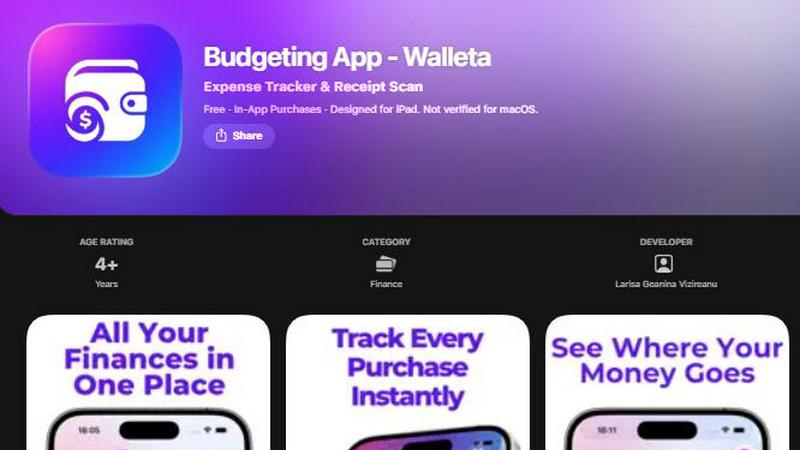
About Budgeting App
Budgeting App, also known as Walleta, is a free iOS application designed for users seeking an efficient budget planner and AI expense tracker without the need for bank linking. It is ideal for individuals who prefer to manage their finances privately, such as travelers, expats, students, and privacy-focused households. The app offers features like monthly spending limits, receipt capture, and detailed category analytics, all within a user-friendly interface. With Walleta, users can effortlessly track their expenses by simply capturing receipt photos or logging transactions manually. The app also provides real-time budget monitoring, alerts for nearing limits, and visual analytics to help users understand their spending habits. By prioritizing user privacy, Walleta ensures that no sensitive financial data is stored in the cloud or linked to external accounts.
Features of Budgeting App
AI Receipt Scanning
Walleta's AI receipt scanning feature allows users to capture receipt photos, enabling on-device AI to extract essential details such as merchant name, total amount, date, and category. This eliminates the need for manual entry, making expense tracking quick and efficient. After taking a photo, users simply verify the details before saving them to their expense history.
One-Tap Expense Logging
With Walleta, logging expenses is simplified to a single tap. The app includes 14 built-in categories such as food, groceries, transport, and health, allowing users to categorize their spending instantly. This feature helps users maintain a clear overview of their expenses and manage their budgets effectively.
Monthly Budget Management
Users can set monthly spending limits within Walleta to monitor their financial health. The app provides real-time progress tracking and alerts when spending approaches predefined limits. This proactive approach helps users stay on budget and avoid overspending, promoting better financial discipline.
Visual Analytics and Reporting
Walleta offers beautiful analytics to visualize spending patterns. Users can access pie charts, bar graphs, and category summaries for various time frames, including weekly, monthly, and yearly periods. This feature enables users to analyze their financial habits and make informed decisions about their spending.
Use Cases of Budgeting App
Tracking Daily Expenses
Users can utilize Walleta to log their daily expenses seamlessly, whether it’s a morning coffee or a grocery run. The one-tap logging feature makes it easy to keep track of all spending in real time, ensuring that users remain aware of their financial habits throughout the day.
Budgeting for Travel
Walleta is particularly beneficial for travelers who need to manage expenses across different currencies. With multi-currency support, users can set budgets for their trips and track spending effortlessly, ensuring they stay within their financial limits while enjoying their travels.
Managing Household Finances
Families and individuals can use Walleta to manage their household finances by setting specific budgets for categories like groceries, bills, and subscriptions. This helps them allocate funds efficiently and provides insights into where their money is going each month.
Monitoring Subscription Services
With the rise of subscription services, Walleta helps users track monthly subscriptions and set budgets for them. By doing so, users can ensure they do not exceed their limits and can evaluate which services they truly need, optimizing their overall spending.
Frequently Asked Questions
Is Walleta secure for tracking my expenses?
Yes, Walleta prioritizes user privacy. All data is stored on your device, with no bank connections, account setups, or cloud syncing, ensuring your financial information remains private.
Can I use Walleta without an internet connection?
Absolutely. Walleta operates entirely on-device, allowing users to log expenses and manage their budgets without needing an internet connection.
How many AI scans can I use for free?
Free users can enjoy three AI receipt scans to test the feature. After that, a Walleta Pro subscription is required for unlimited scans.
What should I do if my receipts are not readable?
If the receipts are faded or unclear, users can manually log the expenses using the one-tap logging feature. Always verify details extracted by the AI to ensure accuracy.
Similar to Budgeting App


Money Tracker App is a private iOS expense tracker with AI receipt scanning and on-device data, no bank link or signup needed.

CalcFi offers 500+ free financial calculators for every money decision, providing instant results without signup and live data updates.

Easily identify and cancel forgotten subscriptions in minutes with our AI tool, saving you money and hassle for just $3.

Fintrack is your AI money copilot that tracks spending and automatically finds hidden savings for recover.

Easily sync your Australian bank and brokerage data to Google Sheets and YNAB for seamless financial tracking.

Ricco is a fun financial literacy game that teaches budgeting, investing, and money management through real-life.