
securememo.app vs Zovo
Side-by-side comparison to help you choose the right product.
securememo.app
Securememo.app is an open source memo service that ensures privacy with client-side encryption and no tracking.

Zovo offers 20 privacy-focused Chrome extensions for developers and writers with one subscription for all tools.
Last updated: February 26, 2026
Visual Comparison
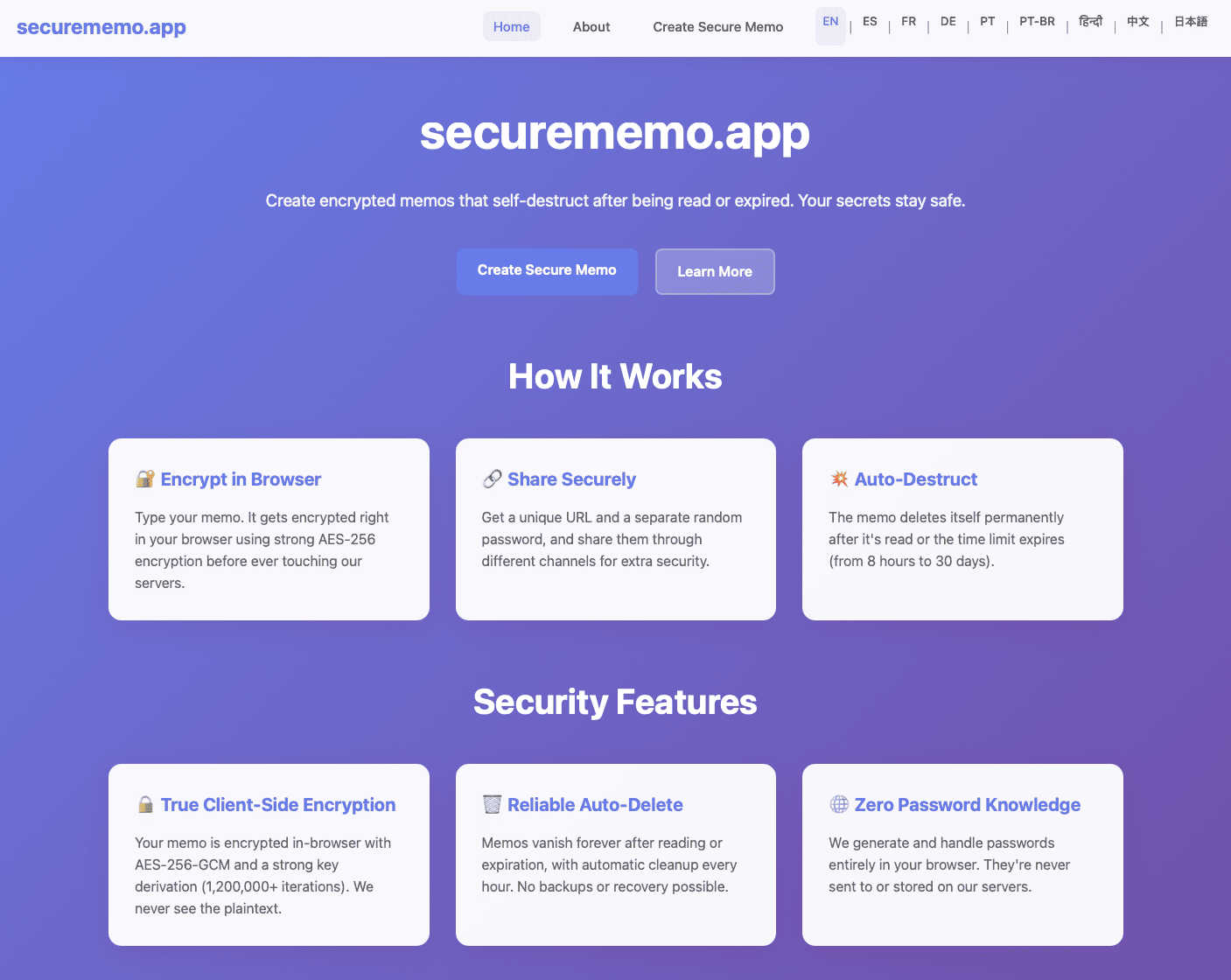
securememo.app
Zovo

Feature Comparison
securememo.app
Client-Side Encryption
Securememo.app employs advanced client-side encryption techniques, which means that all sensitive data is encrypted on the user’s device before it ever leaves the browser. This guarantees that only the note creator holds the decryption key, making the notes completely private and secure from unauthorized access.
Self-Destructing Notes
The service allows users to create self-destructing notes that automatically delete themselves after being viewed or after a set time. This feature is ideal for transmitting sensitive information that should not persist beyond its intended use, ensuring that information is not left vulnerable to future access.
Unique Link and Password Sharing
To share a memo securely, users generate a unique link alongside a strong, randomly generated password. The password is created entirely on the user's device and must be communicated through a separate channel. This process ensures that even if the link is intercepted, unauthorized individuals cannot access the note without the password.
Multi-Language Support
Securememo.app caters to a diverse audience by offering support in over 20 languages. This feature enhances accessibility and usability for users around the globe, making it easier for non-English speakers to utilize the service without language barriers.
Zovo
BeLikeNative
BeLikeNative helps users write like native speakers with just one keystroke. It supports 80 languages, making it an invaluable tool for multilingual users who want to enhance their writing skills quickly and effortlessly.
Tab Suspender Pro
Tab Suspender Pro automatically suspends inactive tabs to save memory and improve browser performance. With smart detection and memory tracking features, users can enjoy a smoother browsing experience without the hassle of manually managing their tabs.
JSON Formatter Pro
JSON Formatter Pro allows users to format, validate, and explore JSON data right in their browser. It offers beautification and minification options, as well as a tree explorer for easy navigation, making it an essential tool for developers working with JSON.
Clipboard History Pro
Clipboard History Pro ensures that users never lose copied text again. With the ability to store up to 10,000 clips, it features instant search and smart paste functionality, allowing users to retrieve and use their copied content efficiently.
Use Cases
securememo.app
Secure Personal Notes
Individuals can use Securememo.app to jot down personal thoughts or sensitive information that they do not want to store on their devices or share through traditional means. The self-destructing feature ensures that these notes are temporary and secure.
Confidential Business Communications
Businesses can utilize Securememo.app to share sensitive information, such as project details, financial data, or HR-related notes, with employees or clients. The encryption and self-destructing capabilities provide an extra layer of security for corporate communications.
Temporary Password Storage
Users can create temporary, self-destructing notes to store passwords or one-time codes. This is particularly useful for sharing login credentials for applications and services that require short-term access without leaving a digital footprint.
Educational Use
Students and educators can leverage Securememo.app to exchange notes or assignments securely. The service allows for the sharing of sensitive academic information without the risk of it being accessed by unintended parties.
Zovo
Enhancing Writing Skills
With BeLikeNative, users can improve their writing in real-time, making it ideal for students, professionals, and anyone needing to communicate effectively in multiple languages. It simplifies the writing process by providing instant rewrites.
Optimizing Browser Performance
Tab Suspender Pro is perfect for users who frequently juggle multiple tabs. By automatically suspending inactive tabs, it helps in reducing memory usage and keeping the browser responsive, making it a must-have for power users.
Simplifying JSON Workflows
Developers and data analysts can greatly benefit from JSON Formatter Pro, which streamlines the process of working with JSON data. It allows users to view, validate, and manipulate JSON with ease, thus speeding up their workflows significantly.
Managing Clipboard Content
Clipboard History Pro is a game-changer for anyone who frequently copies and pastes text. Whether for research, writing, or coding, this tool allows users to access previously copied items instantly, enhancing productivity and efficiency.
Overview
About securememo.app
Securememo.app is an innovative, privacy-centric memo service designed to help users create and share encrypted, self-destructing notes directly through their web browsers. This application is tailored for individuals who prioritize confidentiality and require a secure method to store and share sensitive information. With client-side encryption, all data is encrypted within the user's browser before it is transmitted to the Securememo servers. This ensures that only the user can access their notes, making it impossible for anyone else, including the service providers, to view the content. The platform is incredibly user-friendly, requiring no account creation, which enhances user anonymity. Securememo.app is designed for a global audience, supporting over 20 languages, allowing users worldwide to communicate sensitive information securely and efficiently. In an age of increasing data breaches and privacy violations, Securememo.app presents a robust solution for anyone needing a reliable tool for secure note-taking and sharing.
About Zovo
Zovo is a comprehensive suite of 20 Chrome extensions crafted by a solo developer with over 10 years of experience and an impressive track record of $400K+ earned on Upwork, boasting a 100% success rate. The flagship extension, BeLikeNative, empowers more than 3,300 users to write like native speakers by providing one-keystroke rewrites in an impressive 80 languages. This suite includes essential tools such as Tab Suspender Pro, JSON Formatter Pro, Clipboard History Pro, Form Filler Pro, Session Manager Pro, Regex Tester Pro, and Web Scraper Lite, among others. Each extension is built with a strong commitment to privacy, ensuring that user data never leaves their device. With no data harvesting and no outside investors, Zovo prioritizes user control by allowing users to vote on features and influence the development roadmap. New extensions are released monthly, with early access provided to members. Additionally, many tools are available for free online at zovo.one, making Zovo a valuable resource for anyone looking to enhance their browser experience without compromising their privacy.
Frequently Asked Questions
securememo.app FAQ
How does Securememo.app ensure my notes are private?
Securememo.app uses client-side encryption to secure your notes. This means your data is encrypted in your browser before it reaches our servers, ensuring that only you can access it.
Can I recover my notes after they self-destruct?
No, once a note self-destructs, it cannot be recovered. This feature is designed to enhance security by ensuring that sensitive information does not persist after its intended use.
Do I need to create an account to use Securememo.app?
No, Securememo.app does not require account creation. This policy enhances user anonymity and makes the service simple and quick to use.
Is Securememo.app available in multiple languages?
Yes, Securememo.app supports over 20 languages, making it accessible to a global audience and allowing users from different linguistic backgrounds to utilize the service easily.
Zovo FAQ
What type of data does Zovo collect?
Zovo is committed to user privacy and does not collect any personal data. All operations are performed locally on the user's device, ensuring that no data is harvested or transmitted.
How can I request new features for Zovo extensions?
Users can submit feature requests directly through the Zovo platform. The developer reads every request, and the most requested features are prioritized for development.
Is there a community for Zovo users?
Yes, Zovo has a dedicated Discord community where users can interact, share feedback, and discuss features. This platform fosters collaboration and helps shape the future of Zovo extensions.
Are Zovo extensions free to use?
Many Zovo tools are available for free online at zovo.one. However, some extensions may have premium features that require a subscription for full access, providing users with options to suit their needs.