
Perkoon vs SupaSidebar
Side-by-side comparison to help you choose the right product.

Perkoon enables free, unlimited peer-to-peer file transfers without signup, ensuring your files remain private and.
Last updated: March 4, 2026

SupaSidebar
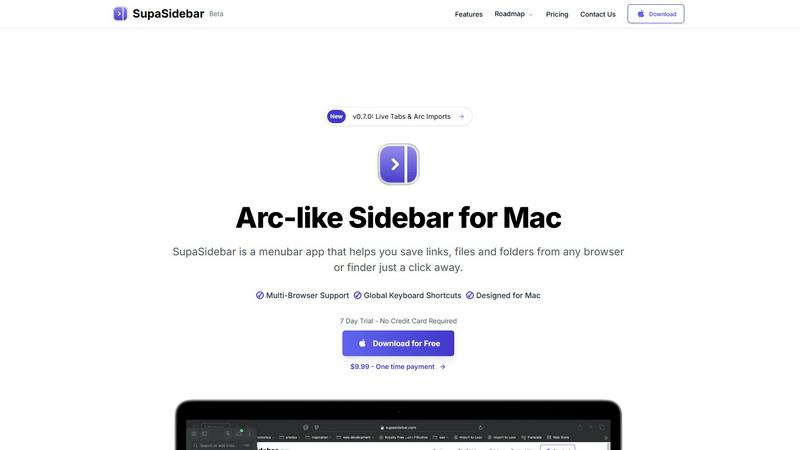
SupaSidebar is a Mac menubar app that instantly saves and accesses your links, files, and folders with ease.
Last updated: February 28, 2026
Visual Comparison
Perkoon

SupaSidebar
Feature Comparison
Perkoon
Peer-to-Peer File Transfer
Perkoon’s flagship feature utilizes P2P technology to facilitate direct file transfers between users' browsers. This method ensures that files are sent without limits, accounts, or delays, making it a truly free service. Since the files never pass through a central server, users enjoy enhanced privacy and security.
Encrypted Cloud Storage
When the recipient is offline, Perkoon provides secure cloud storage for file transfers. This paid feature ensures that files remain encrypted while stored on Perkoon’s servers, giving users peace of mind that their data is protected until it can be delivered.
AI Integration
Perkoon is built for the age of AI, featuring built-in automation tools that allow AI agents to interact with the service. This functionality streamlines the file transfer process, making it easy for machines to send and receive files without requiring manual input or screen scraping.
Referral and Rewards Program
Perkoon offers a unique referral program that incentivizes users to share the service with others. When a user refers a friend who then joins and transfers files, both parties receive extra storage, creating a mutually beneficial ecosystem that encourages growth and community engagement.
SupaSidebar
Instant Saving
With SupaSidebar, the time-consuming process of saving resources is streamlined. You can save or copy URLs in just one shortcut: press CMD CTRL S to save and CMD CTRL C to copy the current website link directly to the sidebar. This feature enables you to capture valuable information quickly without interrupting your workflow.
Recent Activity Tracking
SupaSidebar includes a robust Recents feature that tracks every website you have accessed in the last 48 hours. This makes it easy to find your work instantly, eliminating the frustration of sifting through countless tabs or bookmarks to locate previously visited sites.
Favorites Pinning
To enhance accessibility, SupaSidebar allows you to pin your favorite items at the top of your sidebar list. This ensures that the resources you use most frequently are always within reach, allowing for quick and efficient access to your most important files, folders, and links.
Quick Search Functionality
Navigating between various applications and files can slow down your productivity. SupaSidebar's fast search feature enables you to find any file, folder, website, or app instantly by pressing CMD CTRL K and typing your query. This functionality minimizes the time spent searching and maximizes your efficiency.
Use Cases
Perkoon
Personal File Sharing
Individuals can easily share large files with friends or family without worrying about size limits or the need for an account. Whether it's sending photos, videos, or documents, Perkoon ensures a seamless transfer experience.
Business Collaborations
Teams can utilize Perkoon to share large files securely during projects. The P2P transfer method allows for instant file delivery, facilitating collaboration without the frustrations of traditional file-sharing methods.
Offline File Delivery
Users can send files to recipients who are not currently online by utilizing Perkoon’s encrypted cloud storage. This feature is particularly useful for delivering important documents or large files that need to be accessed later.
Automation for Developers
Developers can integrate Perkoon into their applications or workflows using the built-in AI integration. This allows for automated file transfers and interactions, enhancing productivity and simplifying processes within tech environments.
SupaSidebar
Research Organization
For students and researchers, SupaSidebar serves as an invaluable tool to keep their digital resources organized. By allowing users to save links and documents associated with their projects in one easily accessible location, they can focus on their research without the distraction of cluttered tabs.
Project Management
Professionals managing complex projects can benefit from SupaSidebar's ability to keep all relevant files and resources organized. By pinning important links and utilizing the quick search feature, users can streamline their workflow and maintain a clearer overview of their tasks and deadlines.
Efficient Browsing
Casual users who spend significant time browsing the internet will appreciate how SupaSidebar simplifies link management. By enabling quick saving and retrieval of important pages, users can avoid the chaos of tab overload and maintain a smoother browsing experience.
Streamlined App Access
For individuals who frequently switch between multiple applications, SupaSidebar provides a centralized hub for easy access. By integrating all necessary applications into one sidebar, users can quickly launch their needed tools without navigating through the clutter of their desktop or dock.
Overview
About Perkoon
Perkoon is an innovative file transfer service designed for individuals and businesses seeking a straightforward and reliable way to move files without the usual complications associated with traditional services. It stands out by prioritizing user privacy and offering a hassle-free experience without hidden fees or mandatory sign-ups. Through its unique peer-to-peer (P2P) technology, Perkoon allows users to send files directly between browsers in real-time, eliminating size limits and ensuring that the data remains private. This feature is entirely free, as it incurs no costs for Perkoon. For situations where the recipient is offline, Perkoon provides an encrypted cloud storage option, enabling seamless file retrieval at a minimal cost that supports server operations. Additionally, Perkoon is designed with automation in mind, featuring built-in tools that allow AI agents to interact with the service directly. This makes it an ideal solution for both everyday users and tech-savvy individuals who require more from their file transfer services.
About SupaSidebar
SupaSidebar is a meticulously crafted native macOS application designed to enhance productivity by providing an Arc-inspired sidebar directly accessible from your menu bar. It functions as a universal command center for your digital activities, allowing you to effortlessly save, organize, and retrieve links, files, folders, and applications with just a click. Targeted towards professionals, researchers, students, and anyone engaged in multitasking across multiple browsers and apps, SupaSidebar effectively addresses prevalent issues such as tab overload, inefficient application switching, and chaotic resource management. Its core value proposition lies in consolidating all essential resources into a single, visually appealing, and distraction-free sidebar, enriched with global keyboard shortcuts that operate seamlessly throughout your entire system. Furthermore, SupaSidebar ensures that all data remains securely stored on your Mac, prioritizing user privacy and performance. Whether you are immersed in extensive research, managing intricate projects, or striving for a more efficient browsing experience, SupaSidebar is the ultimate tool to help you maintain organization and achieve a state of flow in your work.
Frequently Asked Questions
Perkoon FAQ
What makes Perkoon free?
Perkoon’s P2P file transfer service is free because it operates without the costs associated with central servers. The company only charges for encrypted cloud storage, which covers server expenses while keeping the primary service accessible to all users.
Is my data safe with Perkoon?
Yes, your data is safe with Perkoon. P2P transfers do not touch the servers, ensuring privacy. For cloud storage, files are encrypted, and Perkoon cannot view the content being transferred, providing users with confidence in their data security.
Which browsers are compatible with Perkoon?
Perkoon works seamlessly with Chrome, Edge, and Brave, offering no limits on file transfers. However, users of Firefox and Safari may encounter some restrictions due to browser limitations.
Can I use Perkoon for machine-to-machine transfers?
Absolutely. Perkoon is designed to accommodate automated processes and machine-to-machine interactions. The dedicated integration allows AI agents to communicate with the service directly, facilitating efficient transfers without manual intervention.
SupaSidebar FAQ
Is SupaSidebar a browser extension?
No, SupaSidebar is a native macOS application that integrates directly with your menu bar, allowing you to save and access resources from any browser or Finder without the need for a browser extension.
Which browsers does SupaSidebar work with?
SupaSidebar is compatible with all major browsers, including Safari, Chrome, Firefox, and Arc, making it versatile for various user preferences.
What macOS version do I need?
To use SupaSidebar, you need macOS version 13 or later. This ensures that you have the necessary system requirements for optimal performance.
Where is my data stored?
All data saved using SupaSidebar remains securely on your Mac. This commitment to privacy ensures that your information is not shared with third-party services, providing peace of mind for users concerned about data security.
Alternatives
Perkoon Alternatives
Perkoon is a peer-to-peer file transfer service that allows users to send files directly between browsers without any signup requirements. It falls under the productivity and management category, providing a hassle-free way to move files securely. Users often seek alternatives to Perkoon for various reasons, including the desire for specific features, pricing structures, or compatibility with different platforms. It’s essential to consider factors such as ease of use, security measures, and whether the service meets your unique file transfer needs when exploring alternatives. When searching for an alternative to Perkoon, prioritize services that offer similar functionalities, such as unlimited file sizes and privacy-focused operations. Look for platforms that cater to your specific use case, whether you need cloud storage options, automation tools, or user-friendly interfaces. Additionally, ensure that any alternative maintains a commitment to user privacy and data security, as these are crucial elements for a reliable file transfer service.
SupaSidebar Alternatives
SupaSidebar is a Mac menubar application designed to enhance productivity by providing instant access to links, files, and folders directly from your menu bar. As a universal command center for digital workflows, it helps users, such as professionals, students, and researchers, manage their resources efficiently in a distraction-free environment. Many users seek alternatives to SupaSidebar for various reasons, including pricing, the need for additional features, or compatibility with different platforms. When choosing an alternative, it is essential to consider factors such as ease of use, integration capabilities, security, and whether the app meets specific workflow requirements to ensure it effectively addresses your organizational challenges.