
Ironback vs Prompt Builder
Side-by-side comparison to help you choose the right product.

Ironback
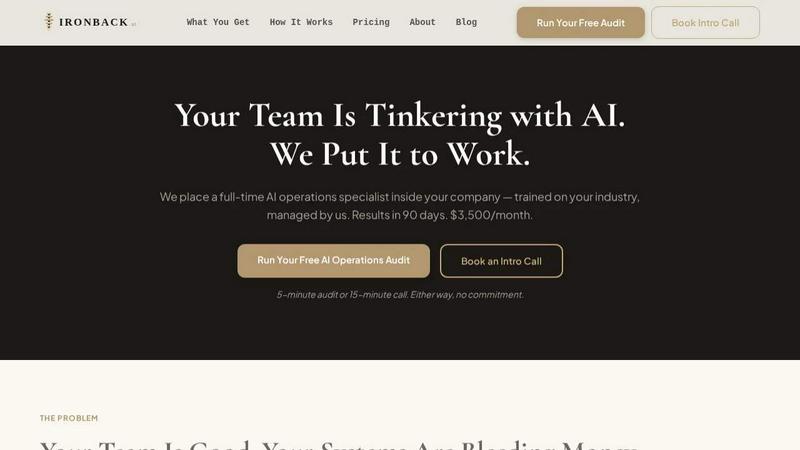
Ironback places a dedicated AI operations specialist in your business to automate processes and boost efficiency for just $3,500 a month.
Last updated: April 4, 2026

Prompt Builder
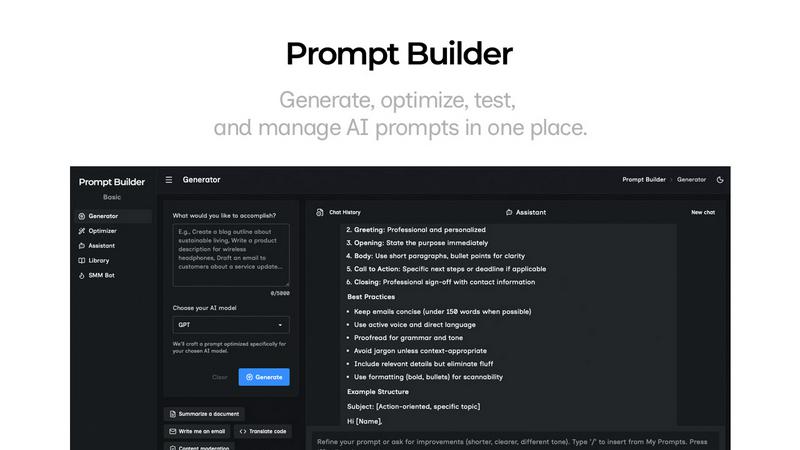
Generate, optimize, test, and manage AI prompts in one place. Turn an idea into a ready-to-use prompt in seconds.
Visual Comparison
Ironback
Prompt Builder
Overview
About Ironback
Ironback is a revolutionary service designed to enhance operational efficiency for service companies through the integration of a full-time AI operations specialist. This specialist is embedded directly into your organization, trained specifically on your industry and managed by Ironback's expert team. The primary objective is to alleviate operational bottlenecks that drain resources and time, ultimately saving your company significant costs. With a guaranteed savings of over $50,000 identified within a two-week assessment period, Ironback focuses on automating and streamlining processes such as call handling, estimating, scheduling, and compliance. This service is tailored for service companies seeking to optimize their workflows and improve customer service without the burden of hiring and training in-house personnel. With results expected within 90 days, Ironback not only fills gaps in your operations but also keeps pace with the rapid evolution of AI tools, ensuring ongoing efficiency.
About Prompt Builder
Prompt Builder is a prompt engineering workspace for writing, testing, and saving prompts. Describe the task in plain English, and it helps you create a prompt that matches the model you choose. Start with a draft, refine it in chat, save or pin versions, then run them when you are ready. It works with GPT, Claude, Gemini, Llama, Mistral, DeepSeek, Grok, Perplexity, and more. You also get an Optimizer, an assistant for quick tests, and a library of reusable prompts and templates from the community. Turn an idea into a ready-to-use prompt in seconds. Refine it in chat, save it to your Library, and run it anytime.