
Img Editor vs Vailo AI
Side-by-side comparison to help you choose the right product.

Img Editor
Create stunning AI-generated images from text in seconds with Img Editor's advanced image generation technology.
Last updated: February 28, 2026

Vailo AI
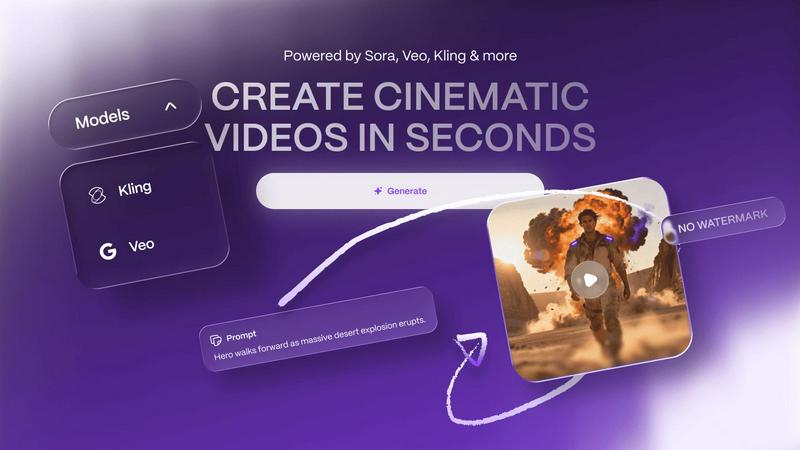
Vailo AI instantly creates high-quality, watermark-free videos and images from text.
Last updated: February 28, 2026
Visual Comparison
Img Editor

Vailo AI
Feature Comparison
Img Editor
AI-Powered Image Generation
Img Editor utilizes cutting-edge AI algorithms to generate images from text descriptions, transforming user ideas into visual art within seconds. This feature is perfect for artists seeking inspiration or for anyone who wants to visualize their concepts quickly and effortlessly.
Intelligent Image Editing
With Img Editor, users can edit existing images using simple text prompts. This feature allows for intuitive adjustments, enabling users to refine their visuals according to their specific needs, whether for personal projects or professional presentations.
Community Engagement and Bonus Generations
Img Editor promotes a vibrant community where users can engage with others and share their creations. By participating in gallery submissions or community activities, users can earn unlimited bonus image generations, enhancing the creative experience and fostering collaboration.
Multiple Image Quality Options
Users can select from various image quality settings, including 1K, 2K, and 4K resolutions. This flexibility allows users to create visuals that meet their specific requirements, whether for web use, print, or digital displays, ensuring high quality and detail in every creation.
Vailo AI
Multi-Model AI Engine
Vailo AI provides access to a suite of premium, top-tier AI models such as Imagen Ultra, Ideogram, and Kling o1 within a single platform. This multi-model approach ensures users can select the best engine for specific creative tasks, whether it's generating highly detailed images, creating realistic video sequences, or achieving a particular artistic style, all without needing separate subscriptions or accounts for different services.
Text-to-Video & Image-to-Video Generation
The platform specializes in transforming simple text descriptions or static images into high-quality, cinematic videos within seconds. This feature allows users to bypass traditional filming entirely, generating dynamic visual content that includes motion, scene changes, and professional-grade aesthetics directly from their ideas or existing visuals, streamlining the content creation pipeline dramatically.
All-in-One Creative Editing Suite
Beyond generation, Vailo AI functions as a complete creative studio. It integrates tools for editing images and videos, applying motion control effects, upscaling resolution, and adding voiceovers. This consolidation means users can manage the entire content creation lifecycle from ideation to final polish in one seamless workflow, without switching between disparate applications.
No-Watermark Free Tier
A standout feature is the commitment to accessibility through a robust free plan. Users receive credits to start creating immediately, with all generated content free from watermarks. This lowers the entry barrier, allowing beginners to explore the platform's full capabilities and produce professional-grade content for their portfolios or projects without any initial investment.
Use Cases
Img Editor
Digital Art Creation for Artists
Artists can leverage Img Editor to create original artworks from text prompts, tapping into the power of AI to explore new styles and concepts. This feature serves as a source of inspiration and a tool for rapid prototyping of artistic ideas.
Marketing Content Generation
Marketers can utilize Img Editor to generate eye-catching visuals for campaigns, social media posts, and advertisements. The ability to create tailored images that resonate with target audiences enhances the effectiveness of marketing strategies.
Educational Resources and Illustrations
Educators can use Img Editor to create custom illustrations and graphics for teaching materials. By generating relevant visuals, educators can enhance engagement and understanding in their lessons, catering to diverse learning styles.
Hobbyist Projects and Personal Use
Hobbyists and casual users can enjoy Img Editor for personal projects, such as creating custom images for gifts, home decor, or personal blogs. The platform's accessibility allows anyone to explore their creativity without financial constraints.
Vailo AI
Social Media Content Creation
Creators and marketers can rapidly produce optimized, engaging content for platforms like TikTok, Instagram Reels, and YouTube. Using text prompts, they can generate eye-catching videos for ads, promotional clips, or educational content, ensuring a consistent and high-quality output that resonates with their audience without the need for video shoots.
Product Marketing and Showcases
E-commerce brands and businesses can create compelling product demonstration videos and promotional visuals. By animating product images or generating scenes that showcase items in use, Vailo AI enables the creation of professional ads and showcase videos that highlight features and benefits, driving customer interest and sales.
Storyboarding and Pre-Visualization
Filmmakers, agencies, and creative teams can use Vailo AI to quickly generate visual storyboards and concept scenes from script descriptions. This accelerates the pre-production process, allowing for efficient brainstorming, client presentations, and planning of shots before committing to expensive live-action filming or animation production.
Personalized Content and Portrait Animation
Users can create personalized videos by animating portraits or generating custom avatars. This is ideal for creating unique greeting messages, personalized marketing content, or dynamic profile elements, adding a layer of custom motion and life to static images for a more engaging viewer experience.
Overview
About Img Editor
Img Editor is a revolutionary AI-powered platform that offers advanced image generation and editing capabilities entirely for free. Designed to cater to a diverse audience including artists, designers, marketers, content creators, and hobbyists, Img Editor democratizes access to professional-grade digital art tools. Its dual-mode functionality allows users to create entirely new images from text prompts or make intelligent edits to existing images. With 10 free image generations available daily, users can also earn unlimited bonus generations through active community participation. The platform's AI understands natural language, delivering stunning visuals in various styles and resolutions, ranging from 1K to ultra-quality 4K outputs. Img Editor's primary value proposition lies in its combination of high-end AI capabilities with a user-friendly interface, ensuring that sophisticated image creation is accessible to everyone regardless of their budget or skill level.
About Vailo AI
Vailo AI is a comprehensive, all-in-one generative AI studio designed to democratize the creation of high-quality visual content. It functions as a unified platform that consolidates multiple advanced AI tools, enabling users to generate cinematic videos, stunning images, and perform complex edits from simple text prompts or static images. The core value proposition is eliminating traditional barriers to professional video production, such as the need for expensive equipment, camera crews, or complex editing software. By offering a free tier with no watermarks and access to top-tier AI models, Vailo AI makes studio-level creation accessible to everyone. It is built for a wide range of users including content creators, filmmakers, graphic designers, marketing professionals, and brands who need to produce engaging visuals quickly and efficiently. From generating authentic imagery to animating portraits and editing videos with motion control, Vailo AI serves as a single workflow for producing UGC ads, product showcases, storyboards, and optimized content for platforms like TikTok, Instagram Reels, and YouTube.
Frequently Asked Questions
Img Editor FAQ
How many images can I generate daily with Img Editor?
Users can generate up to 10 images for free each day. Additionally, by participating in community activities, users can earn unlimited bonus generations, enhancing their creative opportunities.
What image quality options are available on Img Editor?
Img Editor offers several image quality settings, including 1K for standard quality, 2K for high quality, and 4K for ultra-high quality. Users can choose the resolution that best fits their project needs.
Can I edit existing images on Img Editor?
Yes, Img Editor features an intelligent image editing tool that allows users to make adjustments to existing images using text prompts. This functionality enables intuitive and user-friendly modifications.
Is Img Editor completely free to use?
Yes, Img Editor is entirely free, providing users with access to advanced AI image generation and editing tools without any cost barriers. Users can also earn bonuses through community engagement to further enhance their experience.
Vailo AI FAQ
Is there a free plan for Vailo AI?
Yes, Vailo AI offers a comprehensive free plan designed for new users to explore the platform. It includes free credits upon signup, access to all image and video tools, and the ability to generate a number of videos and images using premium models. Crucially, all content created on the free plan is delivered without any watermarks.
What AI models does Vailo AI use?
Vailo AI integrates multiple top-tier generative AI models into its platform, including but not limited to Imagen Ultra, Ideogram, and Kling o1. This multi-model engine gives users flexibility and power, allowing them to choose the best model for specific tasks like image generation, video creation, or style replication from a single account.
What can I create with Vailo AI?
You can create a wide variety of visual content, including high-quality images, cinematic videos from text or images, edited videos with effects, motion-controlled animations, and upscaled visuals. Common outputs are social media ads, product promos, short films, storyboards, and authentic marketing imagery, all without traditional production resources.
How does the credit system work?
Vailo AI operates on a credit-based system where generating images or videos consumes a certain number of credits from your monthly allowance. Different tasks and model choices may use different credit amounts. Plans offer a set number of credits per month (e.g., 2500 in the Creator Plan), which renew on your billing cycle. You can also purchase additional credit packs.
Alternatives
Img Editor Alternatives
Img Editor is a cutting-edge AI image generation and editing platform that operates within the Image & Photo category. It allows users to create stunning visuals from text descriptions and modify existing images through intuitive text prompts. The platform is designed to cater to a broad audience, including artists, designers, marketers, and content creators, by offering robust tools without the burden of costs commonly associated with professional-grade image creation. Users often seek alternatives to Img Editor for various reasons, such as specific feature requirements, platform compatibility, or pricing structures that better fit their needs. When choosing an alternative, it is essential to consider factors such as ease of use, the quality of output images, customization options, and the availability of advanced editing features. Additionally, understanding the technology behind the platform and its ability to meet individual creative demands can significantly influence the decision-making process.
Vailo AI Alternatives
Vailo AI is a comprehensive generative-AI studio focused on creating high-quality, watermark-free videos from text or images. It falls into the categories of AI video generation, image creation, and all-in-one creative suites. The platform consolidates top AI models to streamline professional visual content creation for social media, marketing, and filmmaking. Users often explore alternatives for various reasons. These can include specific budget constraints, a need for different feature sets like advanced editing controls or 3D generation, or a preference for a platform dedicated to a single type of output rather than a multi-tool suite. Platform compatibility and specific workflow integrations also drive the search for other options. When evaluating an alternative, consider the core capabilities you need. Key factors include the quality and style of video output, the availability of a free or trial plan, pricing transparency, the range of supported AI models, and export options like resolution and format. Also, assess whether the tool is a specialized single-purpose application or a broader creative platform to match your project scope.