
HeyVid vs SupaSidebar
Side-by-side comparison to help you choose the right product.

HeyVid is your all-in-one AI platform for generating high-quality videos, images, voice, and music effortlessly.
Last updated: April 4, 2026

SupaSidebar
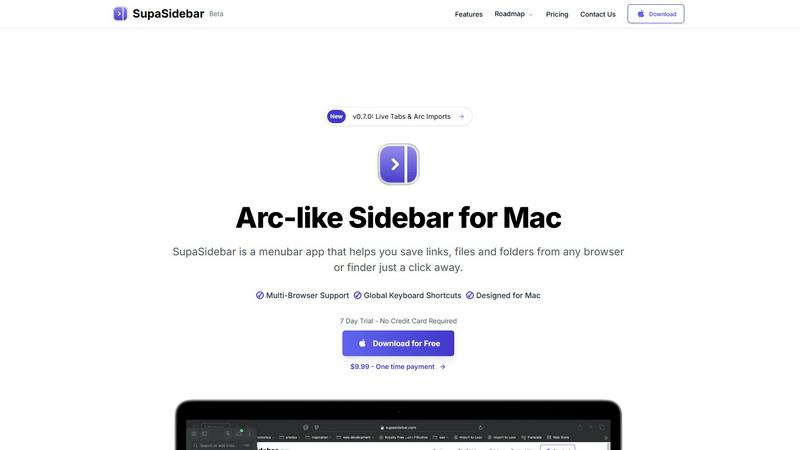
SupaSidebar is a Mac menubar app that instantly saves and accesses your links, files, and folders with ease.
Last updated: February 28, 2026
Visual Comparison
HeyVid

SupaSidebar
Feature Comparison
HeyVid
Unified AI Model Marketplace
HeyVid provides a single platform to access and utilize the industry's leading AI models. For video, this includes top performers like Kling AI, Veo 3.1, Sora 2, Runway, and Pika AI. For images, users can choose from models such as Midjourney, Flux AI, Dall-E, and Stable Diffusion. This feature eliminates the need for multiple subscriptions and logins, allowing creators to select the best tool for their specific project directly within HeyVid's interface, ensuring optimal results for every task.
Multi-Format Content Generation
The platform supports a comprehensive range of generation methods to cater to various creative needs. Users can create content from scratch using text prompts (Text-to-Video, Text-to-Image) or transform existing assets (Image-to-Video, Image-to-Image). This flexibility allows for tasks like animating static pictures, refining photo styles, generating videos from scripts, and creating new visual concepts from descriptive prompts, all through a streamlined process.
Professional-Grade Customization Controls
HeyVid offers detailed controls for fine-tuning outputs to meet professional standards. When generating videos, users can select specific models (e.g., Veo 3.1 Fast vs. Quality), set resolution up to 4K, choose aspect ratios, adjust prompts with a high character limit, and utilize optional parameters like seed values for consistency and watermarking. This level of control ensures the final content aligns precisely with brand guidelines and quality requirements.
Integrated Creative Workflow Suite
Beyond core generation, HeyVid functions as a complete creative studio that streamlines the entire production pipeline. It integrates tools for scriptwriting, storyboarding, and post-production, covering every step from idea to publication. This all-in-one approach saves significant time and resources, making it efficient for professionals to manage complex projects without switching between disparate applications.
SupaSidebar
Instant Saving
With SupaSidebar, the time-consuming process of saving resources is streamlined. You can save or copy URLs in just one shortcut: press CMD CTRL S to save and CMD CTRL C to copy the current website link directly to the sidebar. This feature enables you to capture valuable information quickly without interrupting your workflow.
Recent Activity Tracking
SupaSidebar includes a robust Recents feature that tracks every website you have accessed in the last 48 hours. This makes it easy to find your work instantly, eliminating the frustration of sifting through countless tabs or bookmarks to locate previously visited sites.
Favorites Pinning
To enhance accessibility, SupaSidebar allows you to pin your favorite items at the top of your sidebar list. This ensures that the resources you use most frequently are always within reach, allowing for quick and efficient access to your most important files, folders, and links.
Quick Search Functionality
Navigating between various applications and files can slow down your productivity. SupaSidebar's fast search feature enables you to find any file, folder, website, or app instantly by pressing CMD CTRL K and typing your query. This functionality minimizes the time spent searching and maximizes your efficiency.
Use Cases
HeyVid
Marketing and Advertising Campaigns
Digital agencies and marketers can leverage HeyVid to rapidly produce high-volume, high-quality visual content for ad campaigns, social media posts, email marketing visuals, and landing page videos. The ability to quickly generate variations and test different visual styles allows for efficient A/B testing and campaign optimization, helping brands capture audience attention and drive engagement with professional assets.
Educational and Training Material Creation
Educators and corporate trainers can use HeyVid to transform lesson plans and training modules into engaging video content. This includes creating tutorial videos, animated presentations, course introductions, and complex concept explainers. The platform simplifies the process, enabling the production of compelling educational materials that enhance learning retention without requiring a video production team.
Startup and Entrepreneur Pitches
Entrepreneurs can create compelling pitch videos and product launch announcements to present to investors and stakeholders. HeyVid enables the creation of videos with customizable tone, pacing, and cinematic visuals that effectively communicate a startup's vision, mission, and value proposition, making a powerful and memorable impression during critical funding rounds or launch events.
Social Media and Content Creator Production
Content creators for platforms like YouTube, TikTok, and Instagram can use HeyVid to consistently produce thumbnails, short-form video clips, podcast visuals, and full-length video content. The speed and ease of generation help creators maintain a regular posting schedule, experiment with new formats, and enhance production value, allowing them to grow their audience with professional-looking content.
SupaSidebar
Research Organization
For students and researchers, SupaSidebar serves as an invaluable tool to keep their digital resources organized. By allowing users to save links and documents associated with their projects in one easily accessible location, they can focus on their research without the distraction of cluttered tabs.
Project Management
Professionals managing complex projects can benefit from SupaSidebar's ability to keep all relevant files and resources organized. By pinning important links and utilizing the quick search feature, users can streamline their workflow and maintain a clearer overview of their tasks and deadlines.
Efficient Browsing
Casual users who spend significant time browsing the internet will appreciate how SupaSidebar simplifies link management. By enabling quick saving and retrieval of important pages, users can avoid the chaos of tab overload and maintain a smoother browsing experience.
Streamlined App Access
For individuals who frequently switch between multiple applications, SupaSidebar provides a centralized hub for easy access. By integrating all necessary applications into one sidebar, users can quickly launch their needed tools without navigating through the clutter of their desktop or dock.
Overview
About HeyVid
HeyVid is an all-in-one AI-powered creative platform designed to generate high-quality videos and images with speed, simplicity, and professional-grade results. It serves as a centralized hub, granting users access to a vast array of top-tier AI models for video, image, voice, and music generation. The platform is engineered to streamline the entire content creation workflow, from initial concept to final output, eliminating the need for complex editing software or specialized skills. HeyVid is built for a wide spectrum of users, including entrepreneurs, marketers, educators, developers, social media creators, and businesses of all sizes. Its core value proposition lies in democratizing professional content creation by providing an intuitive interface where users can simply describe their vision or upload assets, and the AI handles the intricate process of rendering compelling visuals. By consolidating multiple cutting-edge models like Sora 2, Veo 3.1, Midjourney, and Flux AI into a single platform, HeyVid empowers users to experiment and produce diverse content formats—including text-to-video, image-to-video, text-to-image, and image-to-image—all within one cohesive and efficient studio.
About SupaSidebar
SupaSidebar is a meticulously crafted native macOS application designed to enhance productivity by providing an Arc-inspired sidebar directly accessible from your menu bar. It functions as a universal command center for your digital activities, allowing you to effortlessly save, organize, and retrieve links, files, folders, and applications with just a click. Targeted towards professionals, researchers, students, and anyone engaged in multitasking across multiple browsers and apps, SupaSidebar effectively addresses prevalent issues such as tab overload, inefficient application switching, and chaotic resource management. Its core value proposition lies in consolidating all essential resources into a single, visually appealing, and distraction-free sidebar, enriched with global keyboard shortcuts that operate seamlessly throughout your entire system. Furthermore, SupaSidebar ensures that all data remains securely stored on your Mac, prioritizing user privacy and performance. Whether you are immersed in extensive research, managing intricate projects, or striving for a more efficient browsing experience, SupaSidebar is the ultimate tool to help you maintain organization and achieve a state of flow in your work.
Frequently Asked Questions
HeyVid FAQ
What AI models are available on HeyVid?
HeyVid provides access to a wide selection of state-of-the-art AI models. For video generation, this includes models like Kling AI, Veo 3.1, Sora 2, Runway, and Pika AI. For image generation, available models encompass Midjourney, Flux AI, Dall-E, GPT-4o, and Stable Diffusion, among others. The platform continuously updates its offerings to include the latest and most powerful models available in the market.
Do I need video editing skills to use HeyVid?
No, advanced video editing skills are not required to use HeyVid effectively. The platform is designed with an intuitive interface where creation is driven by text prompts and simple selections. The AI handles the complex rendering and composition tasks. However, for users seeking finer control, professional customization options are available to adjust parameters like resolution, aspect ratio, and style.
What types of content can I create with HeyVid?
You can create a diverse range of content formats with HeyVid. Primary capabilities include generating videos from text prompts (Text-to-Video), animating existing images (Image-to-Video), creating images from text descriptions (Text-to-Image), and transforming or stylizing existing photos (Image-to-Image). This makes it suitable for producing ads, social media content, educational videos, marketing materials, and more.
How does the credit system work?
HeyVid operates on a credit-based system for generating content. Each action, like creating a video or image, consumes a certain number of credits, which varies based on the model used, output resolution, and other selected options. For example, generating a video with the Veo 3.1 model may require a specific credit amount as indicated on the generation interface. Users purchase plans that provide a bundle of credits for use over a period.
SupaSidebar FAQ
Is SupaSidebar a browser extension?
No, SupaSidebar is a native macOS application that integrates directly with your menu bar, allowing you to save and access resources from any browser or Finder without the need for a browser extension.
Which browsers does SupaSidebar work with?
SupaSidebar is compatible with all major browsers, including Safari, Chrome, Firefox, and Arc, making it versatile for various user preferences.
What macOS version do I need?
To use SupaSidebar, you need macOS version 13 or later. This ensures that you have the necessary system requirements for optimal performance.
Where is my data stored?
All data saved using SupaSidebar remains securely on your Mac. This commitment to privacy ensures that your information is not shared with third-party services, providing peace of mind for users concerned about data security.
Alternatives
HeyVid Alternatives
HeyVid is an all-in-one AI video and image generator designed for productivity and management. It allows users to create professional-quality visual content quickly and simply, positioning itself as a versatile tool for content creation. Users often explore alternatives to HeyVid for various reasons. Common factors include specific budget constraints or pricing models, the need for different or more specialized features, and compatibility requirements with other platforms or existing workflows. The search for the right tool is highly individual. When evaluating an alternative, consider your primary use case. Key aspects to compare include the quality and style of AI-generated output, the speed and simplicity of the workflow, the range of available features beyond core generation, and the overall value relative to the cost. Assessing these elements will help you find the best fit for your creative or professional needs.
SupaSidebar Alternatives
SupaSidebar is a Mac menubar application designed to enhance productivity by providing instant access to links, files, and folders directly from your menu bar. As a universal command center for digital workflows, it helps users, such as professionals, students, and researchers, manage their resources efficiently in a distraction-free environment. Many users seek alternatives to SupaSidebar for various reasons, including pricing, the need for additional features, or compatibility with different platforms. When choosing an alternative, it is essential to consider factors such as ease of use, integration capabilities, security, and whether the app meets specific workflow requirements to ensure it effectively addresses your organizational challenges.