
FilexHost vs SupaSidebar
Side-by-side comparison to help you choose the right product.

FilexHost
Easily host and share any file with a simple drag and drop, getting a live URL in seconds.
Last updated: February 26, 2026

SupaSidebar
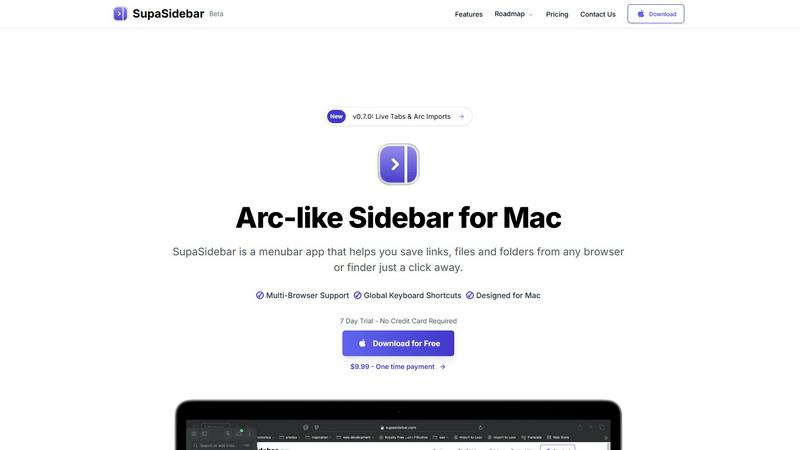
SupaSidebar is a Mac menubar app that instantly saves and accesses your links, files, and folders with ease.
Last updated: February 28, 2026
Visual Comparison
FilexHost

SupaSidebar
Feature Comparison
FilexHost
Instant Subdomains
FileXHost provides instant subdomains for every uploaded file, allowing users to share links in the format of your-file.filex.host. This feature requires zero setup, making it incredibly convenient for quick sharing.
Free SSL Encryption
Every link generated by FileXHost comes with free SSL encryption, ensuring that all shared files are securely transmitted. This feature protects user data and builds trust with recipients by providing a secure environment for file sharing.
Smart View Modes
FileXHost offers smart view modes that allow users to choose how their files are presented. Options include direct rendering for immediate viewing or a download page depending on the recipient's needs, enhancing flexibility in sharing.
Built-in File Viewers
With built-in viewers for various file types, FileXHost supports formats like PDFs, images, videos, and archives. The platform automatically renders files to provide an optimal viewing experience directly in the browser, eliminating the need for additional software.
SupaSidebar
Instant Saving
With SupaSidebar, the time-consuming process of saving resources is streamlined. You can save or copy URLs in just one shortcut: press CMD CTRL S to save and CMD CTRL C to copy the current website link directly to the sidebar. This feature enables you to capture valuable information quickly without interrupting your workflow.
Recent Activity Tracking
SupaSidebar includes a robust Recents feature that tracks every website you have accessed in the last 48 hours. This makes it easy to find your work instantly, eliminating the frustration of sifting through countless tabs or bookmarks to locate previously visited sites.
Favorites Pinning
To enhance accessibility, SupaSidebar allows you to pin your favorite items at the top of your sidebar list. This ensures that the resources you use most frequently are always within reach, allowing for quick and efficient access to your most important files, folders, and links.
Quick Search Functionality
Navigating between various applications and files can slow down your productivity. SupaSidebar's fast search feature enables you to find any file, folder, website, or app instantly by pressing CMD CTRL K and typing your query. This functionality minimizes the time spent searching and maximizes your efficiency.
Use Cases
FilexHost
Professional Reports Sharing
Professionals can utilize FileXHost to share client reports and presentations effortlessly. The ability to generate shareable links instantly allows for quick distribution and feedback, streamlining communication processes.
Developer Landing Pages
Developers can host landing pages or mock APIs using FileXHost without the hassle of server management. The platform's drag-and-drop interface makes it easy to upload HTML files or ZIP archives, allowing for rapid deployment.
Digital Products Distribution
Creators can distribute digital products, such as eBooks or software, through FileXHost. The secure sharing options, including password protection and link expiration, ensure that products are delivered safely and privately.
Educational Content Sharing
Educators can share lecture notes, multimedia resources, and study materials with students. FileXHost's ability to host various file types and render them for easy access makes it a valuable tool in educational settings.
SupaSidebar
Research Organization
For students and researchers, SupaSidebar serves as an invaluable tool to keep their digital resources organized. By allowing users to save links and documents associated with their projects in one easily accessible location, they can focus on their research without the distraction of cluttered tabs.
Project Management
Professionals managing complex projects can benefit from SupaSidebar's ability to keep all relevant files and resources organized. By pinning important links and utilizing the quick search feature, users can streamline their workflow and maintain a clearer overview of their tasks and deadlines.
Efficient Browsing
Casual users who spend significant time browsing the internet will appreciate how SupaSidebar simplifies link management. By enabling quick saving and retrieval of important pages, users can avoid the chaos of tab overload and maintain a smoother browsing experience.
Streamlined App Access
For individuals who frequently switch between multiple applications, SupaSidebar provides a centralized hub for easy access. By integrating all necessary applications into one sidebar, users can quickly launch their needed tools without navigating through the clutter of their desktop or dock.
Overview
About FilexHost
FileXHost is a powerful and intuitive file hosting platform designed to simplify the process of sharing files of any type. Whether you need to share documents, media files, spreadsheets, or entire websites, FileXHost offers a seamless solution that eliminates traditional barriers to file sharing. With its "Drop & Share" workflow, users can easily drag and drop files to receive instant, secure URLs for sharing without the need for complex server setups or DNS configurations. This service caters to a wide audience, including professionals sharing client reports, developers hosting landing pages, and creators distributing digital products. The main value proposition of FileXHost lies in its user-friendly interface and efficient file rendering capabilities, ensuring that recipients experience the files as intended without unnecessary downloads or plugins.
About SupaSidebar
SupaSidebar is a meticulously crafted native macOS application designed to enhance productivity by providing an Arc-inspired sidebar directly accessible from your menu bar. It functions as a universal command center for your digital activities, allowing you to effortlessly save, organize, and retrieve links, files, folders, and applications with just a click. Targeted towards professionals, researchers, students, and anyone engaged in multitasking across multiple browsers and apps, SupaSidebar effectively addresses prevalent issues such as tab overload, inefficient application switching, and chaotic resource management. Its core value proposition lies in consolidating all essential resources into a single, visually appealing, and distraction-free sidebar, enriched with global keyboard shortcuts that operate seamlessly throughout your entire system. Furthermore, SupaSidebar ensures that all data remains securely stored on your Mac, prioritizing user privacy and performance. Whether you are immersed in extensive research, managing intricate projects, or striving for a more efficient browsing experience, SupaSidebar is the ultimate tool to help you maintain organization and achieve a state of flow in your work.
Frequently Asked Questions
FilexHost FAQ
What is FileXHost?
FileXHost is an online file hosting and sharing service that allows users to upload and share various file types easily. It simplifies the process of file distribution with instant links and smart rendering options.
Is it really free?
Yes, FileXHost offers a free plan that allows users to host up to 1,000 files with a maximum size of 25MB each. This plan is ad-supported and includes a 7-day expiry for hosted files.
What file types are supported?
FileXHost supports a wide range of file types, including documents (PDF, TXT), spreadsheets (XLSX, CSV), images (JPG, PNG), media files (MP4, MP3), and archives (ZIP), ensuring versatility for users.
How do I update my site?
To update your hosted files on FileXHost, simply upload the new version of the file using the drag-and-drop feature. The platform will automatically generate a new link for the updated file, making the process seamless.
SupaSidebar FAQ
Is SupaSidebar a browser extension?
No, SupaSidebar is a native macOS application that integrates directly with your menu bar, allowing you to save and access resources from any browser or Finder without the need for a browser extension.
Which browsers does SupaSidebar work with?
SupaSidebar is compatible with all major browsers, including Safari, Chrome, Firefox, and Arc, making it versatile for various user preferences.
What macOS version do I need?
To use SupaSidebar, you need macOS version 13 or later. This ensures that you have the necessary system requirements for optimal performance.
Where is my data stored?
All data saved using SupaSidebar remains securely on your Mac. This commitment to privacy ensures that your information is not shared with third-party services, providing peace of mind for users concerned about data security.
Alternatives
FilexHost Alternatives
FilexHost is an innovative file hosting service that allows users to swiftly upload and share files through a simple drag-and-drop interface. It falls under the category of productivity and management tools, designed to streamline the process of sharing various file types without the need for extensive technical knowledge. Users often seek alternatives to FilexHost due to factors such as pricing, specific feature sets, or platform compatibility. Whether it's the need for larger file sizes, enhanced security options, or additional analytics, understanding one’s requirements is crucial for finding the right fit. When choosing an alternative to FilexHost, it is important to consider key features, user experience, and the overall ease of use. Look for services that offer reliable performance, security measures such as SSL encryption, and flexible storage options to accommodate various needs. Additionally, assess the support for different file types and the availability of analytics or customization features to ensure the platform aligns with your specific use case.
SupaSidebar Alternatives
SupaSidebar is a Mac menubar application designed to enhance productivity by providing instant access to links, files, and folders directly from your menu bar. As a universal command center for digital workflows, it helps users, such as professionals, students, and researchers, manage their resources efficiently in a distraction-free environment. Many users seek alternatives to SupaSidebar for various reasons, including pricing, the need for additional features, or compatibility with different platforms. When choosing an alternative, it is essential to consider factors such as ease of use, integration capabilities, security, and whether the app meets specific workflow requirements to ensure it effectively addresses your organizational challenges.