
DR Checker vs TrafficClaw
Side-by-side comparison to help you choose the right product.

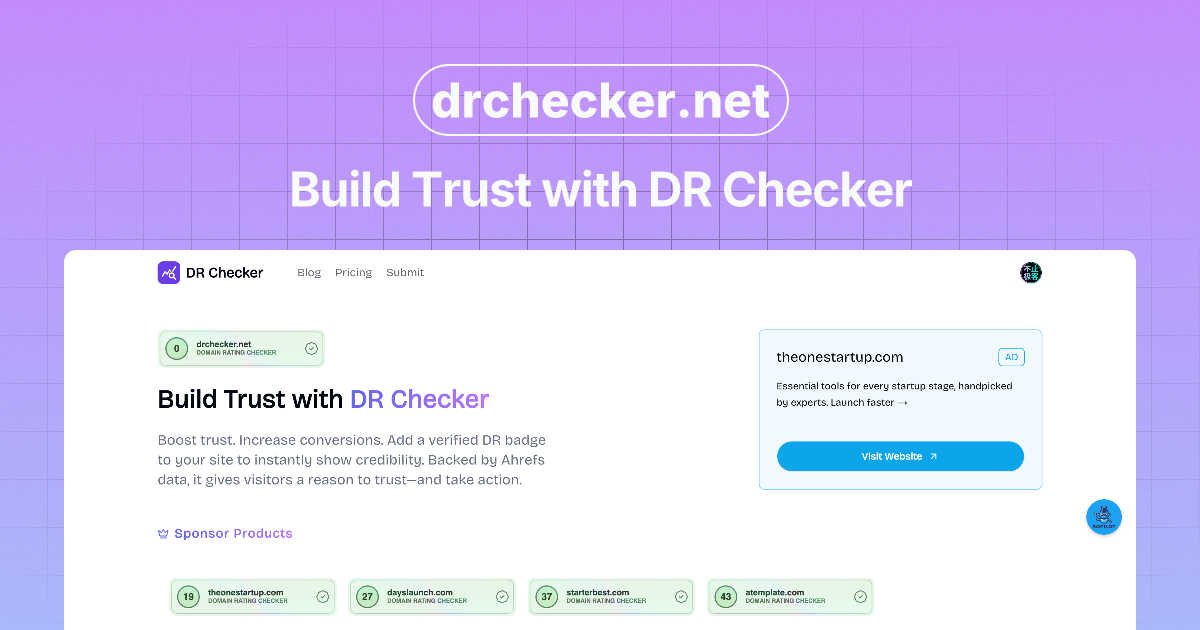
DR Checker verifies your website's trust signals to build visitor confidence.

TrafficClaw
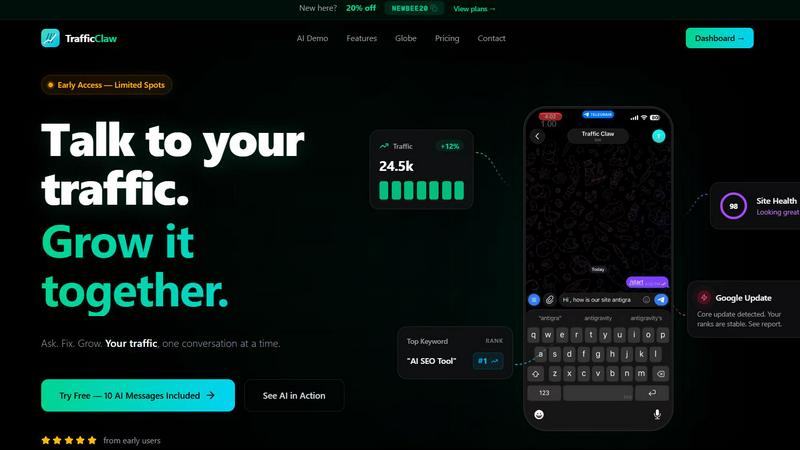
TrafficClaw is an AI analyst that talks to your live SEO and analytics data to deliver actionable growth insights.
Last updated: April 13, 2026
Visual Comparison
DR Checker
TrafficClaw
Feature Comparison
DR Checker
Advanced Website Crawling
DR Checker employs sophisticated crawling technology that systematically navigates through your entire website structure, much like a search engine bot. This deep-crawl capability ensures it examines every page, post, and asset to build a complete map of all internal and external links. This thoroughness is crucial for identifying hard-to-find broken links on infrequently visited pages or within complex site architectures, providing a comprehensive audit report that leaves no stone unturned.
Broken Link & 404 Error Detection
This core feature automatically scans for and catalogs all broken links and URLs that return HTTP error status codes, most commonly the 404 "Not Found" error. DR Checker precisely identifies the source page containing the bad link and the target URL that is failing, allowing for quick and direct remediation. This is vital for eliminating user frustration and preventing negative signals to search engines that can harm your site's credibility and search rankings.
Security & Malicious Link Screening
Beyond simple breakage, DR Checker enhances website security by screening external links for potential threats. It identifies connections to expired domains, suspicious websites, or known malicious sources that could compromise visitor safety or your site's integrity. This proactive security check helps prevent your site from inadvertently directing users to harmful content, which is essential for maintaining trust and protecting your brand's reputation.
Actionable SEO & Maintenance Reports
The platform consolidates all findings into clear, organized, and actionable reports. These reports highlight the severity and location of each issue, often categorizing them by error type for efficient prioritization. This transforms raw data into a straightforward maintenance checklist, enabling both technical and non-technical users to understand exactly what needs to be fixed to optimize site performance and SEO health effectively.
TrafficClaw
AI Chat Analyst
This is the core interactive feature. You can ask natural language questions about your traffic, rankings, and user behavior. The AI analyzes your connected live data from GA4 and Search Console to provide immediate answers, supported by charts and evidence. It delivers specific verdicts and actionable recommendations, such as identifying a ranking drop due to a specific Google update or content cannibalization, rather than offering generic advice.
SEO Intelligence Suite
This feature provides deep SEO diagnostics and opportunities. It automatically monitors for keyword gaps where you could rank but don't, alerts you to content decay as older posts lose traction, and detects cannibalization issues where multiple pages compete for the same keyword. It also includes tools optimized for AI search engines, helping you structure content to perform well in evolving search landscapes like Google's Search Generative Experience.
Integrated Analytics Dashboard
TrafficClaw consolidates key metrics into a single, real-time overview. You can monitor live visitor counts, traffic trends over time, bounce rates, and conversion funnels without switching between multiple tabs or tools. This unified view provides immediate context, making it easier to spot correlations and understand the full story behind your data at a glance.
Live Visitor Globe & Embed
This unique feature allows you to visualize your website's real-time traffic on an interactive 3D globe. It shows visitor locations, referral sources, and on-site activity in a live feed. Furthermore, you can embed this globe on your own website with a single line of code, using it as a public engagement tool or internal monitor, all powered by your actual GA4 data without requiring additional tracking scripts.
Use Cases
DR Checker
Routine Website Health Audits
Website administrators and owners can use DR Checker for scheduled, routine audits of their site's link health. By running monthly or quarterly scans, they can proactively identify and fix broken links before they accumulate and negatively impact user experience or SEO. This regular maintenance is key to preserving a professional, functional online presence and avoiding the gradual decay that affects all websites over time.
Pre-Launch Website Quality Assurance
Developers and agencies can integrate DR Checker into their pre-launch checklist for new websites or major updates. Scanning the site before it goes live ensures that all internal links work correctly and that no placeholder or test links point to invalid or insecure external resources. This final quality check helps launch a polished, professional product and prevents embarrassing errors from reaching the public.
SEO Optimization and Ranking Protection
Digital marketers and SEO specialists utilize DR Checker to protect and improve a website's search engine rankings. Search engines penalize sites with excessive broken links, viewing them as poorly maintained. By systematically finding and fixing these issues, marketers can eliminate negative SEO factors, improve crawl efficiency for search engine bots, and ensure that link equity is passed correctly throughout the site.
Enhancing User Experience and Trust
For any business relying on its website for conversions, lead generation, or information dissemination, a seamless user experience is paramount. DR Checker helps maintain this by ensuring visitors never encounter dead-end 404 pages from broken internal links. Furthermore, by removing links to suspicious external sites, it protects users and builds trust, encouraging longer site visits and higher engagement rates.
TrafficClaw
Diagnosing Sudden Traffic Drops
When your analytics show an unexplained traffic decline, instead of manually cross-referencing data, you can directly ask the AI, "Why did my traffic drop last Tuesday?" The system will analyze your connected data, check for Google algorithm updates, ranking changes for key pages, or technical issues, and provide a clear verdict with the root cause and suggested fixes.
Uncovering New Keyword Opportunities
For content planning and SEO growth, you can ask the AI to "show me keyword gaps for my main topic." It will analyze your current rankings versus competitor data and search demand to identify high-potential keywords you are not currently targeting, providing a direct list of opportunities to create new content or optimize existing pages.
Performing Comprehensive Site Audits
Instead of using separate, complex auditing tools, you can request a site health check. TrafficClaw will run a deep page-level audit, evaluating performance scores, Core Web Vitals, meta data, and structural issues. It then generates a prioritized list of auto-fix suggestions to improve technical SEO and user experience efficiently.
Monitoring Real-Time Campaign Impact
When launching a new marketing campaign, blog post, or product feature, you can use the real-time dashboard and globe to monitor immediate visitor reactions. Watch live traffic sources, geographic distribution, and on-page behavior to gauge initial interest and engagement, allowing for quick, data-informed adjustments to your strategy.
Overview
About DR Checker
DR Checker is a comprehensive, web-based diagnostic service engineered to safeguard and optimize websites by meticulously auditing their link infrastructure. It serves as an essential tool for website owners, developers, and digital marketers who are responsible for maintaining a site's health, security, and search engine performance. The core function of DR Checker is to perform deep scans of a website to identify problematic links, including broken links (404 errors), invalid URLs, expired domains, and, critically, links to potentially malicious or suspicious external sites. By uncovering these hidden issues, DR Checker provides actionable insights that empower users to proactively clean their site, thereby protecting visitor experience, preserving SEO rankings, and maintaining a trustworthy online reputation. The platform utilizes advanced crawling technology to navigate and analyze complex website structures, ensuring no problematic link goes unnoticed. Designed with accessibility in mind, its intuitive interface demystifies website maintenance, making professional-grade auditing and optimization achievable for users of all technical skill levels. In its current state, please note that this deployment is temporarily paused.
About TrafficClaw
TrafficClaw is an AI-powered analytics and SEO command center designed to eliminate the guesswork from understanding website performance. It directly addresses the common frustration of seeing traffic drop in Google Analytics without clear, actionable reasons. The platform connects to your real data sources, primarily Google Analytics 4 and Google Search Console, and provides an intelligent chat interface where you can ask questions in plain English. Instead of sifting through generic blog advice, you receive specific, data-backed verdicts and fixes. It's built for website owners, digital marketers, SEO specialists, and developers who need to move beyond static graphs to dynamic, conversational insights. The core value proposition is simple: stop analyzing and start asking. By unifying analytics, SEO intelligence, site audits, and content tools into one dashboard, TrafficClaw empowers users to diagnose issues, uncover opportunities, and implement growth strategies through a single, AI-driven conversation.
Frequently Asked Questions
DR Checker FAQ
What does DR Checker actually scan?
DR Checker performs a comprehensive scan of your website by crawling through all accessible pages. It analyzes the HTML code to extract every hyperlink, checking both internal links (pointing to other pages on your site) and external links (pointing to other websites). It then tests each link to verify its HTTP status, validity, and in some cases, the safety reputation of the external domain.
How often should I run a scan with DR Checker?
The frequency depends on how dynamic your website is. For a static brochure site, a quarterly scan may be sufficient. For active blogs, news sites, or large e-commerce platforms with frequently changing content, a monthly or even weekly scan is recommended to quickly catch new broken links that appear from edited content or expired external resources.
Can DR Checker handle very large websites?
Yes, the advanced crawling technology powering DR Checker is designed to handle websites of various sizes, including large ones with thousands of pages. The crawler is engineered to navigate complex structures and can be configured to respect robots.txt directives while systematically indexing your site's content to ensure a complete audit.
What should I do after receiving a report from DR Checker?
The actionable report provides a list of identified issues. You should prioritize fixing broken internal links by updating or removing them within your content management system (CMS). For broken external links, you can either find a new, valid source to link to or remove the reference. For links flagged as potentially malicious, they should be removed immediately to protect your users.
TrafficClaw FAQ
How does TrafficClaw access my data?
TrafficClaw uses secure, read-only Google OAuth to connect to your Google Analytics 4 and Search Console accounts. This means we can view your data to provide insights but cannot edit, delete, or modify anything within your Google accounts. Your data remains yours and is not used for training public AI models.
What is included in the free trial?
The free trial includes 10 AI messages. This allows you to fully connect your GA4 and Search Console accounts and ask a series of questions to experience the platform's core functionality, such as diagnosing traffic issues or asking for SEO insights, before committing to a paid plan.
Can I use TrafficClaw on any website?
Yes, TrafficClaw works with any website that has Google Analytics 4 and Search Console set up. It is platform-agnostic, meaning it works with sites built on WordPress, custom code, Shopify, Webflow, or any other CMS or framework, as long as the Google services are connected.
How is the AI Analyst different from ChatGPT?
The TrafficClaw AI Analyst is specifically trained and configured to analyze live website analytics and SEO data. Unlike general AI chatbots that provide advice based on public information, this AI grounds its responses in your unique, connected dataset, providing personalized verdicts, charts, and actionable steps specific to your site's performance.