
Cosy vs FilexHost
Side-by-side comparison to help you choose the right product.

Cosy automates Slack community onboarding and moderation to save you time.
Last updated: February 28, 2026

FilexHost
Easily host and share any file with a simple drag and drop, getting a live URL in seconds.
Last updated: February 26, 2026
Visual Comparison
Cosy
FilexHost

Feature Comparison
Cosy
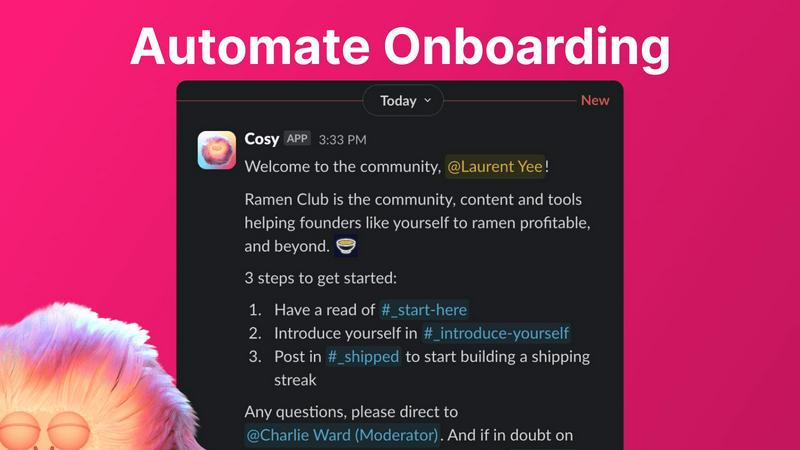
Automated Onboarding Sequences
Create and automate up to 10 distinct welcome DM sequences for new members, sent either from you, a team member, or the Cosy bot. Fully customize messages with member names, links, and emojis, and set precise time delays—from immediately to months in the future. This ensures every new joiner receives a warm, timely welcome, even outside business hours, saving administrators hours of manual outreach and follow-up while ensuring no one is overlooked.
Automated Member Introductions
Grow engagement by automatically connecting community members through direct introductions in DMs. Opted-in members are randomly paired on a customizable cadence (every 1-4 weeks) and introduced in a three-person DM including the Cosy bot. The system avoids recent matches to enhance serendipity. This feature automates the networking process, fostering relationships and building a highly engaged community where connections happen on autopilot.
Slack-Native Member Directory
Build a simple, searchable directory of all community members without ever leaving Slack. Administrators can create custom profiles with up to 10 fields (text, single-select, or multi-select). Members can be prompted to fill out their profiles via automated DMs or a manual nudge. Using a slash command or the Cosy app, members can then search and filter profiles to find the right people, strengthening community ties and discoverability.
Content Highlights & Moderation Tools
Instantly surface the most valuable conversations with slash commands. Use /most-engaged-messages to find top posts in a channel, or /most-engaged-messages-all for insights across all public channels. The /unreplied-messages command helps identify posts needing attention. Additionally, Cosy provides tools to instantly flag abusive or spam messages, helping maintain a healthy, positive community environment directly within Slack.
FilexHost
Instant Subdomains
FileXHost provides instant subdomains for every uploaded file, allowing users to share links in the format of your-file.filex.host. This feature requires zero setup, making it incredibly convenient for quick sharing.
Free SSL Encryption
Every link generated by FileXHost comes with free SSL encryption, ensuring that all shared files are securely transmitted. This feature protects user data and builds trust with recipients by providing a secure environment for file sharing.
Smart View Modes
FileXHost offers smart view modes that allow users to choose how their files are presented. Options include direct rendering for immediate viewing or a download page depending on the recipient's needs, enhancing flexibility in sharing.
Built-in File Viewers
With built-in viewers for various file types, FileXHost supports formats like PDFs, images, videos, and archives. The platform automatically renders files to provide an optimal viewing experience directly in the browser, eliminating the need for additional software.
Use Cases
Cosy
For Scaling Online Communities
Community managers running growing Slack-based groups can use Cosy to automate essential but repetitive tasks. Automated onboarding ensures consistent welcome experiences for hundreds of new members. Simultaneously, automated introductions and a searchable directory help prevent the community from feeling impersonal as it scales, maintaining high engagement and retention rates without proportional increases in manual management time.
For Founder-Led Networks & Startups
Founders building networks for customers, peers, or beta testers can leverage Cosy to foster a tight-knit environment efficiently. The tool allows them to automate initial touchpoints and connections, making members feel personally welcomed and connected from day one. This helps build strong founder-member relationships and a loyal community, which is crucial for feedback, advocacy, and product development, all without the founder being constantly online.
For Professional Associations & Masterminds
Professional groups focused on networking and knowledge sharing benefit greatly from Cosy's structured introduction system and member directory. By automatically facilitating 1:1 connections between members with shared interests (via profile data), Cosy transforms a static Slack into a dynamic networking engine. The content highlight features also allow moderators to easily surface and celebrate insightful discussions, adding value for all members.
For Educational Cohorts & Courses
Instructors and program managers using Slack for course communities can employ Cosy to enhance the student experience. Automated onboarding sequences can deliver crucial resources, schedules, and welcome messages. The member directory helps students find peers for collaboration based on skills or interests, while content tools allow facilitators to quickly identify and respond to unanswered questions, ensuring no learner is left behind.
FilexHost
Professional Reports Sharing
Professionals can utilize FileXHost to share client reports and presentations effortlessly. The ability to generate shareable links instantly allows for quick distribution and feedback, streamlining communication processes.
Developer Landing Pages
Developers can host landing pages or mock APIs using FileXHost without the hassle of server management. The platform's drag-and-drop interface makes it easy to upload HTML files or ZIP archives, allowing for rapid deployment.
Digital Products Distribution
Creators can distribute digital products, such as eBooks or software, through FileXHost. The secure sharing options, including password protection and link expiration, ensure that products are delivered safely and privately.
Educational Content Sharing
Educators can share lecture notes, multimedia resources, and study materials with students. FileXHost's ability to host various file types and render them for easy access makes it a valuable tool in educational settings.
Overview
About Cosy
Cosy is a powerful, Slack-native application engineered to transform standard Slack workspaces into vibrant, self-sustaining communities. It is specifically designed for community managers, founders, and team leaders who utilize Slack as their primary hub and seek to enhance member experience, improve retention, and scale their operations efficiently. The core value proposition of Cosy lies in its deep, seamless integration within Slack itself. Unlike external platforms that force members to switch contexts, Cosy operates entirely within the familiar Slack interface, automating the manual, time-consuming tasks of community management. This allows leaders to foster genuine connection and sustained engagement without constant hands-on effort. By automating personalized onboarding sequences, facilitating meaningful member-to-member introductions, providing a built-in and searchable directory, intelligently surfacing valuable content, and offering moderation tools, Cosy systematically cultivates community health. The result is a significant saving of administrative hours each week while creating a more cohesive, engaged, and truly "cosy" environment where the community can thrive organically from within the tools they already use daily.
About FilexHost
FileXHost is a powerful and intuitive file hosting platform designed to simplify the process of sharing files of any type. Whether you need to share documents, media files, spreadsheets, or entire websites, FileXHost offers a seamless solution that eliminates traditional barriers to file sharing. With its "Drop & Share" workflow, users can easily drag and drop files to receive instant, secure URLs for sharing without the need for complex server setups or DNS configurations. This service caters to a wide audience, including professionals sharing client reports, developers hosting landing pages, and creators distributing digital products. The main value proposition of FileXHost lies in its user-friendly interface and efficient file rendering capabilities, ensuring that recipients experience the files as intended without unnecessary downloads or plugins.
Frequently Asked Questions
Cosy FAQ
How does Cosy handle privacy and data?
Cosy operates entirely within your Slack workspace and adheres to Slack's platform security and data policies. The app only accesses information necessary for its features, such as member names for introductions and profile data for the directory, with permissions granted during installation. Member introductions are opt-in, and administrators have full control over the data collected in custom directory fields.
Can I customize the messages sent by Cosy?
Yes, Cosy offers extensive customization for all automated messages. For onboarding sequences, you can fully customize the message content, include the member's name, add links and emojis, and set specific time delays. For member introductions, you can customize the introductory message template. This allows you to maintain your community's unique voice and tone.
What happens if a member replies to an automated DM?
If an onboarding DM is configured to be sent from you or a team member (using a Slack token), the recipient can reply like in a normal DM conversation, and the replies will go to that person's Slack inbox. If the message is sent from the Cosy bot, the bot does not currently respond to replies. For introduction DMs, the conversation includes both members and the Cosy bot, and all parties can reply to kickstart the chat.
Is there a free plan available?
Yes, Cosy offers a free plan for communities with up to 250 members. For communities needing to support more than 250 members, Cosy provides a 30-day free trial of its unlimited members plan, allowing you to fully test all features at scale before committing to a paid subscription.
FilexHost FAQ
What is FileXHost?
FileXHost is an online file hosting and sharing service that allows users to upload and share various file types easily. It simplifies the process of file distribution with instant links and smart rendering options.
Is it really free?
Yes, FileXHost offers a free plan that allows users to host up to 1,000 files with a maximum size of 25MB each. This plan is ad-supported and includes a 7-day expiry for hosted files.
What file types are supported?
FileXHost supports a wide range of file types, including documents (PDF, TXT), spreadsheets (XLSX, CSV), images (JPG, PNG), media files (MP4, MP3), and archives (ZIP), ensuring versatility for users.
How do I update my site?
To update your hosted files on FileXHost, simply upload the new version of the file using the drag-and-drop feature. The platform will automatically generate a new link for the updated file, making the process seamless.
Alternatives
Cosy Alternatives
Cosy is a Slack-native productivity and community management tool. It automates key tasks like member onboarding, introductions, and moderation directly within Slack, helping leaders save time and build more engaged communities. Users may seek alternatives for various reasons. These can include budget constraints, a need for features beyond Slack automation, or a requirement to manage communities on platforms other than Slack. Some may also look for different pricing models or more specialized moderation capabilities. When evaluating alternatives, consider your primary community platform, the specific workflows you need to automate, and your budget. Key factors include the depth of integration with your chosen platform, the flexibility of automation rules, the quality of analytics, and the overall ease of use for both administrators and members.
FilexHost Alternatives
FilexHost is an innovative file hosting service that allows users to swiftly upload and share files through a simple drag-and-drop interface. It falls under the category of productivity and management tools, designed to streamline the process of sharing various file types without the need for extensive technical knowledge. Users often seek alternatives to FilexHost due to factors such as pricing, specific feature sets, or platform compatibility. Whether it's the need for larger file sizes, enhanced security options, or additional analytics, understanding one’s requirements is crucial for finding the right fit. When choosing an alternative to FilexHost, it is important to consider key features, user experience, and the overall ease of use. Look for services that offer reliable performance, security measures such as SSL encryption, and flexible storage options to accommodate various needs. Additionally, assess the support for different file types and the availability of analytics or customization features to ensure the platform aligns with your specific use case.