

Alternatives to Tagada
Tagada parses Gmail into clickable sentences for local highlighting and tagging, keeping your data private without AI or cloud.
Explore 20 alternatives to Tagada. Compare features, pricing, and find the best fit for your needs.
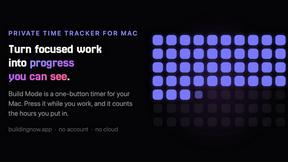
Build Mode for Mac
Build Mode is a Mac app that turns focused sessions into visible progress, so you can see the work adding up before the results arrive.
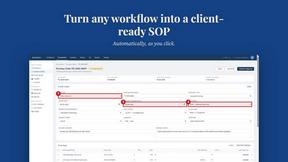
MySOP.guru
Capture any workflow in your browser and export a branded, step-by-step SOP with screenshots. €5 per document, no subscription.

PerPageFax
PerPageFax lets you send a fax online from any browser for a flat $0.50 per page — no account, no subscription, no fax machine.

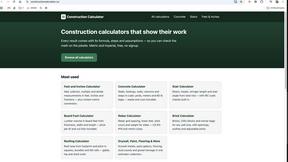
Construction Calculator
Free construction calculators with transparent formulas, steps, assumptions, and metric or imperial units.


Glanced
Follow news, blogs, newsletters, and podcasts in a free RSS reader, with AI summaries, top stories, full-text search, saved searches, and a catalog.

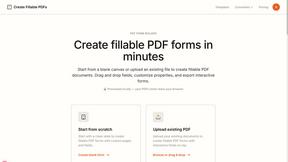
Create PDF from Excel Online
Create PDF from Excel online and preview every page before downloading. Fit wide sheets, repeat headers, and combine workbooks privately.
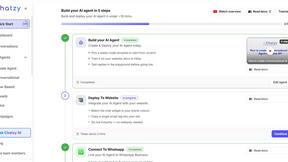



Postqued
Schedule and publish social content across 10 platforms with one dashboard, API, and MCP built for teams and AI agents.

Reassign.ai
Your whole grind on one 24-hour dial. Drag to time-block, lock your deep-work hour, let Claude replan the rest over MCP. For builders. Free, no card.
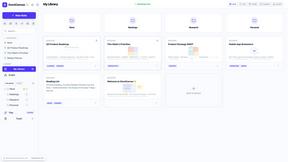


Wisegrid
Spreadsheet-native work management with AI formulas, dashboards, automation, reporting, and project views for growing teams.

Foco ADHD Planner
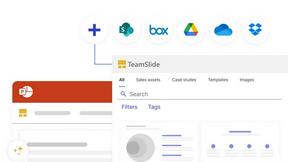
FOCO helps ADHD minds beat task paralysis by breaking overwhelming tasks into clear, manageable steps so you can start, focus, and finish.

About Tagada Alternatives
Tagada is a browser extension designed to enhance productivity within Gmail by parsing incoming emails into clickable sentences that users can highlight, tag, and organize by category, all processed locally on the user's machine. It belongs to the broader category of email productivity and management tools, which aim to streamline workflows for professionals who handle high volumes of correspondence. Users commonly look for alternatives to Tagada due to factors such as pricing structures that may not fit their budget, a desire for different feature sets like advanced AI integrations or team collaboration capabilities, or platform needs that extend beyond browser-based Gmail extensions into full email client replacements. When choosing an alternative, it is important to evaluate how the tool handles data privacy, as some solutions rely on cloud processing while others, like Tagada, prioritize local computation. You should also consider the depth of email parsing and categorization features, whether the tool integrates with your existing workflow without requiring a steep learning curve, and if it offers the flexibility to scale from individual use to team environments. Additionally, assess the availability of automated reply generation, tagging systems, and the ability to manage long threads efficiently, as these factors directly impact response time and clarity in professional communication.
FAQs about Tagada Alternatives
What is Tagada?
Tagada is a browser extension that transforms how you read and reply to emails in Gmail by parsing incoming messages into clickable sentences. It allows you to highlight, tag, and organize these sentences by category with a single click, all without sending your data to the cloud. The tool then generates a clean reply template built around the points that matter, helping you respond faster and more clearly. All processing is done 100% locally, meaning no AI, no cloud, and no third-party servers are involved.
Who is Tagada for?
Tagada is ideal for professionals, support teams, freelancers, consultants, and anyone managing long email threads on a regular basis. It is designed for users who need to cut down response time, structure their replies, and keep their data fully private. Whether you are handling customer inquiries, project coordination, or client communications, Tagada helps streamline the email reading and replying process directly inside Gmail. It is particularly useful for individuals who want to avoid learning a new tool and prefer to work within their existing email interface.
Is Tagada free?
The provided content does not specify whether Tagada is free or has a paid pricing model. To determine the current cost structure, you would need to visit the official Tagada website or check the browser extension store listing for the most up-to-date information. Many productivity tools offer a free tier with limited features and premium plans for advanced capabilities. It is recommended to review the pricing page directly to understand what is included at no cost and what requires a subscription.
What are the main features of Tagada?
Tagada's main features include instant parsing of emails into selectable sentences, one-click highlighting and tagging by category, and auto-generated reply templates built from your selections. It operates 100% locally, ensuring no data is sent to the cloud or third-party servers, and works directly inside Gmail without requiring you to learn a new tool. These features are designed to help professionals organize their email content, reduce response time, and maintain complete privacy over their communications.