

RoomCreator
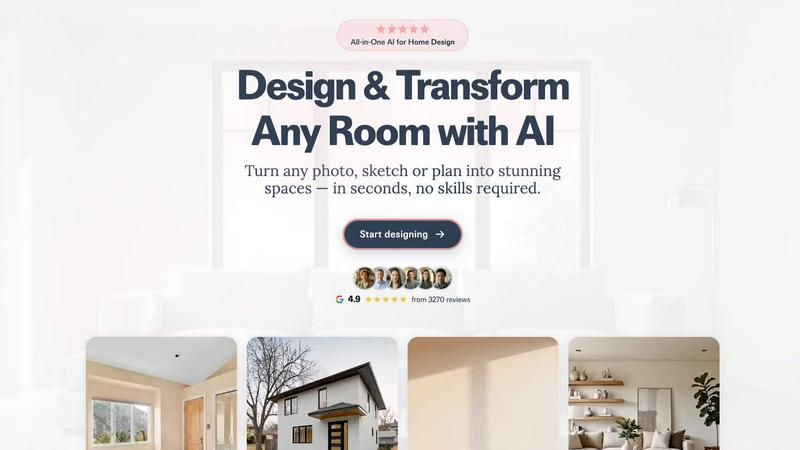
RoomCreator turns room photos, sketches, and floor plans into AI-generated interior and exterior designs for homeowners, agents, and designers.
Categories
Pricing
About RoomCreator
RoomCreator helps homeowners preview design ideas against their own spaces before making renovation or furnishing decisions. Upload a photo, sketch, or floor plan, choose a style, and generate a photorealistic visualization. The browser-based toolkit also covers exterior updates, targeted image edits, and clearing furniture from room photos.
Real estate professionals can use it to stage empty or dated interiors and create listing visuals. Designers can explore layouts and palettes to share with clients, while homeowners can compare looks before committing to a project. Results are visual concepts; the page describes them as design previews, so they should inform planning rather than replace measurements or construction plans.
Start with the space you need to change
For a broad redesign, generate a new room concept. If the existing image is mostly right, the brush editor changes selected areas; the empty-room tool removes furniture while preserving visible architectural features. Sketch rendering suits early concepts, and exterior rendering focuses on curb appeal.
Features
- Generate room designs from photos, sketches, and floor plans.
- Explore interior styles and visualize exterior colors, materials, and landscaping.
- Edit selected image areas or remove furniture from a room photo.
- Create short motion videos from interior photos.
Use cases
- Compare interior styles and layouts before renovating or buying furniture.
- Stage vacant or outdated rooms for real estate listings.
- Share visual concepts with design clients, family, or contractors.
- Preview exterior changes before repainting or renovating.
Pricing
One-time credit packs; the page lists a Starter pack at $9.99 and a Standard pack at $29.99. Credits do not expire, and there is no subscription.
Frequently asked questions
What can I upload?
The page says RoomCreator accepts photos, sketches, and floor plans, including messy room photos and rough sketches.
Can I make a targeted edit?
Yes. The Brush Editor changes an area you select without regenerating the entire room.
Is it intended for real estate?
Yes. The product describes tools for staging interiors and creating listing visuals.
Similar products
Compare alternatives

Murphi


GridCraft
GridCraft is an open-source spreadsheet for editing XLSX files, with formulas and charts available in browser and desktop versions.

FilmCraft


CyberScore
CyberScore checks a small business's public email, website and server security, then explains the findings and suggested fixes in plain English.


Cardify
Create shareable knowledge cards from Markdown using live theme previews, custom styling and batch export in three formats.


3dmindnet
3dmindnet turns linked notes into a 3D knowledge graph, letting users move through space to explore relationships between ideas.


Greatooly
Greatooly helps people discover everyday iPhone apps through broad categories, tags, and listings with feature, pricing, and official-source details.


CodexFuse Solution
All-in-One Managed IT Platform on Credits — Hosting, VPS, AI Agents, Business Email & Software Development